







Definition & Purpose
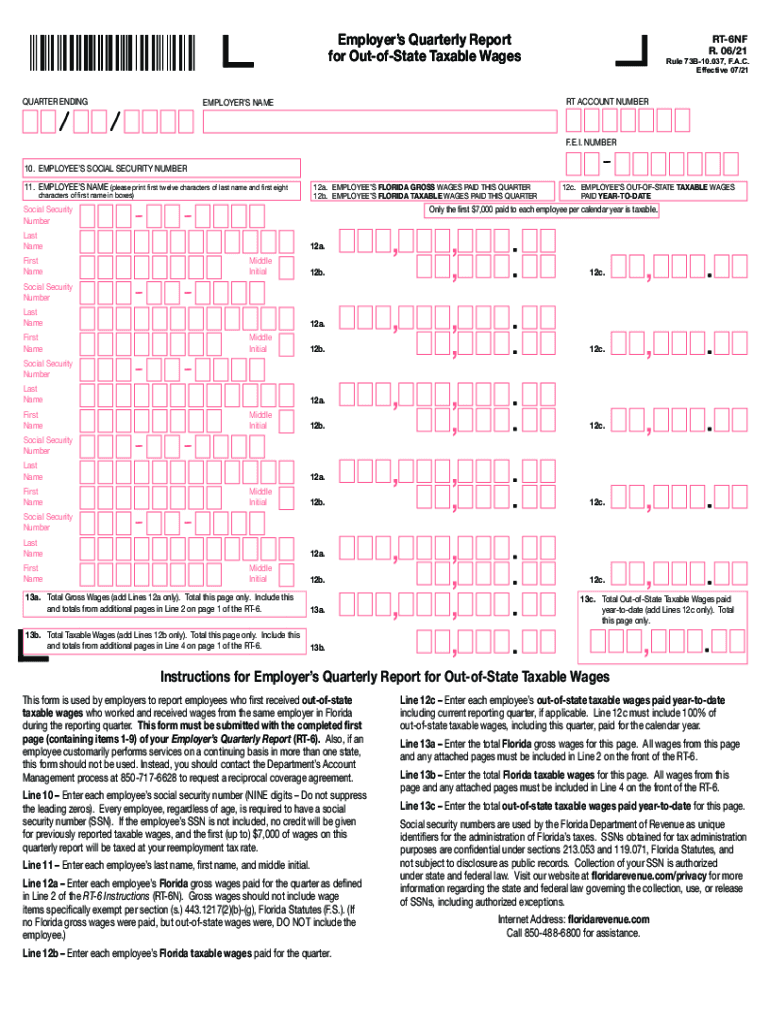
The "File, Adjust or Review Quarterly Tax & Wage ReportDES - NCFlorida Form RT-6 (Employer's Quarterly Report)" is a crucial tax document for employers in Florida. It allows businesses to report employees' wages earned both in-state and out-of-state. The form reports gross wages, taxable wages, and contributions due for the quarter. This document plays a vital role in ensuring compliance with Florida's unemployment tax laws, aiding in accurate tax credit distribution and preventing penalties for inaccurate reporting.
Steps to File the Form Correctly
-
Gather Required Information: Before beginning, collect all necessary information, including employee Social Security numbers, total gross wages, and taxable wages for the quarter.
-
Fill Out Employee Details: Accurately enter each employee's details, such as their name, Social Security number, and wages earned.
-
Calculate Wages: Make sure to divide each employee's wages into gross wages and taxable wages. This distinction is crucial for the tax credit calculation.
-
Review for Accuracy: Double-check all entered information to prevent errors which could lead to potential penalties.
-
Submit by Deadline: Ensure to file the form either electronically or via mail by the state's specified deadline to avoid late fees.
-
Retain Confirmation: After submission, keep a copy of the completed form and confirmation of filing for your records.
Importance of Filing the Form
Filing the RT-6 form is essential for employers as it ensures compliance with state unemployment insurance regulations. Accurate filing helps in:
- Preventing Tax Penalties: Meeting filing deadlines and ensuring accurate information mitigate the risk of financial penalties.
- Securing Tax Credits: Properly filled forms help in gaining eligible tax credits which can reduce the overall tax burden.
- Maintaining Good Standing: Regular and precise reporting keeps businesses in good standing with state tax departments.
Typical Users
The RT-6 form is typically used by Florida-based businesses that employ workers. It applies to:
- Corporations and Limited Liability Companies (LLCs) that have employees on their payroll.
- Partnerships and Sole Proprietorships conducting business with a hired workforce.
- Large businesses are equally required to file alongside smaller businesses that meet the employee threshold requiring wage reporting.
State-Specific Filing Rules
Florida-specific requirements for filing the RT-6 form include:
- Quarterly Filing: Reports must be submitted every quarter, reflecting payroll and wages from January-March, April-June, July-September, and October-December.
- Electronic Filing Mandates: Businesses with ten or more employees are usually mandated to file electronically.
- Benefit Charges: Employers are responsible for benefit charges and should ensure accurate reporting to avoid overcharges on benefit use.
Penalties for Non-Compliance
Failure to file the RT-6 form accurately and on time may result in significant penalties, including:
- Monetary Penalties: Late filing incurs financial penalties that accumulate over time.
- Interest on Unpaid Contributions: Interest charges apply to unpaid or underpaid contributions, increasing overall costs.
- Legal Repercussions: Ongoing non-compliance can result in further legal action and potentially impact a business’s operational capabilities.
Form Submission Methods
Employers can submit the RT-6 form via multiple methods:
- Online: The preferred method for speed and verification through platforms compatible with Florida's Department of Revenue, reducing paperwork and allowing for instantaneous submission.
- Mail: Traditional submission through postal services, although slower and requiring manual confirmation of receipt.
- In-Person: Direct submission at specified Florida tax offices, beneficial for complex cases requiring consultation.
Digital vs. Paper Versions
- Digital Forms: These are often encouraged due to their ease of access, automatic compliance checks, and integration capabilities with accounting software like QuickBooks and TurboTax.
- Paper Forms: Still available but require manual completion and can lead to processing delays, as manual entry errors are more frequent.
Software Compatibility
Businesses often use tax software like:
- TurboTax and QuickBooks: These ensure accurate computation and filing, integrating wage data from payroll systems, and reducing errors.
- Custom Business Software: For larger entities, customization options allow integration directly with existing financial systems for seamless operations.
Employers leveraging technology in managing their tax compliance will benefit from tracking capabilities, reminders, and automatic updates on state tax regulations.




