




01. Edit your form online
Type text, add images, blackout confidential details, add comments, highlights and more.

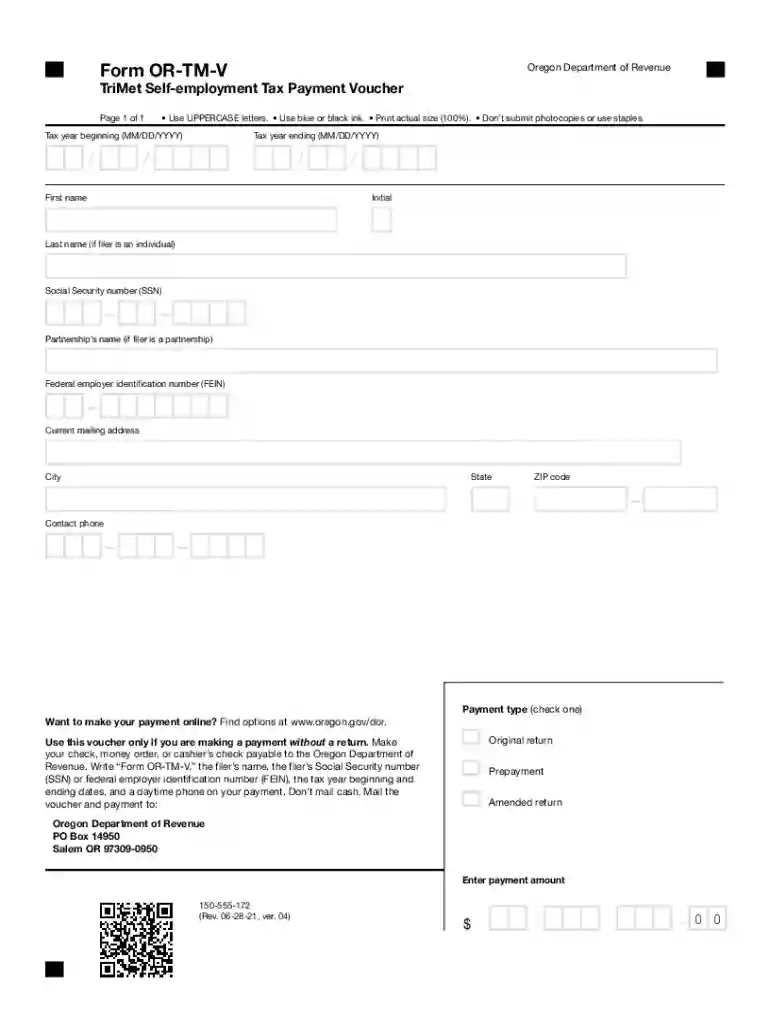
Type text, add images, blackout confidential details, add comments, highlights and more.

Draw your signature, type it, upload its image, or use your mobile device as a signature pad.

Send it via email, link, or fax. You can also download it, export it or print it out.
Payment Vouchers from the Arizona Department of Revenue (AZDOR) serve as an essential tool for Arizona taxpayers. They are used primarily for submitting various types of tax payments, such as estimated taxes and outstanding balances. These vouchers help in clearly identifying the purpose and source of the payment, ensuring it is correctly applied to the taxpayer’s account. By using payment vouchers, Arizona residents can efficiently manage their tax liabilities and maintain compliance with state tax laws. Each voucher includes specific information that identifies the taxpayer and the corresponding tax period.
Getting a payment voucher from the AZDOR is straightforward. Taxpayers can access these vouchers through the AZDOR official website. They are typically downloadable as a PDF, which can be printed for manual submission or completed electronically. For those who prefer traditional methods, contacting the Department of Revenue directly by phone or visiting a local taxpayer assistance center can also be effective. Additionally, tax preparation software often integrates options for generating and printing payment vouchers during the tax filing process, providing convenience and ensuring all necessary details are accurately captured.
Using the AZDOR payment vouchers correctly is vital for legal compliance. The vouchers ensure transparency in the payment process, safeguarding against potential disputes over payment delinquency. They serve as official records of tax payments, which can be crucial during audits or legal proceedings concerning tax liabilities. Inaccurate or incomplete vouchers can lead to misallocation of payments, resulting in penalties or interest for unpaid taxes.
Arizona taxpayers need to be mindful of specific deadlines related to payment vouchers. Missing a deadline can result in penalties and interest charges. Estimated tax payments typically follow a quarterly deadline schedule, aligning with key tax calendar dates. It's essential to refer to the AZDOR calendar annually to stay informed about any changes or updates in deadlines and ensure timely submission.
To submit a payment voucher successfully, taxpayers should have the following documents ready:
Taxpayers can choose between online and mail submission for their vouchers:
Various business entities, such as LLCs, corporations, and partnerships, use payment vouchers for streamlined tax management. Each entity type may have specific sections on the voucher to complete, ensuring the payment applies to the correct tax obligations. This is especially useful for businesses making estimated tax payments throughout the year, enhancing cash flow management and forecasting.
While the current version of the AZDOR payment vouchers meets most taxpayers’ needs, alternative forms or methods might apply to unique situations. For example, electronic payments made through the state’s online portal might not require a physical voucher but would still necessitate the same information typically found on one. Understanding these nuances ensures full compliance and efficiency in managing state tax payments.
We've got more versions of the Payment VouchersArizona Department of Revenue - AZDOR form. Select the right Payment VouchersArizona Department of Revenue - AZDOR version from the list and start editing it straight away!
You should use only reliable software solutions with strong security compliance to sign your paperwork electronically. DocHub is just the type of software you need! It stores data on Amazon Web Servers and complies with all required security requirements and eSignature laws, so it’s a trustworthy way to eSign your Payment VouchersArizona Department of Revenue - AZDOR or other documents using this tool.
You can complete and sign your Payment VouchersArizona Department of Revenue - AZDOR online, even on a tight deadline. All you need to access high quality editing instruments on any device is a DocHub account, that you can register within a few moments. After you sign up, upload your file or find what you are looking for in our catalog, complete it using the editing instruments you want, and put your electronic signature on it at the end.
At DocHub, your data security is our priority. We follow HIPAA, SOC2, GDPR, and other standards, so you can work on your documents with confidence.
Recent legislation has led to the DocHub expansion of private school voucher payment check to Arizona. Department of Revenue Arizona Department of
Payment Vouchers Form is used those who electronically files a tax return and is separately mailing payment for taxes not remitted with the tax form, whenRead more


