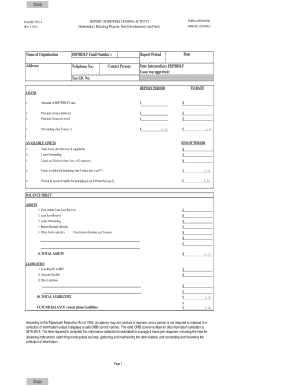
Definition and Meaning of the 2015 IRS 990 Form
The 2015 IRS 990 Form is a compliance document used by tax-exempt organizations to report their financial information, activities, and governance. The form is critical for maintaining transparency and accountability in nonprofit operations. It provides details on revenue, expenses, compensation, and other financial activities, offering stakeholders insights into an organization's fiscal health. Nonprofits that qualify as section 501(c)(3) entities, among other categories, need this form to affirm their public charity status and compliance with IRS regulations.
Key Components of the Form
- Revenue Sources: Itemization of all income received, including donations, grants, and investments. This section helps outsiders evaluate the diversity of an organization's funding streams.
- Expenses: Breakdown of operational costs, from salaries to program-specific expenditures. It reveals how resources are allocated and spent.
- Governance Practices: Provides information on board composition, policies, and procedures, demonstrating adherence to nonprofit governance standards.
- Compensation: Details about salaries of key employees, which ensure transparency in pay practices.
Steps to Complete the 2015 IRS 990 Form
Completing the 2015 IRS 990 Form involves meticulous data collection and organization. Organizations should prepare their financials and operational summaries before starting the process.
- Gather Financial Statements: Accumulate all relevant documents, such as balance sheets and statements of activities.
- Compile Revenue and Expense Records: Ensure all income sources and expenses are documented accurately.
- List Key Officers and Board Members: Include details on current officers and others in governance roles.
- Complete Sections Methodically: Follow the form's order, starting with basic information and moving through financials and policies.
- Review and Double-Check Entries: Verify all data for accuracy before submission to prevent errors that could lead to penalties.
Key Points to Remember
- Accuracy is Crucial: Incorrect data can lead to compliance issues or fines.
- Documentation: Support all claims with proper documentation, especially for deductions and expenses.
Who Typically Uses the 2015 IRS 990 Form
The 2015 IRS 990 Form is predominantly used by nonprofit organizations that seek to report their operations to the IRS and the public.


Common Users
- 501(c)(3) Organizations: Encompasses charities, religious groups, and educational institutions.
- Nonprofit Hospitals and Medical Organizations: Required to disclose community benefits and charity care.
- Nonexempt Charitable Trusts: These trusts must report to confirm their alignment with charitable operations.

Filing Deadlines and Important Dates for the 2015 IRS 990 Form
To avoid penalties, it’s critical to meet all filing deadlines associated with the 2015 IRS 990 Form.
- Annual Filing Requirement: Typically due by the 15th day of the 5th month after the end of an organization's fiscal year.
- Extensions Available: Organizations can request an automatic six-month extension if needed, provided the request is made timely using IRS Form 8868.
Penalties for Non-Compliance with the 2015 IRS 990 Form
Failure to file the 2015 IRS 990 Form can result in severe consequences, hurting an organization’s reputation and financial health.
Potential Penalties
- Monetary Fines: Depends on organization size and length of delinquency, starting at $20 per day.
- Loss of Tax-Exempt Status: Nonprofits failing to file for three consecutive years automatically lose their tax-exempt status.
- Reinstatement Fees: Associated costs and efforts can be significant for regaining tax-exempt recognition.
Key Elements of the 2015 IRS 990 Form
A thorough understanding of the form's structure aids in its completion.
Major Components
- Part I – Summary: A snapshot of the organization's mission, activities, and financial performance.
- Part VII – Compensation: Detailed data on salaries, bonuses, and benefits provided to top officers and directors.
- Part XI – Financial Statements and Reporting: Reconciles presented financial statement numbers and IRS reporting standards.
IRS Guidelines for the 2015 IRS 990 Form
Adherence to IRS guidelines ensures proper form completion, minimizing risk of audits.
- Consistent Reporting: Maintain consistency with prior year filings and in methods used.
- Use of Correct Tax Codes: Assign accurate IRS codes to various transaction types to ensure clarity.
Digital vs. Paper Version of the 2015 IRS 990 Form
While paper filings remain an option, digital submission offers notable advantages.
Benefits of e-Filing
- Efficiency: Eliminates postal delays, ensuring on-time submission.
- Accuracy: Software prompts can help correct errors before filing, avoiding rejected returns or IRS flags.
- Confirmation Receipt: Immediate acknowledgment from IRS confirms submission acceptance.
Software Compatibility with the 2015 IRS 990 Form
Various software programs are compatible with the 2015 IRS 990 Form, assisting in efficient and accurate completion.
Popular Programs
- TurboTax for Nonprofits: Streamlines the data-entry process, catering to organizations that prefer user-friendly interfaces.
- QuickBooks Integration: Ideal for those already using the software for financial tracking, offering seamless data importing capabilities.