




01. Edit your oklahoma franchise online
Type text, add images, blackout confidential details, add comments, highlights and more.

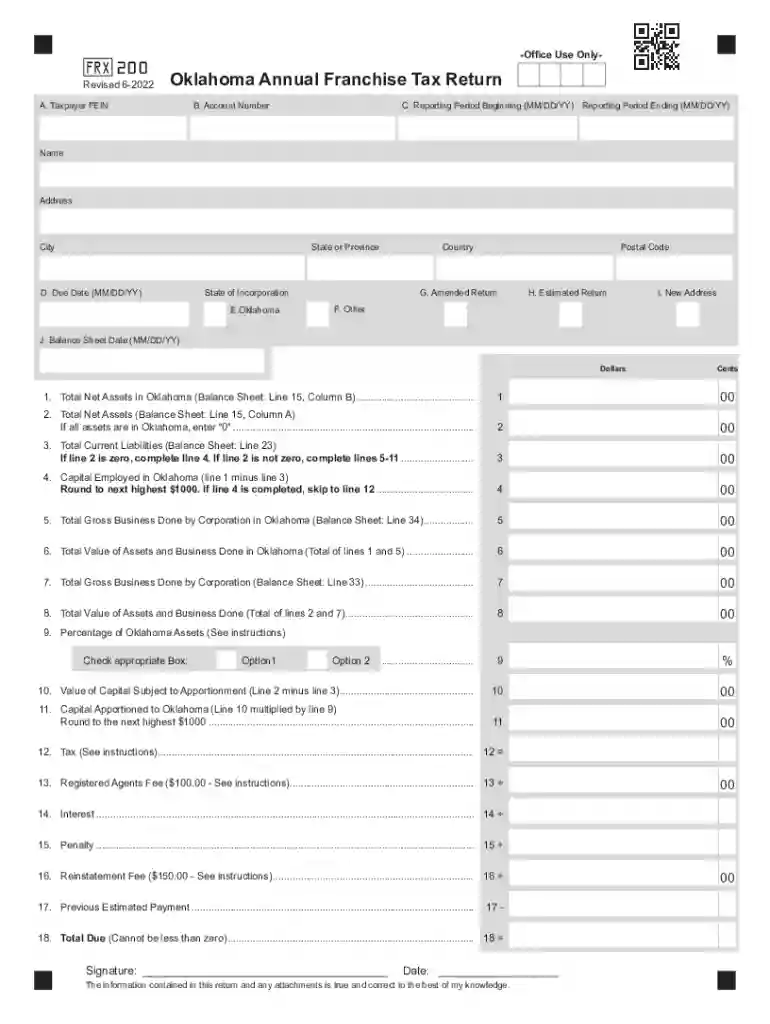
Type text, add images, blackout confidential details, add comments, highlights and more.

Draw your signature, type it, upload its image, or use your mobile device as a signature pad.

Send oklahoma annual via email, link, or fax. You can also download it, export it or print it out.

Start using our platform today to streamline your Oklahoma Franchise Tax filing process for free!
We've got more versions of the oklahoma franchise form. Select the right oklahoma franchise version from the list and start editing it straight away!
| Versions | Form popularity | Fillable & printable |
|---|---|---|
| 2023 | 4.8 Satisfied (34 Votes) | |
| 2022 | 4.7 Satisfied (77 Votes) | |
| 2021 | 4.8 Satisfied (186 Votes) | |
| 2020 | 4.4 Satisfied (142 Votes) | |
| 2017 | 4.2 Satisfied (73 Votes) | |
| 2015 | 4.3 Satisfied (108 Votes) | |
| 2014 | 4.4 Satisfied (46 Votes) | |
| 2008 | 4.3 Satisfied (64 Votes) | |
| 2007 | 4 Satisfied (29 Votes) | |
| 2006 | 4.9 Satisfied (54 Votes) |
Managing your paperwork with DocHub this way is extremely straightforward once you have downloaded its extension for Google Chrome. Go to the Chrome Web Store and set up DocHub - Sign PDF from Gmail to obtain it. Give our tool access to your Google account, and then open an email containing oklahoma annual franchise tax return as an attachment and point to the file with your cursor - the DocHub extension button will automatically appear there. Click on it to open your document in our editor. Make any necessary modifications, complete the blanks, and click Sign to create your legally-binding electronic signature.
When you edit your oklahoma company with DocHub, you merely require a steady internet connection and virtually any web browser installed on your device. No need to install any third-party applications or research tutorials. Just open a tab with DocHub, drag and drop your file, and modify it on the spot.
At DocHub, your data security is our priority. We follow HIPAA, SOC2, GDPR, and other standards, so you can work on your documents with confidence.
The information contained on the balance sheet of the Franchise Tax Return shall be taken from the federal or Oklahoma Income Tax Return.Read more
Oklahomas franchise tax has been eliminated as part of a comprehensive tax reform plan. Tax year 2023 is the last year that franchise tax returns will beRead more
California Tax Power of Attorney or also known as FTB 3520, Franchise Tax Board Power of Attorney Declaration is a legal document intended to facilitateRead more


