




01. Edit your otc 901 tulsa county online
Type text, add images, blackout confidential details, add comments, highlights and more.

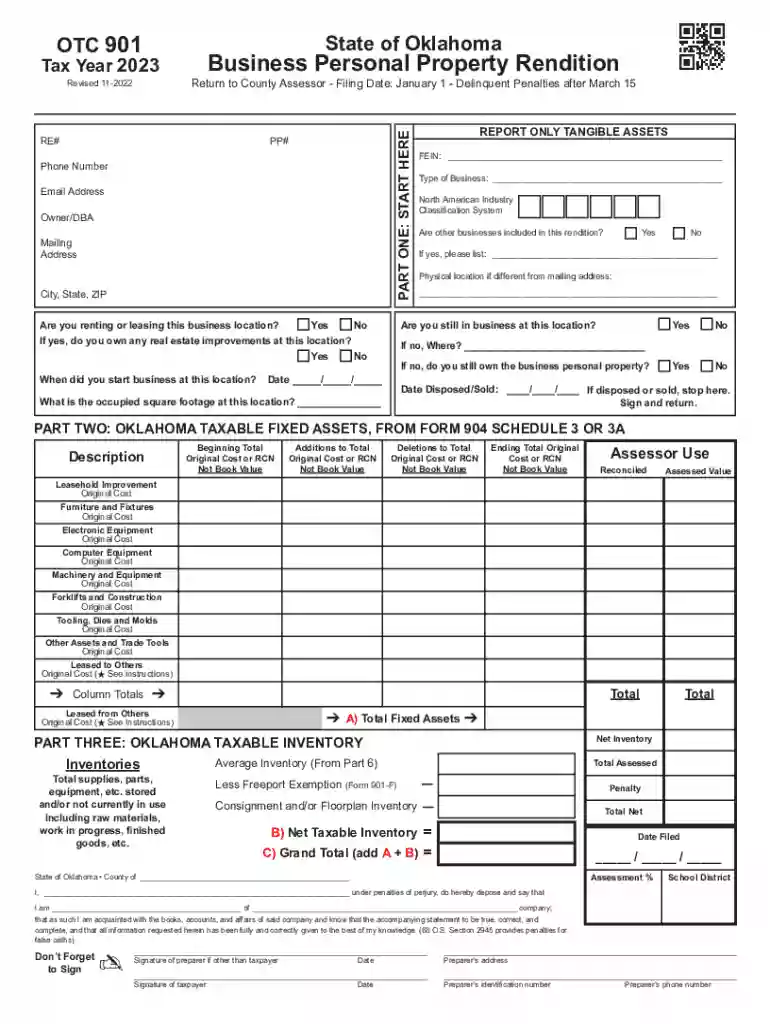
Type text, add images, blackout confidential details, add comments, highlights and more.

Draw your signature, type it, upload its image, or use your mobile device as a signature pad.

Send oklahoma form 901 via email, link, or fax. You can also download it, export it or print it out.

Start using our platform today for free to streamline your Oklahoma tax personal form completion!
We've got more versions of the otc 901 tulsa county form. Select the right otc 901 tulsa county version from the list and start editing it straight away!
| Versions | Form popularity | Fillable & printable |
|---|---|---|
| 2026 | 4.8 Satisfied (58 Votes) | |
| 2025 | 4.7 Satisfied (50 Votes) | |
| 2023 | 4.8 Satisfied (63 Votes) | |
| 2022 | 4.8 Satisfied (112 Votes) | |
| 2021 | 4.3 Satisfied (163 Votes) | |
| 2020 | 4.2 Satisfied (73 Votes) | |
| 2019 | 4.4 Satisfied (261 Votes) | |
| 2018 | 4.4 Satisfied (184 Votes) | |
| 2016 | 4.4 Satisfied (565 Votes) | |
| 2015 | 4 Satisfied (61 Votes) | |
| 2013 | 4 Satisfied (22 Votes) | |
| 2011 | 4.2 Satisfied (26 Votes) |
At DocHub, your data security is our priority. We follow HIPAA, SOC2, GDPR, and other standards, so you can work on your documents with confidence.
Oklahoma is the last state in the country to tax household tangible personal property, but currently only. 3 of Oklahomas 77 counties tax continue to levy thisRead more
IF YOUR TAXABLE INCOME IS ; $0 up to $2,000: Pay $0.00 plus .25% over $0.00. ; $2,001 up to $5,000: Pay $5.00 plus .75% over $2,000. ; $5,001 up to $7,500: PayRead more
Feb 1, 2018 Use Form 7004 to request an automatic extension of time to file certain business income tax, information, and other returns.


