




Here's how it works



How to use or fill out nj form l 9 with our platform

- Click ‘Get Form’ to open the nj form L-9 in the editor.
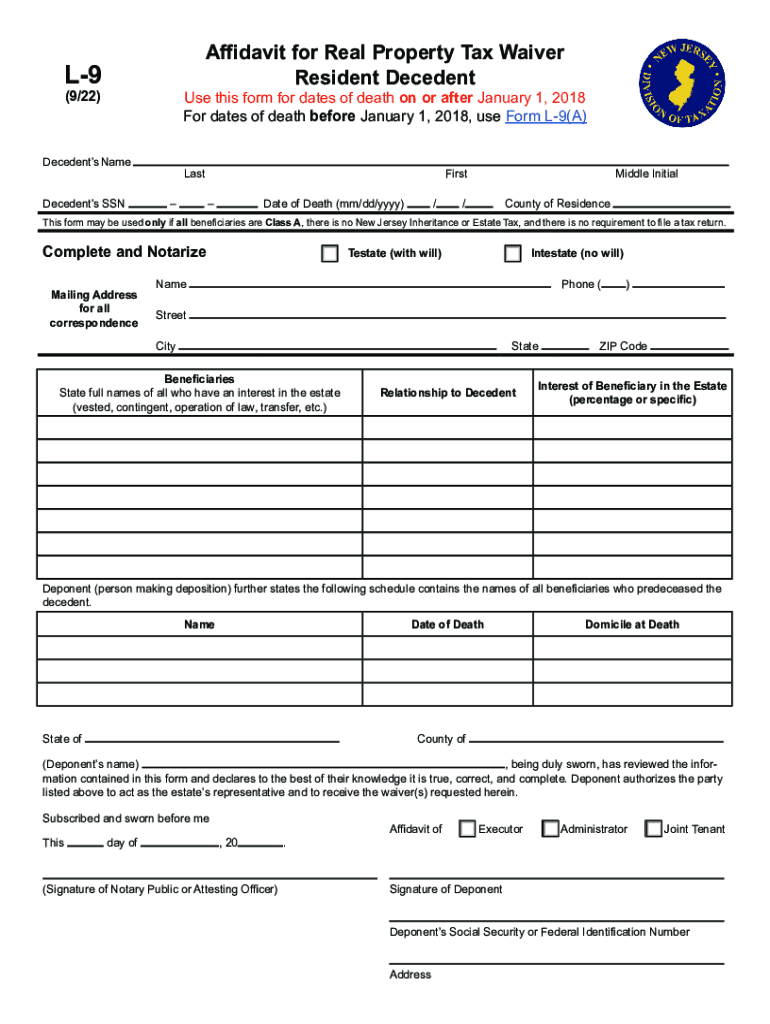
- Begin by entering the decedent’s name and Social Security Number in the designated fields. Ensure accuracy as this information is crucial for processing.
- Fill in the date of death using the format mm/dd/yyyy. This section is vital for determining eligibility for the waiver.
- Indicate whether the estate is testate (with a will) or intestate (without a will) by selecting the appropriate option.
- List all beneficiaries, including their full names, relationships to the decedent, and their respective interests in the estate. This ensures clarity on who is entitled to benefits.
- Complete any additional sections regarding real estate owned by the decedent, providing details such as county, street address, lot, and block numbers.
- Attach all required documentation as specified, including copies of wills and death certificates. This step is essential for compliance.
- Finally, review all entries for accuracy before submitting your completed form via mail to ensure it meets all requirements.
Start using our platform today to fill out your nj form L-9 easily and efficiently!
It's free
See more nj form l 9 versions
Got questions?
How do I sign my inheritance tax waiver form nj on iOS?
With DocHub, you can rapidly sign your inheritance tax waiver form nj or any other document on iOS, even without installing additional programs. You can access your DocHub account from any internet-connected browser and fill out and sign your form in any way you like with just a few clicks.
How do you edit nj 01 form pdf in Chrome?
If you use Chrome, there are two straightforward methods to modify your nj 01 form pdf online. First, go to the DocHub site, add your document, and modify it using our toolbar. You can also set up our Chrome extension and modify any document by dragging and dropping it in your browser window.
Security and compliance
At DocHub, your data security is our priority. We follow HIPAA, SOC2, GDPR, and other standards, so you can work on your documents with confidence.
Learn more


