Type text, add images, blackout confidential details, add comments, highlights and more.

02. Sign it in a few clicks
Draw your signature, type it, upload its image, or use your mobile device as a signature pad.

03. Share your form with others
Send 10 tax via email, link, or fax. You can also download it, export it or print it out.

How to use or fill out tax certificate residence with our platform
Ease of Setup
DocHub User Ratings on G2
Ease of Use
DocHub User Ratings on G2
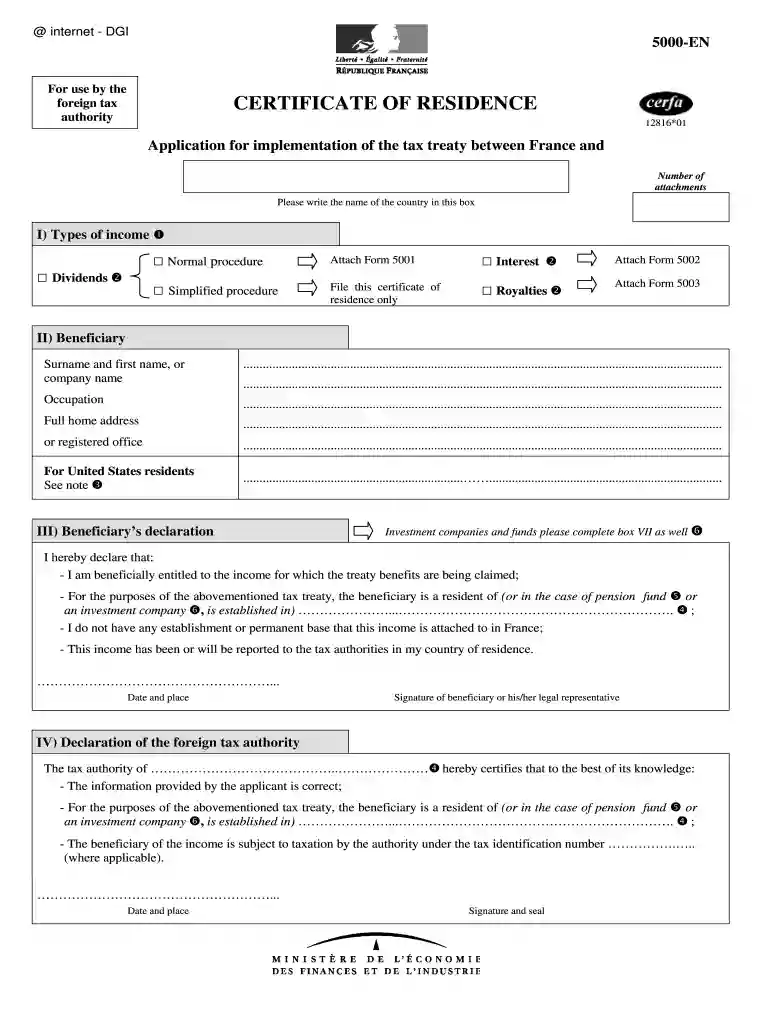
Click ‘Get Form’ to open the tax certificate residence in the editor.
In Section I, select the type of income you are claiming benefits for. Check the appropriate box for Normal procedure, Interest, Simplified procedure, Dividends, or Royalties. Attach any required forms as indicated.
Proceed to Section II and fill in your surname and first name or company name, occupation, and full home address or registered office. Ensure all details are accurate.
In Section III, read the declaration carefully and confirm that you meet all conditions by signing and dating the form.
If applicable, complete Sections IV through VI with information from the foreign tax authority and paying institution. Ensure signatures and seals are included where required.
Finally, review all sections for completeness before saving or exporting your filled form directly from our platform.
Start using our platform today to streamline your document editing and form completion!
Fill out tax certificate residence online It's free
Jan 17, 2026 Form 6166 is a letter printed on US Department of Treasury stationery DocHubing that the individuals or entities listed are residents of the United States.Read more
Cookie consent notice
This site uses cookies to enhance site navigation and personalize your experience.
By using this site you agree to our use of cookies as described in our Privacy Notice.
You can modify your selections by visiting our Cookie and Advertising Notice.