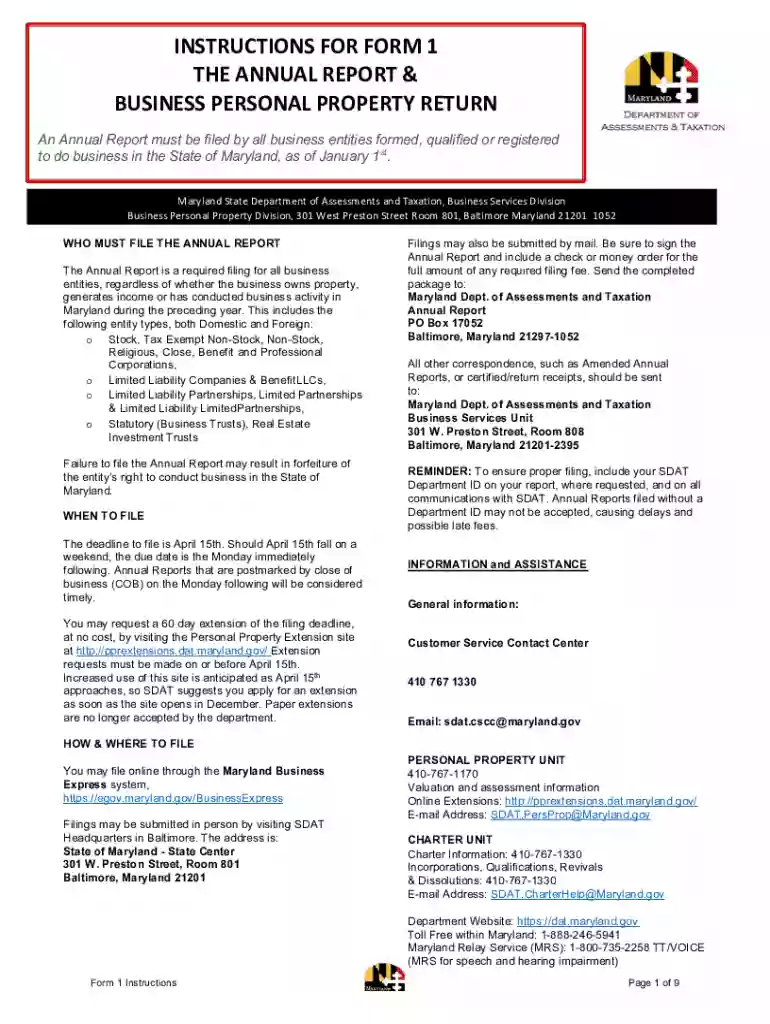
Maryland return 2026

Get Form
2022 md form instructions Preview on Page 1

Here's how it works

01. Edit your 2022 md form instructions online
Type text, add images, blackout confidential details, add comments, highlights and more.

02. Sign it in a few clicks
Draw your signature, type it, upload its image, or use your mobile device as a signature pad.

03. Share your form with others
Send maryland tax refund delay via email, link, or fax. You can also download it, export it or print it out.

How to use or fill out Maryland Return with our platform

Form edit decoration
9.5
Ease of Setup
DocHub User Ratings on G2
9.0
Ease of Use
DocHub User Ratings on G2
  1. Click ‘Get Form’ to open the Maryland Return in the editor.
  2. Begin by selecting the appropriate business type at the top of the form and noting the associated filing fee.
  3. In Section I, provide your business's full legal name, mailing address, SDAT Department ID, FEIN, and nature of business. If applicable, check the box for a change of mailing address.
  4. Complete Section II if your entity is a corporation. List all corporate officers and directors as required.
  5. In Section III, indicate whether your business owns or uses any personal property in Maryland. If yes, proceed to complete Section IV.
  6. Ensure all required signatures are included in Section IV before submitting your form. Original signatures are necessary if mailing.

Start using our platform today to streamline your Maryland Return process for free!

See more maryland return versions

We've got more versions of the maryland return form. Select the right maryland return version from the list and start editing it straight away!
Versions Form popularity Fillable & printable
2023 4.3 Satisfied (30 Votes)
2022 4.8 Satisfied (59 Votes)
2021 4.3 Satisfied (42 Votes)
2020 4.3 Satisfied (94 Votes)
2019 4.3 Satisfied (58 Votes)
2018 4.2 Satisfied (60 Votes)
2017 4.3 Satisfied (93 Votes)
2015 4.2 Satisfied (55 Votes)
2014 4 Satisfied (43 Votes)
be ready to get more

Complete this form in 5 minutes or less

Get form

Got questions?

We have answers to the most popular questions from our customers. If you can't find an answer to your question, please contact us.
Contact us
How fast can I get my Maryland tax refund? E-filers who select direct deposit can get their refund within several days. Paper filers can expect approximately 30 days for their return to be processed.
To use Wheres My Refund?, taxpayers must enter their Social Security number or Individual Taxpayer Identification Number, their filing status and the exact whole dollar amount of their refund. The IRS updates the tool once a day, usually overnight, so theres no need to check more often.
To check your ITR refund status, visit the official Income Tax e-filing website at .incometax.gov.in and log in using your PAN and password. Ensure your PAN is linked with Aadhaar, or you can link it via the Link Now option. Once logged in, go to the Services menu and select Know Your Refund Status.
Statement from the Comptroller of Maryland: Individual taxpayers can check the status of their refund by visiting the Comptroller of Maryland website, or by calling the automated refund inquiry hotline at 1-800-218-8160 (toll free) or 410-260-7701.
Individual taxpayers can check the status of their refund by going to the Comptroller of Maryland website and clicking on Wheres My Refund? under Frequently Visited Links or by calling the automated refund inquiry hotline (toll-free) at 1-800-218-8160 or 410-260-7701.
be ready to get more

Complete this form in 5 minutes or less

Get form

People also ask

You must file a Maryland income tax return if: You are or were a Maryland resident, and. You are required to file a federal income tax return.

Related links