Type text, add images, blackout confidential details, add comments, highlights and more.

02. Sign it in a few clicks
Draw your signature, type it, upload its image, or use your mobile device as a signature pad.

03. Share your form with others
Send nyc 300 instructions via email, link, or fax. You can also download it, export it or print it out.

How to use or fill out ny 300 with our platform
Ease of Setup
DocHub User Ratings on G2
Ease of Use
DocHub User Ratings on G2
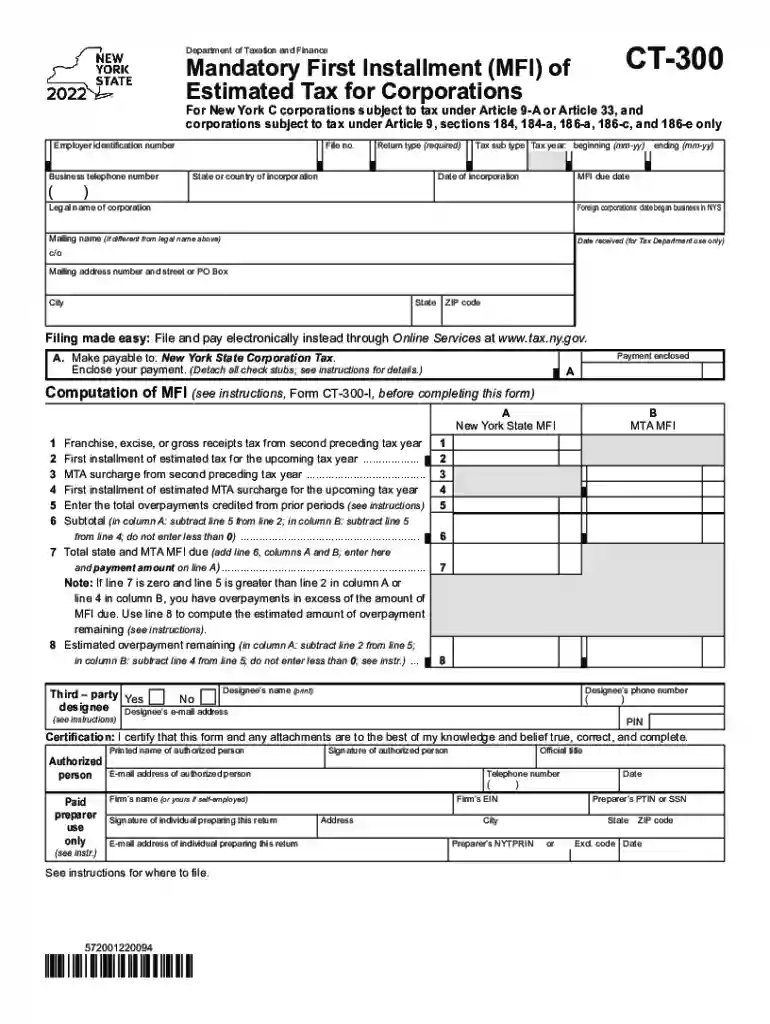
Click ‘Get Form’ to open the ny 300 in the editor.
Begin by entering your Employer Identification Number (EIN) and Business Telephone Number in the designated fields.
Fill in the Return Type, State or Country of Incorporation, and Tax Year details, including the beginning and ending dates.
Provide the Legal Name of the Corporation and any Mailing Name if it differs from the legal name. Ensure you also include your Mailing Address.
Complete the Computation of MFI section by accurately filling out each line item based on your previous tax year data and estimated amounts for the upcoming year.
Certify your form by signing it and providing your printed name, email address, and telephone number in the appropriate fields.
Start using our platform today to easily complete your ny 300 form online for free!
Form CT-300, Mandatory First Installment (MFI) of Estimated
Dec 12, 2025 Most corporation taxpayers are required to e-file Form CT-300, Mandatory First Installment (MFI) of Estimated Tax for Corporations.Read more
Cookie consent notice
This site uses cookies to enhance site navigation and personalize your experience.
By using this site you agree to our use of cookies as described in our Privacy Notice.
You can modify your selections by visiting our Cookie and Advertising Notice.