




Here's how it works



How to use or fill out it611 with our platform

- Click ‘Get Form’ to open it in the editor.
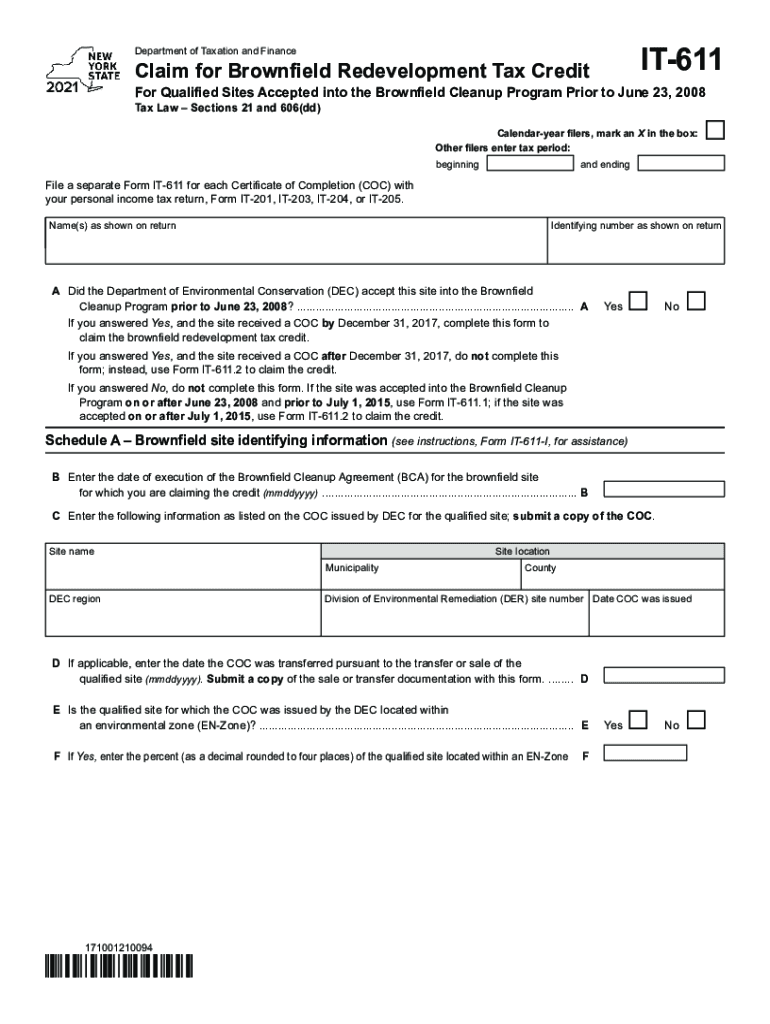
- Begin by marking the appropriate box for calendar-year filers. If you are not a calendar-year filer, enter your tax period's beginning and ending dates.
- Fill in your name(s) as shown on your return and your identifying number. Ensure accuracy to avoid processing delays.
- Answer question A regarding acceptance into the Brownfield Cleanup Program. If 'Yes', proceed to complete the form; if 'No', do not continue.
- In Schedule A, provide detailed information about the brownfield site, including execution date of the Brownfield Cleanup Agreement and details from the Certificate of Completion (COC).
- Complete Schedule B by detailing site preparation costs, tangible property credits, and groundwater remediation costs. Ensure all amounts are accurately calculated.
- Review all sections for completeness before submitting your form through our platform for free.
Start using our platform today to simplify your IT-611 form completion!
It's free
See more it611 versions
Got questions?
How do I sign my it611 free of charge?
Most eSignature solutions require users to have a paid subscription. With DocHub, there are two ways for you to add an electronic signature to your it611 without being charged:
- You can do it during a 7-day trial period;
- You can sign up for a free plan.
The second option, however, has limitations on the number of signatures, sign requests, emails, and documents for adjusting available per month. You can check for full information here.
How do you fill out it611 online?
You may get and edit your it611 online with the help of DocHub. Its straightforward but feature-rich design allows you to start productive work immediately after you sign up your account. Create your profile and add your file, and then our user interface will guide you via our stress-free form completion experience.
What is the LLC tax rate in North Carolina?
Does LLC pay franchise tax in NC?
What triggers franchise tax?
Security and compliance
At DocHub, your data security is our priority. We follow HIPAA, SOC2, GDPR, and other standards, so you can work on your documents with confidence.
Learn more


