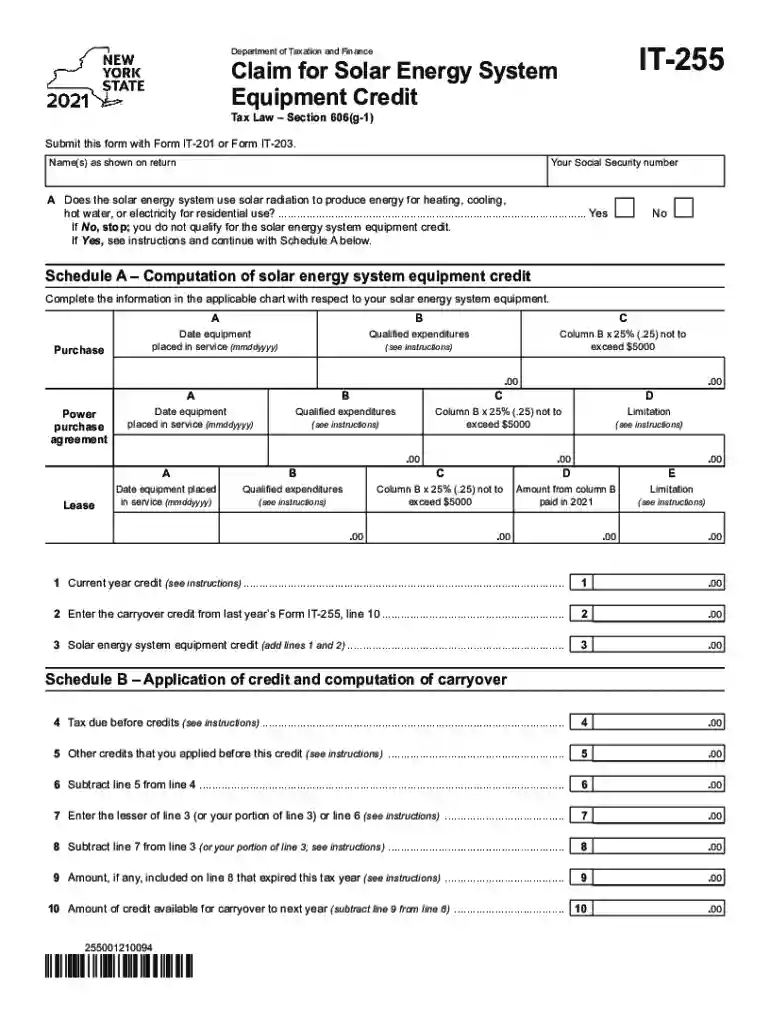
it 255 instructions Preview on Page 1

It 255 2026

Here's how it works

  • 01. Edit your it 255 instructions online

    Type text, add images, blackout confidential details, add comments, highlights and more.

  • 02. Sign it in a few clicks

    Draw your signature, type it, upload its image, or use your mobile device as a signature pad.

  • 03. Share your form with others

    Send it 255 via email, link, or fax. You can also download it, export it or print it out.

How to use or fill out IT-255 with our platform

Form edit decoration
9.5
Ease of Setup
DocHub User Ratings on G2
9.0
Ease of Use
DocHub User Ratings on G2
  1. Click ‘Get Form’ to open it in the editor.
  2. Begin by entering your name(s) as shown on your tax return and your Social Security number in the designated fields.
  3. Indicate whether your solar energy system uses solar radiation for residential energy needs by selecting 'Yes' or 'No'. If you select 'No', you do not qualify for the credit.
  4. Proceed to Schedule A. Fill in the date the equipment was placed in service and the qualified expenditures. Calculate 25% of these expenditures, ensuring it does not exceed $5000.
  5. Complete any additional sections for power purchase agreements or leases, following the same format as Schedule A.
  6. In Schedule B, apply your current year credit and carryover credits from last year, following the instructions provided for each line.

Start using our platform today to easily complete your IT-255 form online for free!

See more it 255 instructions versions

We've got more versions of the it 255 instructions form. Select the right it 255 instructions version from the list and start editing it straight away!

VersionsForm popularityFillable & printable
20254.9 Satisfied (57 Votes)
20244.6 Satisfied (22 Votes)
20234.9 Satisfied (60 Votes)
20224.3 Satisfied (51 Votes)
20214.8 Satisfied (73 Votes)
20204 Satisfied (66 Votes)

be ready to get more

Complete this form in 5 minutes or less

Security and compliance

At DocHub, your data security is our priority. We follow HIPAA, SOC2, GDPR, and other standards, so you can work on your documents with confidence.

it255

IT 255: Computer Presentation: PowerPoint - Course Catalog

The purpose of this course is to learn how to use a powerful presentation graphics program that provides everything needed to produce an effective

Learn more
Form IT-255 Claim for Solar Energy System Equipment Credit

Form IT-255 Claim for Solar Energy System Equipment Credit Tax Year 2025. Calculation of solar energy system equipment credit

Learn more
255 Pokmon glitch (Generation II)

Oct 7, 2025 When the player has 255 Pokmon in Generation II, memory corruption will occur while walking around. It may typically just freeze the game.

Learn more
If you believe that this page should be taken down, please follow our DMCA take down process here