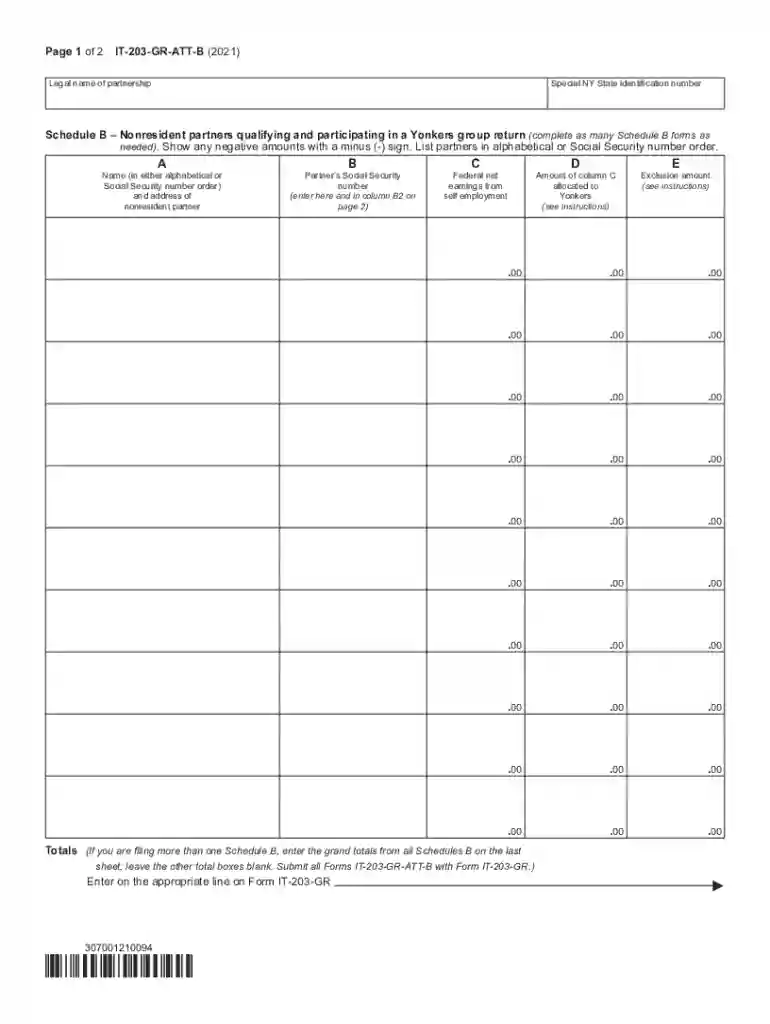
Form IT-203-GR-ATT-B Schedule B - Yonkers Group Return for Nonresident Partners Tax Year 2021-2026

Get Form
Form IT-203-GR-ATT-B Schedule B - Yonkers Group Return for Nonresident Partners Tax Year 2021 Preview on Page 1

Here's how it works

01. Edit your form online
Type text, add images, blackout confidential details, add comments, highlights and more.

02. Sign it in a few clicks
Draw your signature, type it, upload its image, or use your mobile device as a signature pad.

03. Share your form with others
Send it via email, link, or fax. You can also download it, export it or print it out.

How to use or fill out Form IT-203-GR-ATT-B Schedule B - Yonkers Group Return for Nonresident Partners Tax Year 2021 with our platform

Form edit decoration
9.5
Ease of Setup
DocHub User Ratings on G2
9.0
Ease of Use
DocHub User Ratings on G2
  1. Click ‘Get Form’ to open it in the editor.
  2. Begin by entering the legal name of the partnership and the special NY State identification number at the top of the form.
  3. In Section A, list each nonresident partner's name and address in either alphabetical order or by Social Security number. Ensure accuracy as this information is crucial for tax processing.
  4. In Section B, input each partner’s Social Security number, which should match what you enter in column B2 on page 2.
  5. For Section C, record the federal net earnings from self-employment for each partner. This figure is essential for calculating Yonkers taxable earnings.
  6. In Section D, allocate the amount from column C that pertains specifically to Yonkers. Refer to instructions if needed.
  7. Complete Section E by entering any exclusion amounts as instructed.
  8. On page 2, continue filling out columns F through K, ensuring all calculations are accurate and reflect any taxes owed or overpayments.

Start using our platform today to streamline your form completion process for free!

See more Form IT-203-GR-ATT-B Schedule B - Yonkers Group Return for Nonresident Partners Tax Year 2021 versions

We've got more versions of the Form IT-203-GR-ATT-B Schedule B - Yonkers Group Return for Nonresident Partners Tax Year 2021 form. Select the right Form IT-203-GR-ATT-B Schedule B - Yonkers Group Return for Nonresident Partners Tax Year 2021 version from the list and start editing it straight away!
Versions Form popularity Fillable & printable
2023 4.6 Satisfied (60 Votes)
2022 4.1 Satisfied (53 Votes)
2021 4.8 Satisfied (20 Votes)
2020 4.3 Satisfied (191 Votes)
be ready to get more

Complete this form in 5 minutes or less

Get form

Got questions?

We have answers to the most popular questions from our customers. If you can't find an answer to your question, please contact us.
Contact us
Note: Currently, California, New York, and Utah accept superseded returns. If the federal is marked as superseded, these returns will be superseded as well. If other state returns are resubmitted with a superseded Federal return, these states will be rejected as a duplicate filing.
Notwithstanding any provision in this Subchapter to the contrary, the commissioner may authorize the use, at the option of a person required to make a New York State income tax return, of a composite return in lieu of any income tax form specified in this Subchapter for use by such a person, subject to such conditions,
Yes, if you claimed the Standard Deduction on your federal return, you can still itemize your deductions on the New York return. You must complete the Itemized Deductions section of the federal return.
States supported for S Corporate composite returns in ProConnect Alabama PTE-C: Supported. Arizona Form 140NR: Not supported. California Form 540NR: Not supported. Connecticut CT-1065/CT-1120SI: Supported. Colorado Form 106: Supported. Delaware 200-C: Supported. Florida: (no composite return) Georgia IT CR: Supported:

Security and compliance

At DocHub, your data security is our priority. We follow HIPAA, SOC2, GDPR, and other standards, so you can work on your documents with confidence.

Learn more
ccpa2
pci-dss
gdpr-compliance
hipaa
soc-compliance