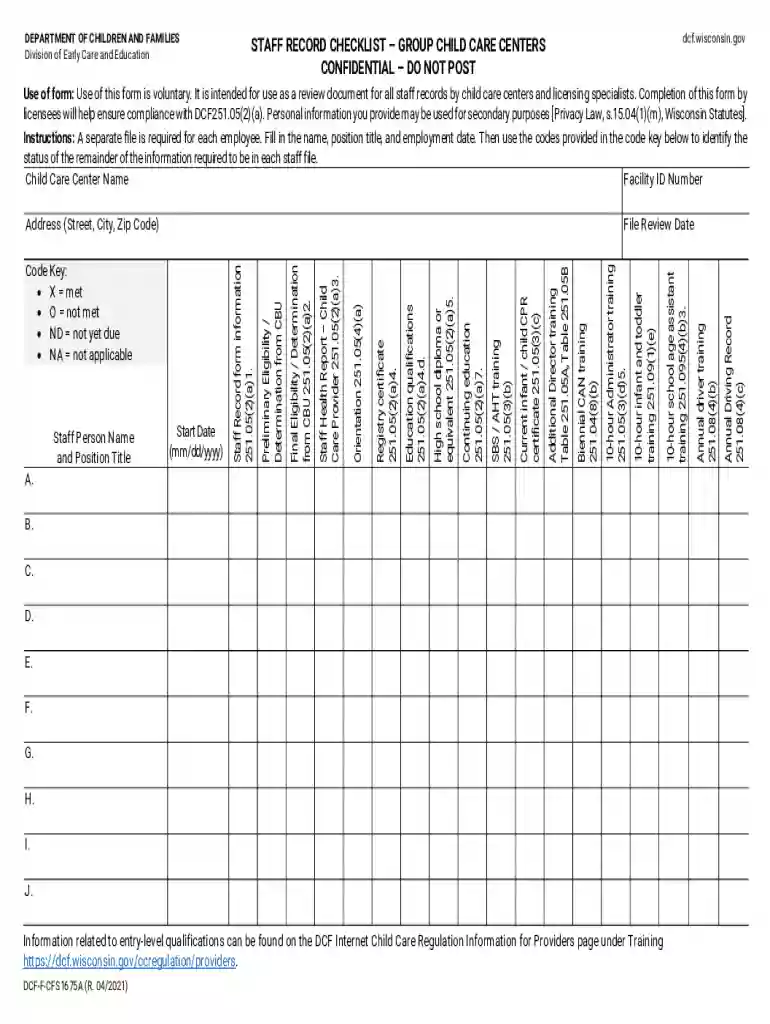
Staff record 2026

Get Form
staff record Preview on Page 1

Here's how it works

01. Edit your staff record online
Type text, add images, blackout confidential details, add comments, highlights and more.

02. Sign it in a few clicks
Draw your signature, type it, upload its image, or use your mobile device as a signature pad.

03. Share your form with others
Send record checklist form via email, link, or fax. You can also download it, export it or print it out.

How to use or fill out staff record with our platform

Form edit decoration
9.5
Ease of Setup
DocHub User Ratings on G2
9.0
Ease of Use
DocHub User Ratings on G2
  1. Click ‘Get Form’ to open the staff record in the editor.
  2. Begin by entering the Child Care Center Name and Facility ID Number at the top of the form.
  3. Fill in the Staff Person Name, Position Title, and Employment Date. Ensure accuracy as this information is crucial for compliance.
  4. Refer to the code key provided on the form to indicate the status of each qualification. Use 'X' for met, 'O' for not met, 'ND' for not yet due, and 'NA' for not applicable.
  5. Complete all relevant sections related to qualifications such as CPR certification and training records by checking off the appropriate codes.
  6. Finally, review all entries for completeness before saving your document. This ensures that all necessary information is accurately recorded.

Start using our platform today to streamline your staff record management effortlessly!

See more staff record versions

We've got more versions of the staff record form. Select the right staff record version from the list and start editing it straight away!
Versions Form popularity Fillable & printable
2021 4.8 Satisfied (181 Votes)
2015 4.3 Satisfied (70 Votes)
2004 4.3 Satisfied (69 Votes)
be ready to get more

Complete this form in 5 minutes or less

Get form

Got questions?

We have answers to the most popular questions from our customers. If you can't find an answer to your question, please contact us.
Contact us
There are four types of records: official records, transitory records, non-records, and personal records. Some records are kept for a short amount of time, and some records have long retention periods. Retention periods for records are approved by Retention and Disposal Schedules.
Examples of electronic records include: emails, websites, Word/Excel documents, digital purchase receipts, databases, text messages, social media postings, and information stored on SharePoint sites and content management systems (Catalyst, Slack, DropBox, etc.).
Employment records, also known as personnel files, are records kept by an employer that track an employees relationship with the company. These records can include basic information collected during the interview process, including: Name. Contact information. Employment history.
Types of Records I. Administrative Records. Records which pertain to the origin, development, activities, and accomplishments of the agency. II. Legal Records. III. Fiscal Records. IV. Historical Records. V. Research Records. VI. Electronic Records.
The 5 types of financial statements you need to know Income statement. Arguably the most important. Cash flow statement. Balance sheet. Note to Financial Statements. Statement of change in equity.

Security and compliance

At DocHub, your data security is our priority. We follow HIPAA, SOC2, GDPR, and other standards, so you can work on your documents with confidence.

Learn more
ccpa2
pci-dss
gdpr-compliance
hipaa
soc-compliance
be ready to get more

Complete this form in 5 minutes or less

Get form

People also ask

Employment records outline an employees journey from candidate to team member and throughout their tenure. These records typically include documents from the hiring phase, onboarding process, and ongoing employment period, such as: Job application.

staff record sample