




Here's how it works

01. Edit your form online
Type text, add images, blackout confidential details, add comments, highlights and more.

02. Sign it in a few clicks
Draw your signature, type it, upload its image, or use your mobile device as a signature pad.

03. Share your form with others
Send it via email, link, or fax. You can also download it, export it or print it out.
How to use or fill out ct orthopedic report with our platform

- Click ‘Get Form’ to open the ct orthopedic report in the editor.
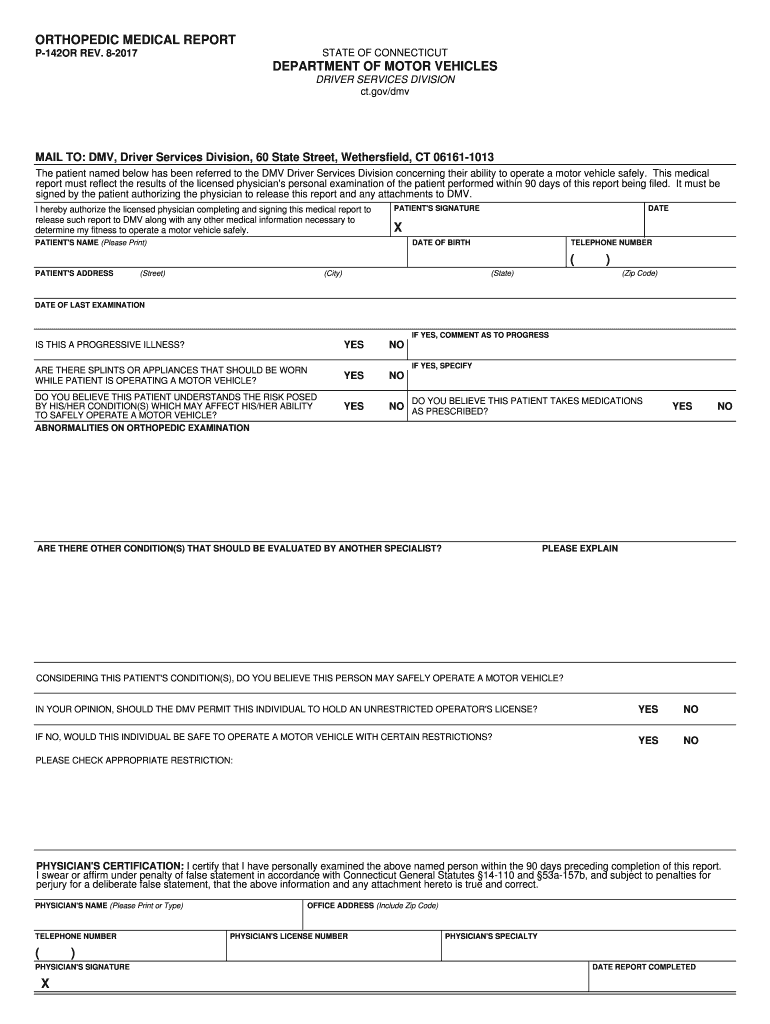
- Begin by entering the patient's information, including their name, date of birth, address, and telephone number. Ensure accuracy as this information is crucial for identification.
- In the section regarding the physician's examination, indicate the date of the last examination and answer whether there are any progressive illnesses or conditions that require evaluation by another specialist.
- Complete the questions about the patient's ability to operate a motor vehicle safely. This includes answering if they understand their condition's risks and if they should wear any appliances while driving.
- The physician must certify their examination by signing and providing their details, including license number and specialty. Make sure all fields are filled out correctly before submission.
Start using our platform today to easily complete your ct orthopedic report online for free!
Fill out ct orthopedic report online
It's free
It's free
Security and compliance
At DocHub, your data security is our priority. We follow HIPAA, SOC2, GDPR, and other standards, so you can work on your documents with confidence.
Learn more


