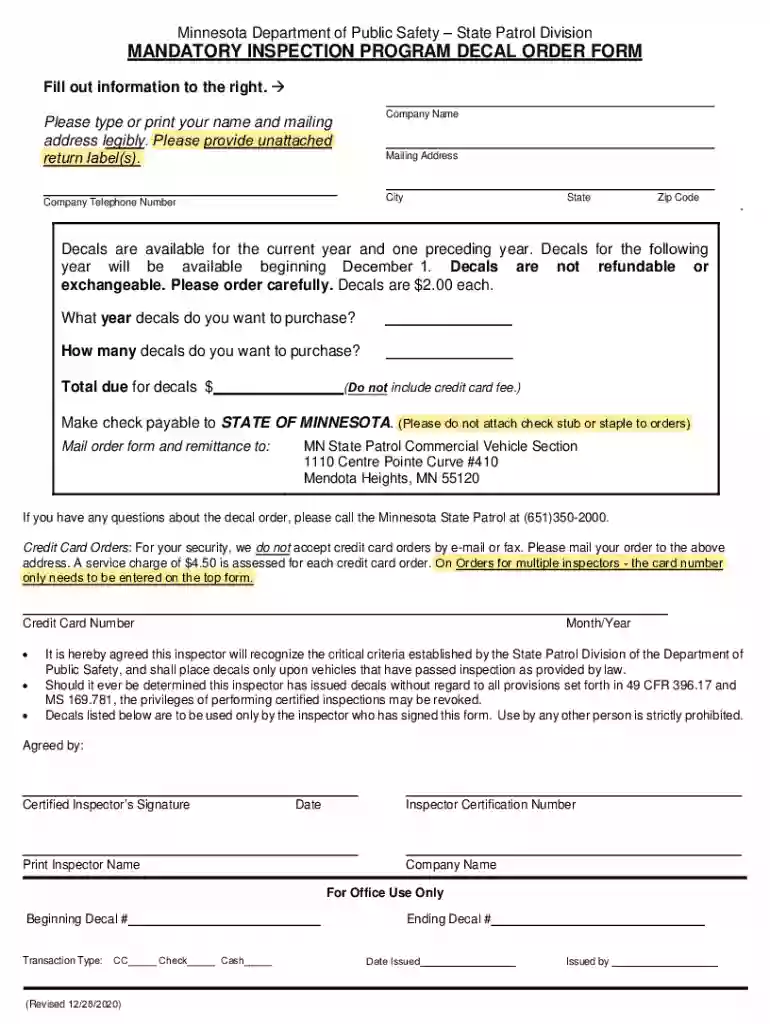
Mn mandatory form 2026

Get Form
mn dot decal order form Preview on Page 1

Here's how it works

01. Edit your mn dot decal order form online
Type text, add images, blackout confidential details, add comments, highlights and more.

02. Sign it in a few clicks
Draw your signature, type it, upload its image, or use your mobile device as a signature pad.

03. Share your form with others
Send mandatory inspection program via email, link, or fax. You can also download it, export it or print it out.

How to use or fill out mn mandatory form with our platform

Form edit decoration
9.5
Ease of Setup
DocHub User Ratings on G2
9.0
Ease of Use
DocHub User Ratings on G2
  1. Click ‘Get Form’ to open the mn mandatory form in the editor.
  2. Begin by entering your Company Name in the designated field. Ensure that this is typed or printed legibly for clarity.
  3. Next, fill out your Mailing Address, including City, State, and Zip Code. This information is crucial for receiving your decals.
  4. Provide your Company Telephone Number to facilitate any necessary communication regarding your order.
  5. Indicate the year of decals you wish to purchase and specify the quantity. Remember, decals are priced at $2.00 each.
  6. Calculate the Total due for decals and ensure it reflects accurately before proceeding.
  7. Sign the form as a Certified Inspector, print your name, and include the date along with your Inspector Certification Number.

Start filling out your mn mandatory form today for free using our platform!

See more mn mandatory form versions

We've got more versions of the mn mandatory form form. Select the right mn mandatory form version from the list and start editing it straight away!
Versions Form popularity Fillable & printable
2020 4.8 Satisfied (52 Votes)
2016 4.3 Satisfied (61 Votes)
2013 4.4 Satisfied (51 Votes)
be ready to get more

Complete this form in 5 minutes or less

Get form

Got questions?

We have answers to the most popular questions from our customers. If you can't find an answer to your question, please contact us.
Contact us
Employers must give every new employee a copy of the Fair Work Information Statement (FWIS) before, or as soon as possible after, they start their new job. Employers must also give every new casual employee a copy of the Casual Employment Information Statement (CEIS) at the same time.
New hires typically complete tax forms from state and federal governments that verify their employment, establish guidelines for tax withholding and designate their filing status as active employees. This type of paperwork includes forms like the W-4 , which determines an employees federal income taxes.
New hire forms: Form I-9. W-4. State new hire tax forms. New hire reporting. Offer letter. Employment agreement. Employee handbook acknowledgment. Direct deposit authorization.
Minnesota State Income Tax Forms If you need Minnesota income tax forms: Download forms from the Minnesota Department of Revenue. Photocopy the forms you need at a library. Call 800-657-3676 or 651-296-4444 to place an order.
Minnesota form, W-4MN, Minnesota Withholding Allowance /Exemption Certificate, should be completed in addition to federal Form W-4 in all cases. Available from: Internal Revenue Service (Federal Form W-4) and the Minnesota Department of Revenue (Form W-4MN).

Security and compliance

At DocHub, your data security is our priority. We follow HIPAA, SOC2, GDPR, and other standards, so you can work on your documents with confidence.

Learn more
ccpa2
pci-dss
gdpr-compliance
hipaa
soc-compliance
be ready to get more

Complete this form in 5 minutes or less

Get form