Type text, add images, blackout confidential details, add comments, highlights and more.
02. Sign it in a few clicks
Draw your signature, type it, upload its image, or use your mobile device as a signature pad.
03. Share your form with others
Send nyc doe direct deposit form via email, link, or fax. You can also download it, export it or print it out.
How to use or fill out doe direct deposit with our platform
Ease of Setup
DocHub User Ratings on G2
Ease of Use
DocHub User Ratings on G2
Click ‘Get Form’ to open the doe direct deposit application in the editor.
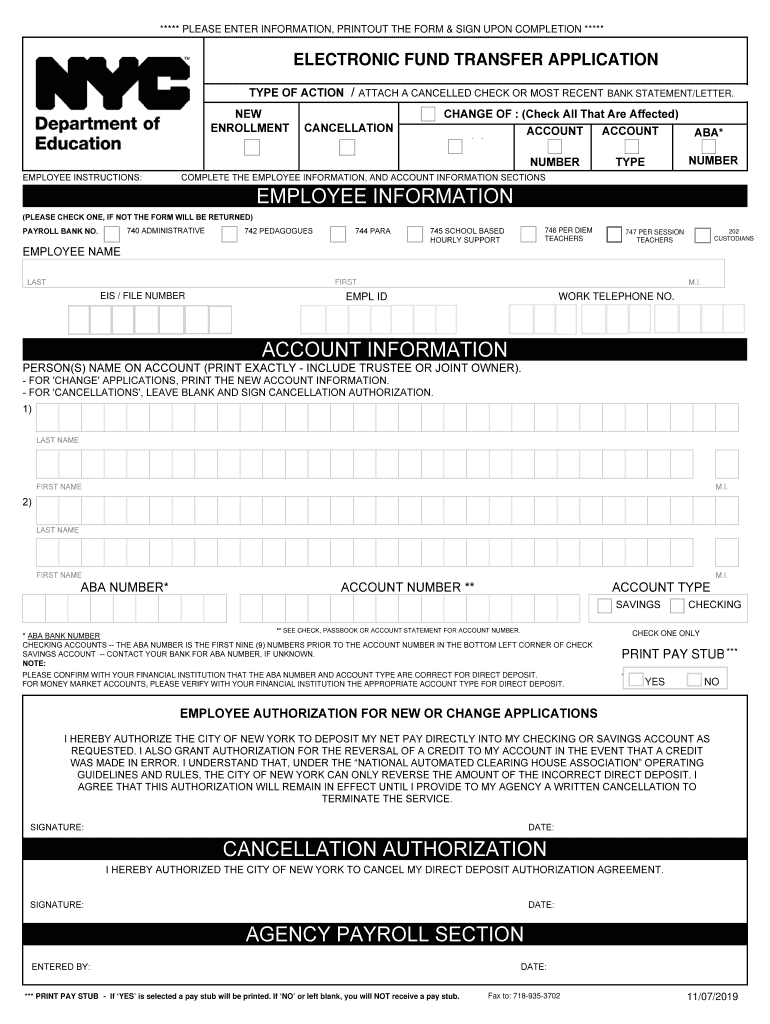
Begin by filling out the Employee Information section. Clearly print your last name, first name, middle initial, employee ID, and social security number.
Select your payroll bank number type by checking one of the options: Administrative, Pedagogues, Para, or others as applicable.
In the Account Information section, provide the names on the account exactly as they appear. If you are changing accounts, ensure to enter the new account details.
Enter your ABA number and account number. Confirm these details with your financial institution to avoid errors.
Complete the Employee Authorization section by signing and dating it to authorize direct deposits.
If you need to cancel a previous authorization, fill out the Cancellation Authorization section and sign it.
Start using our platform today for free to streamline your direct deposit process!
Nyc doe direct depositNYC DOE direct deposit FormNyc gov doe direct depositHow to enroll in direct deposit NYC DOENYC DOE payroll portalNYC DOE direct deposit redditNYCAPS Direct DepositEft direct deposit doe
Security and compliance
At DocHub, your data security is our priority. We follow HIPAA, SOC2, GDPR, and other standards, so you can work on your documents with confidence.
Enter your Outlook User name (i.e., your DOE Email ID without the. @schools.nyc.gov part), then enter your Outlook Password (i.e., DOE Email Password).Read more
similar to calcium and tend to deposit on bone surfaces and bone marrow with that element; tritium (hydrogen-3) becomes bound to water molecules and isRead more
Jun 29, 2019 1) All SF-1199A, Direct Deposit and Fedwire Sign-Up forms must be mailed to the Department of Education. The SF-1199A must contain originalRead more
Cookie consent notice
This site uses cookies to enhance site navigation and personalize your experience.
By using this site you agree to our use of cookies as described in our Privacy Notice.
You can modify your selections by visiting our Cookie and Advertising Notice.