Type text, add images, blackout confidential details, add comments, highlights and more.

02. Sign it in a few clicks
Draw your signature, type it, upload its image, or use your mobile device as a signature pad.

03. Share your form with others
Send vat 58 claim form via email, link, or fax. You can also download it, export it or print it out.

How to use or fill out vat 58 form with our platform
Ease of Setup
DocHub User Ratings on G2
Ease of Use
DocHub User Ratings on G2
Click ‘Get Form’ to open the VAT 58 form in the editor.
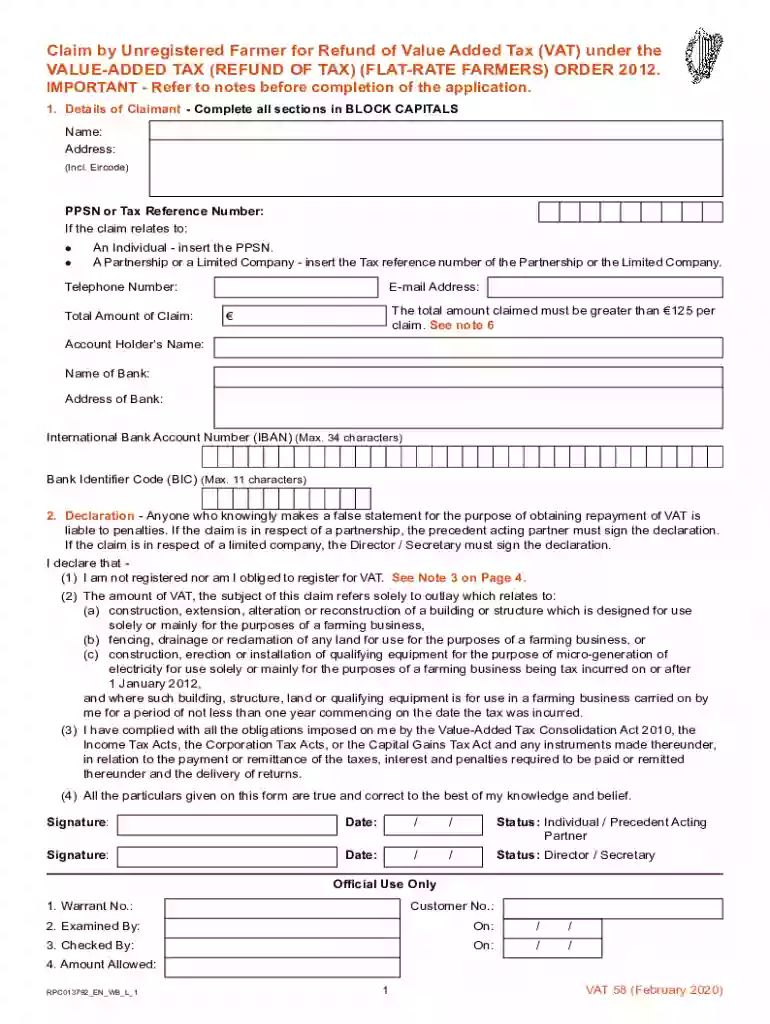
Begin by filling in your personal details in BLOCK CAPITALS. This includes your name, address (including Eircode), and PPSN or Tax Reference Number. Ensure accuracy as this information is crucial for processing your claim.
In the 'Details of Claim' section, specify the total amount of your claim and provide your bank details if you wish to receive a refund directly to your account. Remember, the total amount claimed must exceed €125.
Proceed to the 'Declaration' section. Here, confirm that you are not registered for VAT and that all information provided is true. Sign and date the declaration appropriately based on your status (Individual, Partner, Director).
Complete the 'Details of Claim' section by providing specifics about the work carried out, including dates and descriptions related to farm buildings or structures.
Finally, attach any required documentation such as original VAT invoices and ensure all sections are filled before submitting your claim.
Start using our platform today for free to streamline your VAT claims process!
The Department takes the position that the VAT is the functional equivalent of the sales tax and requires that our diplomatic missions, consular posts and theirRead more
Cookie consent notice
This site uses cookies to enhance site navigation and personalize your experience.
By using this site you agree to our use of cookies as described in our Privacy Notice.
You can modify your selections by visiting our Cookie and Advertising Notice.