Type text, add images, blackout confidential details, add comments, highlights and more.

02. Sign it in a few clicks
Draw your signature, type it, upload its image, or use your mobile device as a signature pad.

03. Share your form with others
Send deferment request via email, link, or fax. You can also download it, export it or print it out.

How to use or fill out deferment request with our platform
Ease of Setup
DocHub User Ratings on G2
Ease of Use
DocHub User Ratings on G2
Click ‘Get Form’ to open the deferment request in the editor.
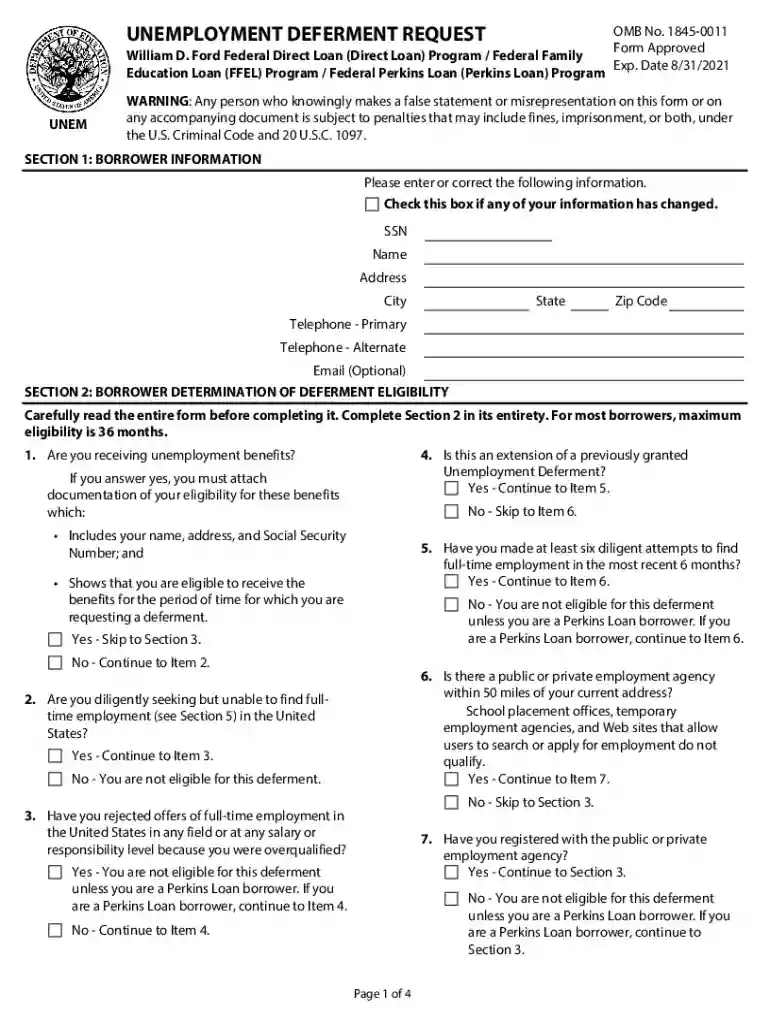
In Section 1, enter your personal information including your SSN, name, address, and contact details. If any information has changed, check the appropriate box.
Proceed to Section 2 to determine your eligibility for deferment. Answer each question carefully, especially regarding unemployment benefits and job search efforts.
In Section 3, indicate your request for deferment and provide the date you became unemployed or started working less than full-time. You may also choose to make interest payments during this period.
Review Section 4 for instructions on completing the form accurately. Ensure all required documentation is attached before submission.
Finally, return the completed form and any necessary documents to the address specified in Section 6.
Start using our platform today to easily complete your deferment request online for free!
I request: To defer repayment of my loans for the period during which I meet the eligibility criteria outlined in Section 2 and as certified by theRead more
Cookie consent notice
This site uses cookies to enhance site navigation and personalize your experience.
By using this site you agree to our use of cookies as described in our Privacy Notice.
You can modify your selections by visiting our Cookie and Advertising Notice.