




Here's how it works

01. Edit your duluth trading company returns online
Type text, add images, blackout confidential details, add comments, highlights and more.

02. Sign it in a few clicks
Draw your signature, type it, upload its image, or use your mobile device as a signature pad.

03. Share your form with others
Send duluth returns via email, link, or fax. You can also download it, export it or print it out.
How to use or fill out duluth trading returns with our platform

- Click ‘Get Form’ to open the Duluth Trading Returns form in the editor.
- Begin by filling out the 'SEND REFUND OR EXCHANGE TO' section. If your address is different from the original purchaser, provide your name, address, city, state/prov., zip code, daytime phone number, and email.
- Next, complete the 'ORIGINAL PURCHASER AND ORDER INFO' section. This includes the name and address of the person who made the purchase. If applicable, attach a copy of your receipt or include the receipt number.
- In the 'QUALITY/SATISFACTION' section, select the reason for your return by checking the appropriate box that best describes your issue with the item.
- Indicate which item(s) you are returning in the provided table. Fill in details such as item number, quantity, color, size, unit price, and description.
- Choose how you would like to handle your return by checking one of the options provided for exchange or refund.
- Finally, ensure you add correct postage to your return label before sending it to Duluth Trading Company at their specified address.
Start using our platform today for free to streamline your Duluth Trading returns process!
Fill out duluth trading returns online
It's free
Security and compliance
At DocHub, your data security is our priority. We follow HIPAA, SOC2, GDPR, and other standards, so you can work on your documents with confidence.
Learn more


Related forms
Instrucciones para el Formulario 940-PR (2021)Internal Revenue Service
El documento proporciona instrucciones detalladas para completar el Formulario 941-PR, que es la declaración trimestral ...
Illinois Form IL-941-X (Amended Illinois Withholding Income Tax ...
The document is the 2022 Amended Illinois Withholding Income Tax Return (Form IL-941-X) issued by the Illinois Departmen ...
Rcar Robertson County Association of RealtorsOur honesty Our
The document is an application form for REALTOR® membership in the Robertson County Association of REALTORS®. It require ...

Get the Virginia REALTORS Form 600 - Residential Contract of
The document is a legally binding Residential Contract of Purchase provided by Virginia REALTORS®, outlining the terms a ...
Form RP-6704-A1 Joint Statement of School Tax Levy for the 2022-2023 Fiscal Year Revised 7/22
Form RP-6704-A1 Joint Statement of School Tax Levy for the 2022-2023 Fiscal Year Revised 7/22
The document is a joint statement form (RP-6704-A1) for the 2022-2023 fiscal year, used by school districts in New York ...

Irs forms-pubsabout-form-1094-cAbout Form 1094-C, Transmittal of Employer-Provided Health
Irs forms-pubsabout-form-1094-cAbout Form 1094-C, Transmittal of Employer-Provided Health
The document is the Form 1094-C for the year 2022, used by Applicable Large Employers (ALEs) to transmit health insuranc ...

Form 89-350- -1-000 (Rev. MISSISSIPPI EMPLOYEE'S ...
The document is the Mississippi Employee's Withholding Exemption Certificate (Form 89-350-21-8-1-000), which allows empl ...
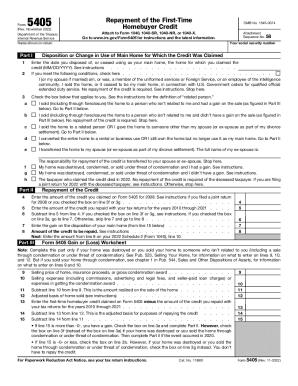
Form 5405 (Rev. November 2022). Repayment of the First-Time Homebuyer Credit
The document is Form 5405, used for the repayment of the First-Time Homebuyer Credit as required by the IRS. It outlines ...