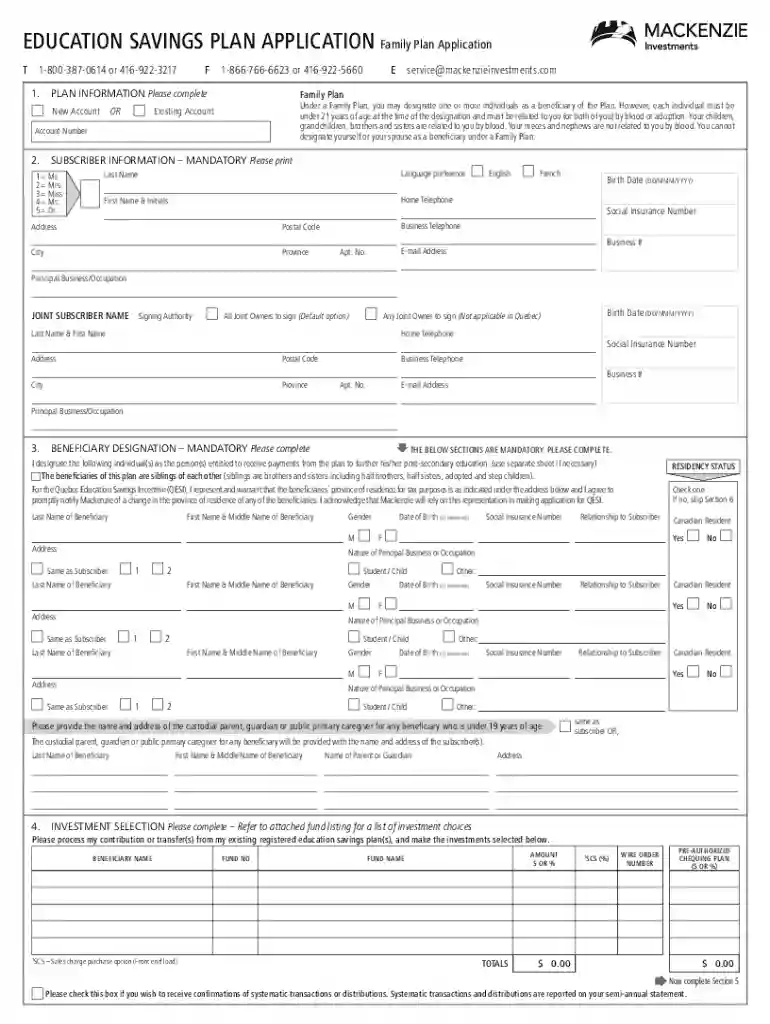
resp grant forms Preview on Page 1

Canada education savings application form 2026

Here's how it works

  • 01. Edit your resp grant forms online

    Type text, add images, blackout confidential details, add comments, highlights and more.

  • 02. Sign it in a few clicks

    Draw your signature, type it, upload its image, or use your mobile device as a signature pad.

  • 03. Share your form with others

    Send resp grant form via email, link, or fax. You can also download it, export it or print it out.

How to use or fill out Canada Education Savings Application Form with DocHub

Form edit decoration
9.5
Ease of Setup
DocHub User Ratings on G2
9.0
Ease of Use
DocHub User Ratings on G2
  1. Click ‘Get Form’ to open the Canada Education Savings Application Form in our platform.
  2. Begin by selecting the plan type that suits your needs: Individual Plan for a single beneficiary or Family Plan for multiple beneficiaries. Ensure you understand the eligibility criteria for each.
  3. Fill in the Subscriber Information section accurately, including names as they appear on SIN cards, contact details, and principal business or occupation.
  4. Designate beneficiaries by entering their names and Social Insurance Numbers (SINs). Ensure all information matches their SIN cards exactly.
  5. Select your investment options from the attached fund listing. Be mindful of contribution limits to avoid penalties.
  6. Complete the Pre-Authorized Chequing Plan section if you wish to set up regular contributions. Specify frequency and start date.
  7. Sign and date the application form, ensuring all required fields are completed before submission.

Start using our platform today to easily fill out your Canada Education Savings Application Form for free!

See more resp grant forms versions

We've got more versions of the resp grant forms form. Select the right resp grant forms version from the list and start editing it straight away!

VersionsForm popularityFillable & printable
20204.8 Satisfied (105 Votes)
20194.3 Satisfied (173 Votes)

be ready to get more

Complete this form in 5 minutes or less

Security and compliance

At DocHub, your data security is our priority. We follow HIPAA, SOC2, GDPR, and other standards, so you can work on your documents with confidence.

canada education savings grant form

Annual Statistical Review 2012

Dec 31, 2012 These two initiatives help. Canadian families save for a childs post-secondary education in Registered Education Savings Plans (RESPs).Read more

Learn more
T. Rowe Price: Invest with Confidence

Explore financial essentials, education on a variety of investment products, and strategies to help craft your personalized financial plan and discover timely

Learn more
publication-csa-reports-us-canada-college-savings-

Sep 15, 2014 Contributions are not tax-deductible and can be withdrawn at any time without tax consequences. Investment income is not taxable while in theRead more

Learn more
If you believe that this page should be taken down, please follow our DMCA take down process here