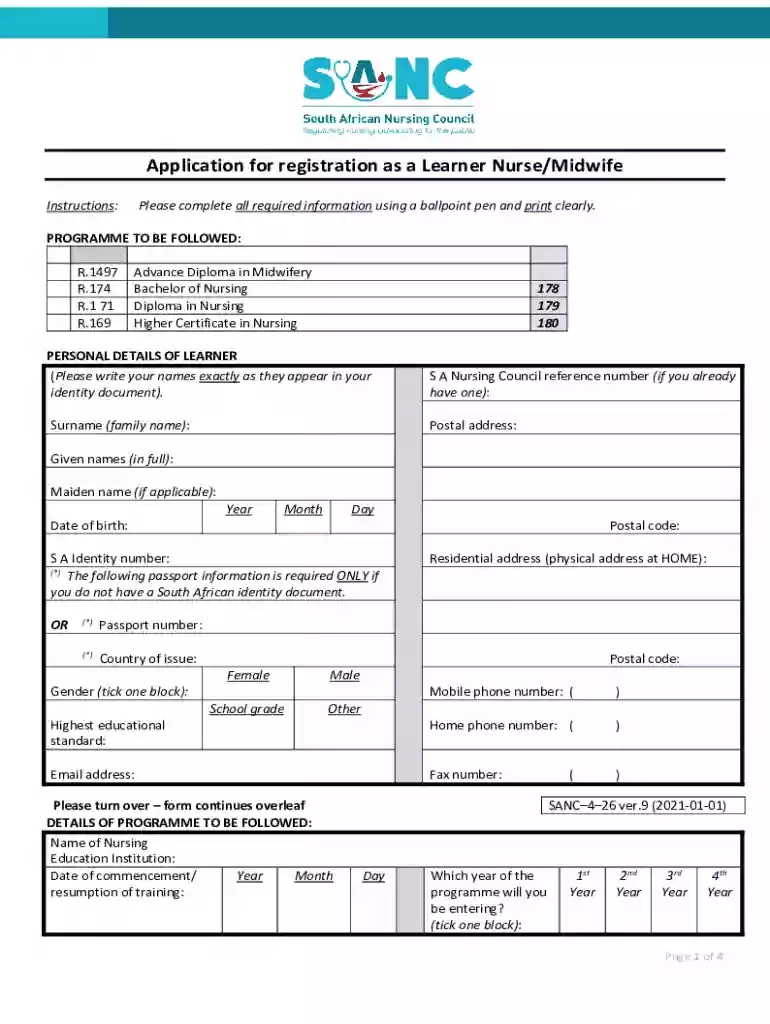
Sanc receipt 2026

Get Form
sanc proof of payment Preview on Page 1

Here's how it works

01. Edit your sanc proof of payment online
Type text, add images, blackout confidential details, add comments, highlights and more.

02. Sign it in a few clicks
Draw your signature, type it, upload its image, or use your mobile device as a signature pad.

03. Share your form with others
Send sanc proof of payment email address via email, link, or fax. You can also download it, export it or print it out.

How to use or fill out sanc receipt with our platform

Form edit decoration
9.5
Ease of Setup
DocHub User Ratings on G2
9.0
Ease of Use
DocHub User Ratings on G2
  1. Click ‘Get Form’ to open the sanc receipt in the editor.
  2. Begin by filling in your personal details. Ensure that your surname and given names match exactly as they appear on your identity document.
  3. Provide your date of birth, postal address, and contact information including mobile and email addresses. Make sure to double-check for accuracy.
  4. In the 'Details of Programme to be Followed' section, select the nursing program you are applying for and indicate the year you will be entering.
  5. Complete the learner statistical information by marking the appropriate blocks regarding your province, nationality, home language, and socio-economic status.
  6. Answer the declaration questions with a clear 'YES' or 'NO', ensuring you provide additional details if necessary.
  7. Finally, review all entered information for completeness before signing and dating the application at the bottom of the form.

Start using our platform today to streamline your application process for free!

See more sanc receipt versions

We've got more versions of the sanc receipt form. Select the right sanc receipt version from the list and start editing it straight away!
Versions Form popularity Fillable & printable
2021 4.8 Satisfied (108 Votes)
2008 4.3 Satisfied (195 Votes)
be ready to get more

Complete this form in 5 minutes or less

Get form

Got questions?

We have answers to the most popular questions from our customers. If you can't find an answer to your question, please contact us.
Contact us
eRegister is published in terms of section 35 of the Nursing Act, 2005 as a COPY of the active records in the official register of South African Nursing Council. It is primarily intended for use by employers or prospective employers who need to verify the registration status of an employee or prospective employee.
3 Easy Ways to Check Your SANC Registration Status Go to the SANC website: Visit .sanc.co.za. Access the e-Register: Click on the e-Register link on the homepage. Enter your details: Input your SANC reference number or ID number.
Council Bank Details: While payments into this account can be made in person at any branch of FNB (First National Bank), electronic means such as Internet banking, cell phone banking, and ATM payments can also be used. Some of these require that a payment beneficiary be set up on your bank/card account.
For information about registration fee payments you have made, including printing payment receipts, log in to your NMC Online account. HMRC does not normally require written confirmation from us of the payments you have made. However, we can provide your payment history over the phone on 020 7333 9333.

Security and compliance

At DocHub, your data security is our priority. We follow HIPAA, SOC2, GDPR, and other standards, so you can work on your documents with confidence.

Learn more
ccpa2
pci-dss
gdpr-compliance
hipaa
soc-compliance