Stanford brokerage dtc 2026

Get Form
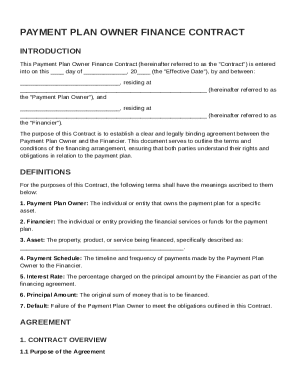
stanford brokerage dtc Preview on Page 1

Here's how it works

01. Edit your form online
Type text, add images, blackout confidential details, add comments, highlights and more.
02. Sign it in a few clicks
Draw your signature, type it, upload its image, or use your mobile device as a signature pad.
03. Share your form with others
Send it via email, link, or fax. You can also download it, export it or print it out.

How to use or fill out Stanford Brokerage DTC with our platform

Form edit decoration
9.5
Ease of Setup
DocHub User Ratings on G2
9.0
Ease of Use
DocHub User Ratings on G2
  1. Click ‘Get Form’ to open the Stanford Securities Transfer Request Form in the editor.
  2. Begin by entering your broker's firm name and contact details in the designated fields. Ensure accuracy as this information is crucial for processing your request.
  3. In the section labeled 'Please accept this letter as your authorization to irrevocably transfer the following:', specify the number of shares or approximate value you wish to transfer, along with a detailed description of the security and its ticker symbol.
  4. If available, provide the acquisition date and tax basis per share or aggregate. This information helps clarify your ownership details.
  5. Fill in your account title and number at your brokerage firm, ensuring it matches their records for a smooth transaction.
  6. Finally, review all entered information for accuracy before sending a signed copy to your broker and returning a completed copy to the Gift Securities team via email or fax.

Start using our platform today to streamline your document editing and signing process for free!

See more stanford brokerage dtc versions

We've got more versions of the stanford brokerage dtc form. Select the right stanford brokerage dtc version from the list and start editing it straight away!
Versions Form popularity Fillable & printable
2019 4.8 Satisfied (171 Votes)
2017 4.2 Satisfied (40 Votes)
2013 4.4 Satisfied (569 Votes)
be ready to get more

Complete this form in 5 minutes or less

Get form

Got questions?

We have answers to the most popular questions from our customers. If you can't find an answer to your question, please contact us.
Contact us
How to set up direct deposit Fill out your employers direct deposit form to enroll. Tell your human resources or payroll department that you want to set up direct deposit. Use your banks direct deposit form. Provide a voided check. Check the direct deposit schedule.
How to enroll in Direct Deposit Go to Axess at axess.stanford.edu. From the Student role, choose the My Finances tab and select Direct Deposit. Select Add Account. Enter information into fields*: Routing number: Bank routing number (usually 9 digits; must be a U.S. bank account) Verify your information and select Submit.
Sign in to your financial institutions online banking service. Navigate to the Interac e-Transfer section and look for the Autodeposit option in the settings. Enter your email address and/or mobile number along with the account you want them associated with.
How to set up direct deposit step-by-step Choose a direct deposit provider. Complete setup paperwork. Gather employee information. Upload employee data. Sync direct deposit with a payroll schedule. Process payroll.
To confirm your enrollment, log in to your Stanford portal, complete the Admission Response form, and submit the non-refundable deposit of $200 on or before May 1 (REA and RD), or June 2 (Transfers).

Security and compliance

At DocHub, your data security is our priority. We follow HIPAA, SOC2, GDPR, and other standards, so you can work on your documents with confidence.

Learn more
ccpa2
pci-dss
gdpr-compliance
hipaa
soc-compliance
be ready to get more

Complete this form in 5 minutes or less

Get form

People also ask

Stanfords first new school in 70 years will launch this fall as the Stanford Doerr School of Sustainability, recognizing a $1.1 billion gift from John and Ann Doerr, the largest in the universitys history.

Related links