



Here's how it works



How to use or fill out minnesota m1m with our platform

- Click ‘Get Form’ to open the Minnesota M1M in the editor.
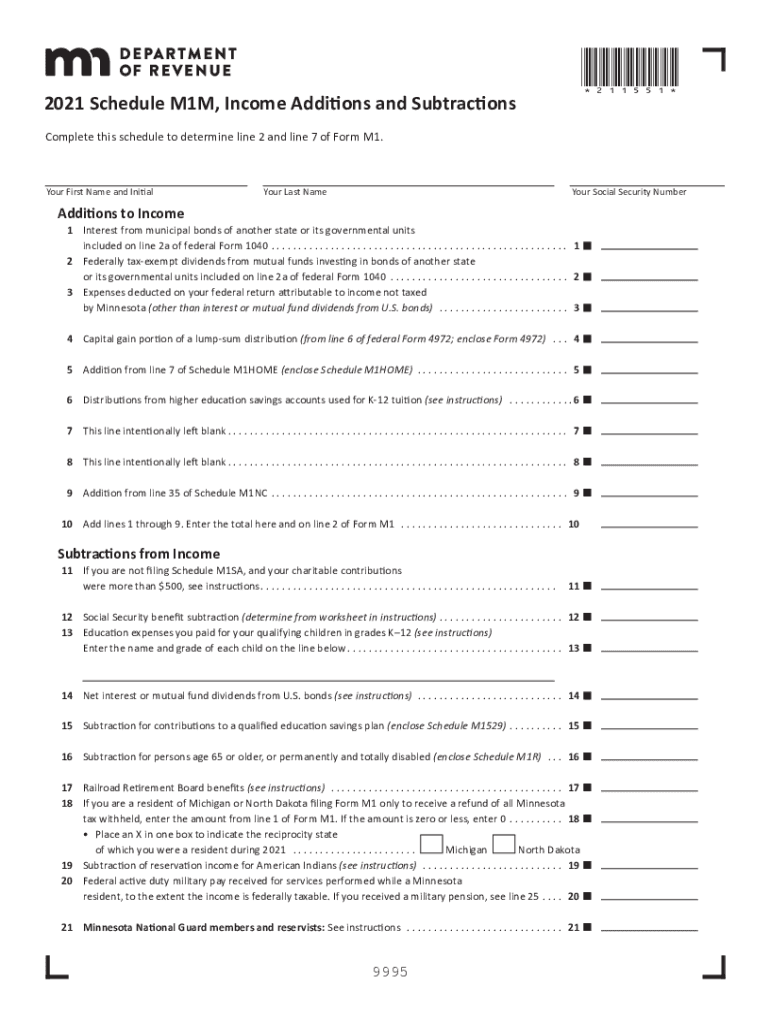
- Begin by entering your first name, last name, and Social Security number at the top of the form. This information is essential for identification.
- In the 'Additions to Income' section, carefully review each line. For example, if you have interest from municipal bonds of another state, enter that amount on line 1.
- Continue filling out the additions section by providing amounts for federally tax-exempt dividends and any other applicable income adjustments as instructed.
- Move to the 'Subtractions from Income' section. Here, you can enter deductions such as charitable contributions over $500 or education expenses for qualifying children.
- Once all fields are completed, review your entries for accuracy before saving or exporting your document directly from our platform.
Start using our platform today to simplify your Minnesota M1M form completion!
It's free
See more minnesota m1m versions
Got questions?
How can I eSign my form m1m from Gmail?
With DocHub, it’s pretty simple. The platform offers users an add-on called DocHub for Gmail, which you can find in the Google Workspace Marketplace free of charge. Install it and give it access to your Google account. Open your email with your form m1m attached and click on the add-on button in the right-side panel. Sign in to your DocHub account, and import the file to our editor, where you can complete it and sign.
Do I need to install software to modify my form m1m 2024?
When you edit your form m1m 2024 with DocHub, you only require a stable internet connection and virtually any browser installed on your device. No need to install any third-party applications or research tutorials. Simply open a tab with DocHub, drag and drop your file, and modify it on the spot.
Security and compliance
At DocHub, your data security is our priority. We follow HIPAA, SOC2, GDPR, and other standards, so you can work on your documents with confidence.
Learn more