Type text, add images, blackout confidential details, add comments, highlights and more.
02. Sign it in a few clicks
Draw your signature, type it, upload its image, or use your mobile device as a signature pad.
03. Share your form with others
Send it via email, link, or fax. You can also download it, export it or print it out.
How to use or fill out m1ed with our platform
Ease of Setup
DocHub User Ratings on G2
Ease of Use
DocHub User Ratings on G2
Click ‘Get Form’ to open the m1ed in the editor.
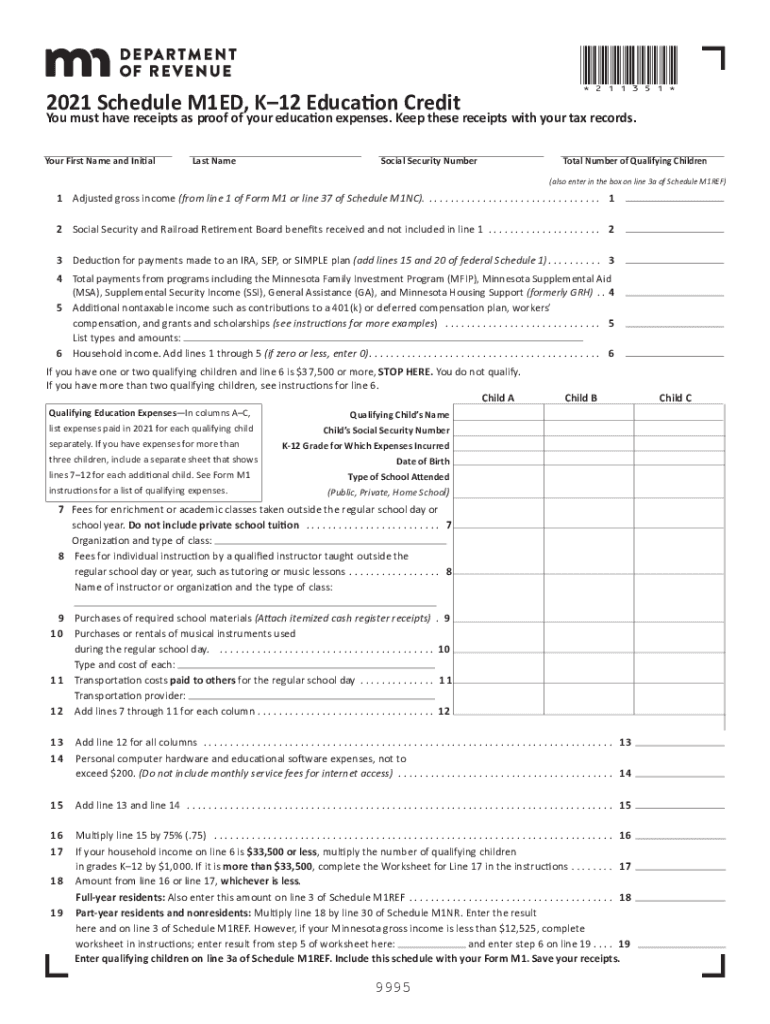
Begin by entering your First Name, Initial, Last Name, and Social Security Number in the designated fields.
Input the Total Number of Qualifying Children. This number is crucial as it affects your eligibility for credits.
Fill in your Adjusted Gross Income from the relevant tax forms. Ensure accuracy as this will determine your qualification.
List all qualifying education expenses for each child separately in columns A–C. Include details such as type of school attended and specific expenses incurred.
Review all entries for accuracy and completeness before saving or submitting your form. Keep receipts as proof of expenses.
Start using our platform today to easily fill out and manage your m1ed form for free!
Minnesota credits, cont. Child and dependent care credit - M1CD. K-12 Education credit M1ED. - paid qualifying expenses for 2006; - household income limitRead more
Cookie consent notice
This site uses cookies to enhance site navigation and personalize your experience.
By using this site you agree to our use of cookies as described in our Privacy Notice.
You can modify your selections by visiting our Cookie and Advertising Notice.