




01. Edit your wisconsin medical care insurance subtraction online
Type text, add images, blackout confidential details, add comments, highlights and more.

Type text, add images, blackout confidential details, add comments, highlights and more.

Draw your signature, type it, upload its image, or use your mobile device as a signature pad.

Send it via email, link, or fax. You can also download it, export it or print it out.

Start using our platform today for free to simplify filling out Wisconsin Form WD!
We've got more versions of the wisconsin medical care insurance subtraction form. Select the right wisconsin medical care insurance subtraction version from the list and start editing it straight away!
| Versions | Form popularity | Fillable & printable |
|---|---|---|
| 2025 | 4.2 Satisfied (28 Votes) | |
| 2024 | 4.3 Satisfied (35 Votes) | |
| 2023 | 4.3 Satisfied (21 Votes) | |
| 2022 | 4.9 Satisfied (23 Votes) | |
| 2020 | 4.3 Satisfied (104 Votes) | |
| 2019 | 4.4 Satisfied (263 Votes) | |
| 2018 | 4.3 Satisfied (251 Votes) | |
| 2017 | 4.4 Satisfied (168 Votes) | |
| 2016 | 4.3 Satisfied (91 Votes) | |
| 2014 | 4.3 Satisfied (141 Votes) | |
| 2013 | 4.3 Satisfied (64 Votes) |
At DocHub, your data security is our priority. We follow HIPAA, SOC2, GDPR, and other standards, so you can work on your documents with confidence.
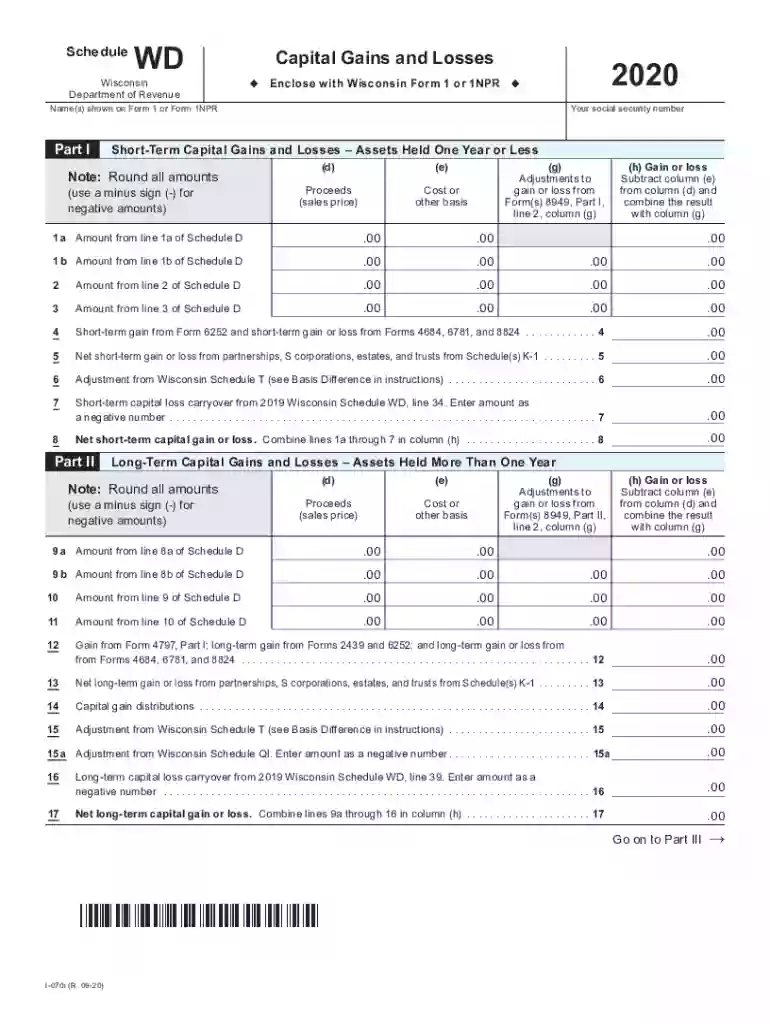
Name(s) shown on Form 1 or Form 1NPR. Your social security number. Schedule WD. Wisconsin. Department of Revenue. ◇ Include with Wisconsin Form 1 or 1NPR ◇ .00.Read more
by CUN Cu 2010 Wisconsin Department of Natural Resources. Wisconsin reported that they use MCLs for groundwater cleanups, though both those states also indicated that their
Wisconsin residents will file their 2018 individual income tax return using Form 1. Wisconsin nonresidents and part-year residents continue to file using FormRead more


