




Here's how it works

01. Edit your form t 204r annual online
Type text, add images, blackout confidential details, add comments, highlights and more.

02. Sign it in a few clicks
Draw your signature, type it, upload its image, or use your mobile device as a signature pad.

03. Share your form with others
Send the document is the state for sellers of tangible personal via email, link, or fax. You can also download it, export it or print it out.
How to use or fill out Rhode Island Sales Return with our platform

- Click ‘Get Form’ to open the Rhode Island Sales Return in the editor.
- Begin by entering your name, account identification number, and address in the designated fields. Ensure that all information is accurate for proper processing.
- For the period ending, input the date (e.g., 12/31/2020) and complete any additional address details if necessary.
- Fill out Schedule A by categorizing your sales. Enter gross sales figures for each category from lines 1a to 1h, ensuring you include all relevant sales data.
- Proceed to calculate your total taxable sales by completing Schedule B. Enter any legal deductions applicable to your business on lines 4a through 4k.
- Review the totals calculated on page one. Ensure that line C6 equals line B3; if not, adjust accordingly and prepare for payment or credit as needed.
- Finally, sign and date the certification section at the bottom of page one before submitting your completed form.
Start using our platform today to streamline your Rhode Island Sales Return process for free!
Fill out rhode island sales return online
It's free
See more rhode island sales return versions
We've got more versions of the rhode island sales return form. Select the right rhode island sales return version from the list and start editing it straight away!
Security and compliance
At DocHub, your data security is our priority. We follow HIPAA, SOC2, GDPR, and other standards, so you can work on your documents with confidence.
Learn more


Related forms
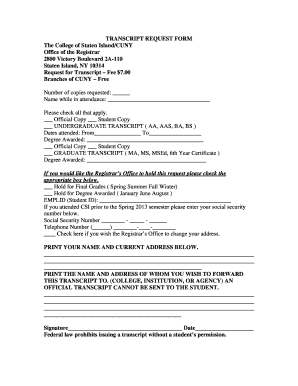
College of staten island transcript
The document is a Transcript Request Form from the College of Staten Island/CUNY, allowing students to request official ...
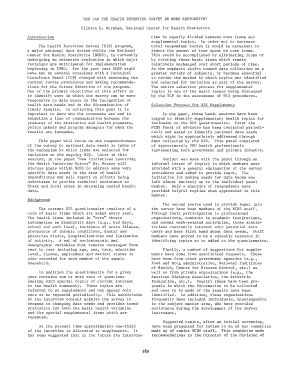
1978: how can the health interview survey be more responsive? - amstat
The document discusses the evaluation and proposed revisions of the Health Interview Survey (HIS) by the National Center ...

COPSS Calls for Immediate Reinstatement of the Long Form - amstat
The Committee of Presidents of Statistical Societies (COPSS) has called for the immediate reinstatement of the long form ...

Area Sampling for Post-Secondary Institutions - American Statistical - amstat
The document outlines the design and methodology of an area sampling study aimed at updating the list of non-Title IV po ...

MSTATNEWS - Amstat News - American Statistical Association
The November 2008 issue of Amstat News (Issue #377) features various topics including awards nominations, strategic plan ...

Sampling men who have sex with men - American Statistical - amstat
The document outlines a study aimed at sampling men who have sex with men (MSM) in urban areas of the United States, foc ...

For the Journal - forms aps
The document outlines the editorial policies and practices of Physical Review A, published by the American Physical Soci ...

ATA 50th Annual Conference Registration Form
The document outlines the registration process for delegates attending the ATA 50th Annual Conference, detailing complim ...