



Here's how it works



How to use or fill out w 1 louisville with our platform

- Click ‘Get Form’ to open the w 1 louisville in the editor.
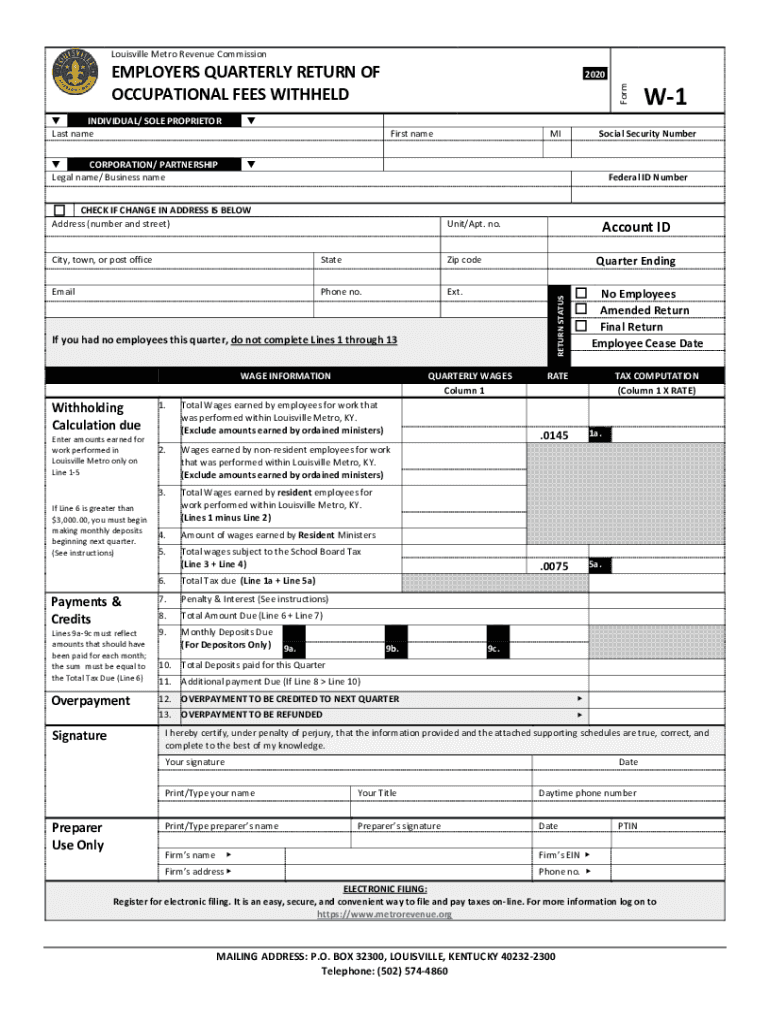
- Begin by entering your last name and first name in the designated fields. If applicable, provide your legal business name for corporations or partnerships.
- Fill in your Social Security Number and Federal ID Number. Ensure accuracy as these are crucial for tax processing.
- Indicate any changes in address by checking the appropriate box and updating your address details.
- Complete the wage information section, detailing total wages earned by employees within Louisville Metro. Be sure to exclude amounts earned by ordained ministers.
- Calculate the total tax due based on your reported wages and ensure all monthly deposits are accurately reflected in lines 9a-9c.
- Finally, sign and date the form, certifying that all information is true and complete before submitting it electronically or via mail.
Start using our platform today to fill out your w 1 louisville form easily and for free!
It's free
See more w 1 louisville versions
Got questions?
Can I fill out and sign my louisville metro revenue commission online?
Sure, and it’s really easy! DocHub is an online PDF editor with advanced document processing functions that allow you quickly modify your forms, fill out blank fields and insert new ones for others to fill out, and create electronic signatures in several ways. Upload your louisville metro revenue commission, provide information as required, and decide how you want to eSign your document - by typing your name, drawing your signature, uploading its image, or using a QR code.
How do you get louisville metro tax?
You can find the latest and most relevant version of the louisville metro tax in our DocHub forms library. Search it by categories or utilize the search field to get the exact template that fits your situation. You can open this form for editing once you find it.
Security and compliance
At DocHub, your data security is our priority. We follow HIPAA, SOC2, GDPR, and other standards, so you can work on your documents with confidence.
Learn more