




Here's how it works

01. Edit your form online
Type text, add images, blackout confidential details, add comments, highlights and more.

02. Sign it in a few clicks
Draw your signature, type it, upload its image, or use your mobile device as a signature pad.

03. Share your form with others
Send it via email, link, or fax. You can also download it, export it or print it out.
How to use or fill out 2014 DoL LS-210 with DocHub

- Click ‘Get Form’ to open the 2014 DoL LS-210 in our platform.
- Begin by entering the OWCP No. and Carrier's No. in the designated fields at the top of the form.
- Fill in the name of the injured employee, including their first, middle initial, and last name.
- Provide the date of the accident using the format (Month, day, year) in section 4.
- Complete the address of the injured employee, ensuring all details are accurate.
- For sections regarding periods of disability, input dates for 'From' and 'Through' as well as any return-to-work dates.
- Indicate whether medical attention was received and provide necessary details if applicable.
- Finally, ensure that all required signatures are completed before saving or exporting your filled form.
Start using our platform today to fill out your forms online for free!
Fill out 2014 DoL LS-210 online
It's free
See more 2014 DoL LS-210 versions
We've got more versions of the 2014 DoL LS-210 form. Select the right 2014 DoL LS-210 version from the list and start editing it straight away!
Security and compliance
At DocHub, your data security is our priority. We follow HIPAA, SOC2, GDPR, and other standards, so you can work on your documents with confidence.
Learn more


Related forms
Truist name change marriage
The document is a Name Change Request form for borrowers seeking to update their names associated with a mortgage loan. ...

Lanl calendar 2023
The document is a calendar for the year 2014, specifically for Los Alamos National Laboratory, detailing paydays and hol ...
Meyco pool cover measurement form
The document is an ORDER/ESTIMATE & MEASURE FORM for pool covers from Meyco Products Inc. It includes sections for order ...
CV-035, Subpoena Trial, Hrng, Dep, Rev 06 14
The document is a witness subpoena issued by the State of Maine, commanding an individual to appear in court for testimo ...
Behavioral Health and Substance Abuse Services
The document outlines the Preadmission Screening and Resident Review (PASRR) Level I Screen process required for individ ...
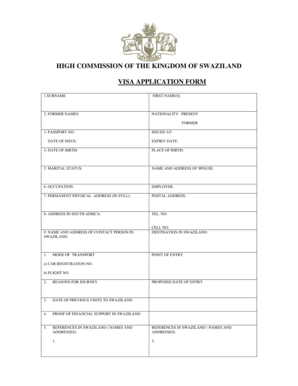
Swaziland visa application form pdf
The document is a visa application form for the Kingdom of Swaziland, detailing personal information required from appli ...