




State of california guardian probate change of venue form 2026

Get Form
state of california guardian probate change of venue form Preview on Page 1

Here's how it works

01. Edit your form online
Type text, add images, blackout confidential details, add comments, highlights and more.
02. Sign it in a few clicks
Draw your signature, type it, upload its image, or use your mobile device as a signature pad.
03. Share your form with others
Send it via email, link, or fax. You can also download it, export it or print it out.

How to use or fill out the State of California Guardian Probate Change of Venue Form

Form edit decoration
9.5
Ease of Setup
DocHub User Ratings on G2
9.0
Ease of Use
DocHub User Ratings on G2
  1. Click ‘Get Form’ to open it in the editor.
  2. Begin by entering the case number at the top of the form. This is crucial for identifying your specific case.
  3. Fill in the names of all parties involved in the case, ensuring accuracy to avoid any delays.
  4. In the section regarding the reason for requesting a change of venue, provide a clear and concise explanation based on applicable circumstances such as pretrial publicity or bias.
  5. Complete any additional fields that require information about previous court decisions or hearings related to your case.
  6. Review all entered information for accuracy before submitting. Utilize our platform's editing tools to make any necessary adjustments easily.

Start using our platform today to fill out your California Guardian Probate Change of Venue Form online, for free!

See more state of california guardian probate change of venue form versions

We've got more versions of the state of california guardian probate change of venue form form. Select the right state of california guardian probate change of venue form version from the list and start editing it straight away!
Versions Form popularity Fillable & printable
2021 4.9 Satisfied (52 Votes)
2013 4.4 Satisfied (206 Votes)
be ready to get more

Complete this form in 5 minutes or less

Get form

Got questions?

We have answers to the most popular questions from our customers. If you can't find an answer to your question, please contact us.
Contact us

Yes, and it’s really easy! DocHub is a web-based PDF editor with advanced document management capabilities that allow you rapidly modify your documents, fill out empty fields and add new ones for other people to fill out, and create eSignatures in several ways. Upload your state of california guardian probate change of venue form, provide information as requested, and choose how you want to eSign your document - by typing your name, drawing your signature, uploading its picture, or using a QR code.

You may quickly fill out, modify, and even eSign your state of california guardian probate change of venue form utilizing DocHub. Create a new account and begin your free trial. After that, you can upload the file with the form and simply make all the needed edits. No need to print on paper or use a third-party application to sign it, as you can put your electronic signature on your document quicker through DocHub.

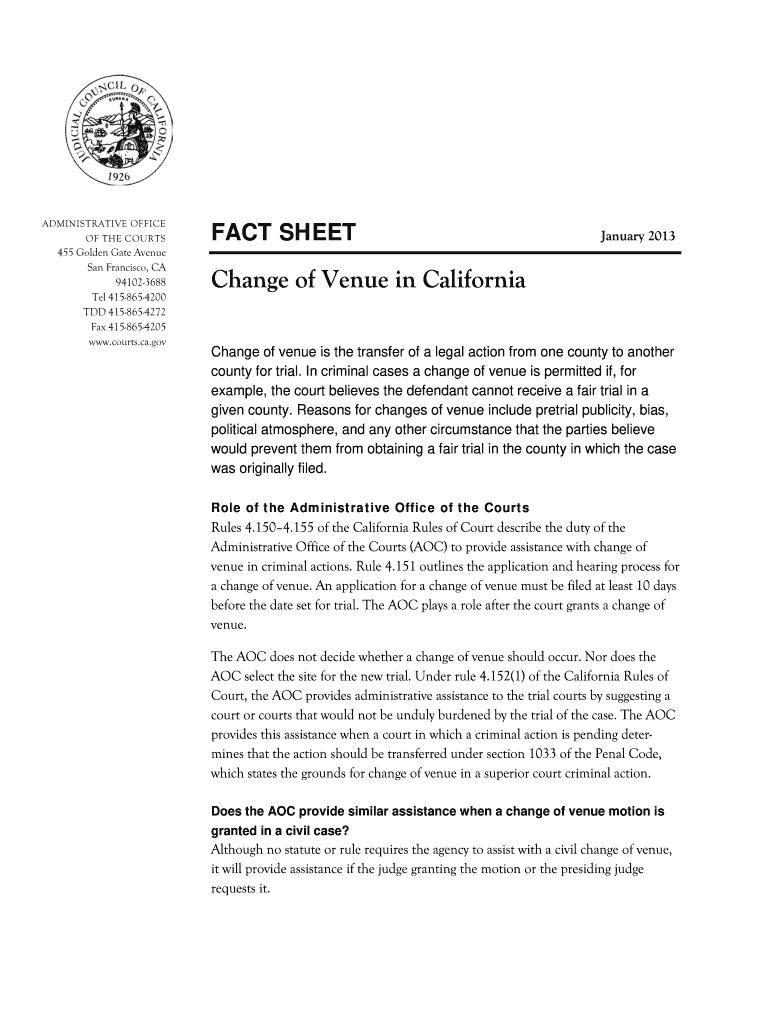
Change of venue is the transfer of a legal action from one county to another county for trial. In criminal cases a change of venue is permitted if, for example, the court believes the defendant cannot receive a fair trial in a given county.
Reasons for changes of venue include pretrial publicity, bias, political atmosphere, and any other circumstance that the parties believe would prevent them from obtaining a fair trial in the county in which the case was originally filed.
YOU NEED TO CHANGE COURTS? To move your case to another court, you must make a Motion to Change Venue in writing, and file one copy with the Court where your case is currently located and another copy with the Department of Homeland Security.

Security and compliance

At DocHub, your data security is our priority. We follow HIPAA, SOC2, GDPR, and other standards, so you can work on your documents with confidence.

Learn more
ccpa2
pci-dss
gdpr-compliance
hipaa
soc-compliance

People also ask

To achieve a change of venue, defendants typically have to show a reasonable likelihood that they cant receive a fair trial. That reasonable likelihood is usually due to pretrial publicity, but it could have to do with some other event making it almost impossible to find an impartial jury.
While jurisdiction says in what state and what court you file your lawsuit, venue is the county where you file your action. Usually, venue is in the county where: The person you are suing lives or does business (if you are suing a business or organization); or.
Step 1: Understand the Probate Order and Its Contents. Step 2: Determine the Appropriate Amendment Method. Step 3: Gather the Necessary Documentation. Step 4: Prepare File the Amendment Petition. Step 5: Notify Interested Parties Attend a Hearing (if Required) Step 6: Obtain the Amended Probate Order.
But first, there must be a court hearing. And, you must give notice of the hearing to all relatives who were notified of your appointment as guardian. You must show the Court that it would be in the childs best interest for you to resign. If the judge agrees, s/he will appoint a guardian to replace you.
In many cases, to transfer a guardianship, guardians must petition the state where the ward currently lives and the state to which the ward is moving. This process can be complex, as each jurisdiction has rules regulating guardianship. Inconsistencies between states can create challenges.

Related links