




Here's how it works

01. Edit your form 8853 instructions online
Type text, add images, blackout confidential details, add comments, highlights and more.

02. Sign it in a few clicks
Draw your signature, type it, upload its image, or use your mobile device as a signature pad.

03. Share your form with others
Send form 8853 via email, link, or fax. You can also download it, export it or print it out.
How to use or fill out 8853 form with our platform

- Click ‘Get Form’ to open the 8853 form in the editor.
- Begin by entering your name and social security number at the top of the form. Ensure that this information matches your tax return.
- In Section A, if applicable, provide details about Archer MSA contributions. Fill in total employer contributions and your personal contributions for the year.
- Complete Part II by detailing any distributions received from your Archer MSAs. Be sure to include any unreimbursed medical expenses.
- If you have Medicare Advantage MSAs, proceed to Section B and repeat similar steps for reporting distributions and expenses.
- For Section C regarding Long-Term Care Insurance Contracts, enter relevant details about payments received and costs incurred during the LTC period.
- Review all entries for accuracy before saving or exporting your completed form directly from our platform.
Start using our platform today to fill out your 8853 form online for free!
Fill out 8853 form online
It's free
It's free
See more 8853 form versions
We've got more versions of the 8853 form form. Select the right 8853 form version from the list and start editing it straight away!
| Versions | Form popularity | Fillable & printable |
|---|---|---|
| 2025 | 4.6 Satisfied (52 Votes) | |
| 2024 | 4.6 Satisfied (35 Votes) | |
| 2023 | 4.8 Satisfied (21 Votes) | |
| 2022 | 4.5 Satisfied (27 Votes) | |
| 2021 | 4.8 Satisfied (49 Votes) | |
| 2020 | 4.2 Satisfied (29 Votes) | |
| 2019 | 4.3 Satisfied (80 Votes) | |
| 2018 | 4.3 Satisfied (227 Votes) | |
| 2017 | 4.3 Satisfied (98 Votes) | |
| 2016 | 4.4 Satisfied (1393 Votes) | |
| 2015 | 4.3 Satisfied (221 Votes) |
Security and compliance
At DocHub, your data security is our priority. We follow HIPAA, SOC2, GDPR, and other standards, so you can work on your documents with confidence.
Learn more


Related forms
Change of name form - University of Massachusetts Boston
The document is a Change of Name Form from the Office of the Registrar at the University of Massachusetts Boston. It inc ...
Testing Isolation Levels of Relational Database Management Systems
The dissertation by Dimitrios Liarokapis investigates the testing of isolation levels in relational database management ...
FREE Louisiana Commercial Lease Agreement 2019PDF Form
The Vermont Standard Residential Lease Agreement is a legally binding contract between a landlord and tenant outlining t ...

Former President's International Mail
The document outlines the international mail rates for various weight categories and destinations, including Mexico, Can ...
Sample Employer Evaluation
The document is an Evaluation Panel Summary that assesses the progress of a trainee or intern. It includes sections for ...

National agreement - AFGE
The document outlines the Performance Plan and Appraisal Record for non-supervisory American Federation of Government Em ...
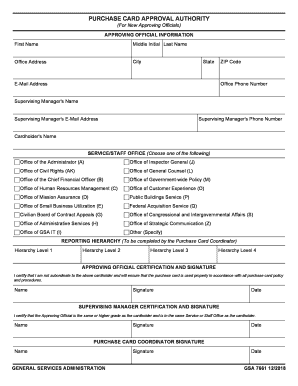
Purchase Card Training for Cardholders and Approving Officials
The document outlines the process for new approving officials to certify their authority regarding purchase card usage w ...
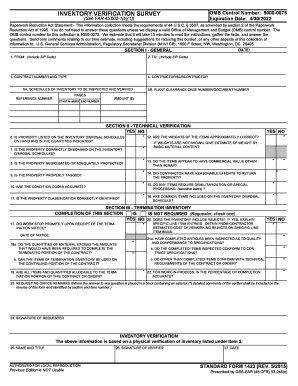
OMB control number for this collection is 9000-0075
The document is an Inventory Verification Survey form, governed by the OMB Control Number 9000-0075, which outlines the ...