




Here's how it works

01. Edit your schedule m1c online
Type text, add images, blackout confidential details, add comments, highlights and more.

02. Sign it in a few clicks
Draw your signature, type it, upload its image, or use your mobile device as a signature pad.

03. Share your form with others
Send m1cwfc form via email, link, or fax. You can also download it, export it or print it out.
How to use or fill out schedule m1c with our platform

- Click ‘Get Form’ to open the Schedule M1C in the editor.
- Begin by entering your first name, last name, and Social Security number at the top of the form.
- Proceed to line 1 for the Marriage Credit. If applicable, ensure you enclose Schedule M1MA and meet all qualifying criteria.
- For line 2, if you paid long-term care insurance premiums, complete Schedule M1LTI and enter the credit amount.
- Continue filling out lines 3 through 16 based on your eligibility for various credits. Remember to attach any required schedules as indicated.
- Finally, sum all credits from lines 1 through 16 and enter the total on line 17. This total will be reported on line 16 of Form M1.
Start using our platform today for free to streamline your document editing and form completion!
Fill out schedule m1c online
It's free
See more schedule m1c versions
We've got more versions of the schedule m1c form. Select the right schedule m1c version from the list and start editing it straight away!
Security and compliance
At DocHub, your data security is our priority. We follow HIPAA, SOC2, GDPR, and other standards, so you can work on your documents with confidence.
Learn more


Related forms
In Accordance with State Laws Located in Sections 47-8-1 through 47-8-52
The New Mexico Roommate Agreement outlines the terms and responsibilities of roommates sharing a rental property, includ ...

Seller Property Condition Disclosure - Iowa Professional
The document is a Purchase Agreement from the Southwest Iowa Association of REALTORS®, outlining the terms and condition ...
Nebraska residential lease agreement - eForms
The document is a Nebraska Lease Termination Letter that serves as an official notice for either the landlord or tenant ...
Counseling, Educational Psychology and Research T and P - UMdrive - umdrive memphis
The document outlines the Tenure and Promotion Policy and Procedures for the Department of Counseling, Educational Psych ...
CMSC434-0101: Introduction to Human-Computer Interaction-Spring
The document discusses the evolution and significance of Personal Health Records (PHR) in the context of healthcare, emp ...
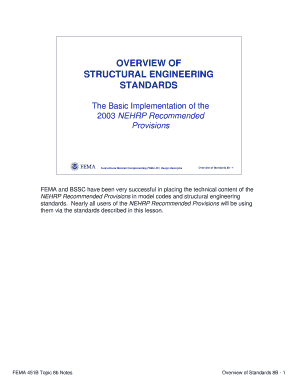
The Basic Implementation of the
The document provides an overview of structural engineering standards, focusing on the implementation of the 2003 NEHRP ...

Download Wisconsin Sublease Agreement Form for Free
The document is a Sublet Agreement outlining the terms and conditions under which a sublessor transfers their rights and ...
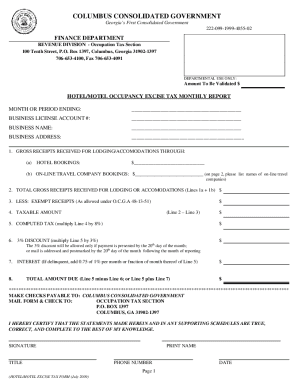
Hotel motel excise tax form columbus ga
The document provides instructions for filing the Hotel/Motel Excise Tax Form for the Columbus Consolidated Government i ...