




Here's how it works

01. Edit your colorado state withholding form online
Type text, add images, blackout confidential details, add comments, highlights and more.

02. Sign it in a few clicks
Draw your signature, type it, upload its image, or use your mobile device as a signature pad.

03. Share your form with others
Send colorado withholding form via email, link, or fax. You can also download it, export it or print it out.
How to use or fill out Colorado Oil Gas Withholding with DocHub

- Click ‘Get Form’ to open the Colorado Oil Gas Withholding form in our editor.
- In Boxes 1-5, enter the required information such as Well Name, Lease, Field, County, and API Well Number.
- For Line 6, input the total gross income on both cash and accrual basis. Ensure you report all payments made during the year for cash basis.
- Line 7 requires you to enter the portion of payments from tax-exempt oil and gas production from a stripper well.
- On Line 8, report the ad valorem tax paid during the year for both cash and accrual basis.
- Line 9 should reflect the ad valorem tax related to stripper well production.
- Enter the severance tax withheld for the calendar year in Line 10.
- Complete Boxes 11 and 12 with payee and payor information including names, SSN or ITIN, addresses, and account numbers.
Start using our platform today to easily complete your Colorado Oil Gas Withholding form for free!
Fill out colorado oil gas withholding online
It's free
It's free
See more colorado oil gas withholding versions
We've got more versions of the colorado oil gas withholding form. Select the right colorado oil gas withholding version from the list and start editing it straight away!
Security and compliance
At DocHub, your data security is our priority. We follow HIPAA, SOC2, GDPR, and other standards, so you can work on your documents with confidence.
Learn more


Related forms
Samsa certificate
The document is a Builder's Certificate related to the Ship Registration Act of 1998 in South Africa. It includes detail ...

District Golf Flyer - gavfw
The document outlines the details for the 5th District Charity Golf Tournament, including sponsorship levels and costs, ...
Texas Direct Deposit Authorization Form 4108
Form 4108 is a Direct Deposit Authorization document used to set up, change, or cancel direct deposit instructions for p ...
Adjusted Employer s Quarterly Federal Tax Return or Claim for Refund
The document is Form 941-X, used by employers to correct errors on their quarterly federal tax returns (Form 941 or 941- ...
How to make an online application for an Irish visa
The document provides detailed instructions for applying for an Ireland tourist visa, including a checklist of required ...
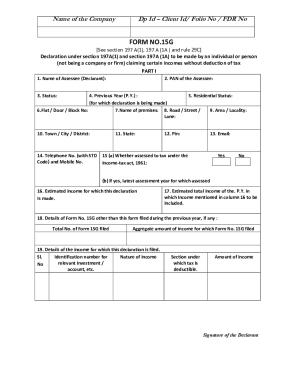
Form-15G-word docx
The document is a Form No. 15G, which is a declaration under the Income-tax Act for individuals claiming certain incomes ...

Spine Pathway Clinic Assessment and Referral Form - Primary Care Practitioners
The document is an assessment and referral form for the Saskatchewan Spine Pathway Clinic, designed for primary care pra ...
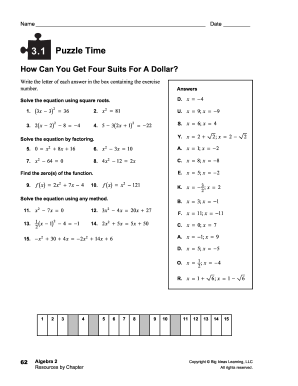
How can you get four suits for a dollar 3 1 puzzle time answers
The document consists of a series of algebra exercises labeled as 'Puzzle Time' across multiple sections (3.1 to 3.5). E ...