




Here's how it works

01. Edit your form online
Type text, add images, blackout confidential details, add comments, highlights and more.

02. Sign it in a few clicks
Draw your signature, type it, upload its image, or use your mobile device as a signature pad.

03. Share your form with others
Send it via email, link, or fax. You can also download it, export it or print it out.
How to use or fill out instruction 941 form filers with our platform

- Click ‘Get Form’ to open the instruction 941 form in the editor.
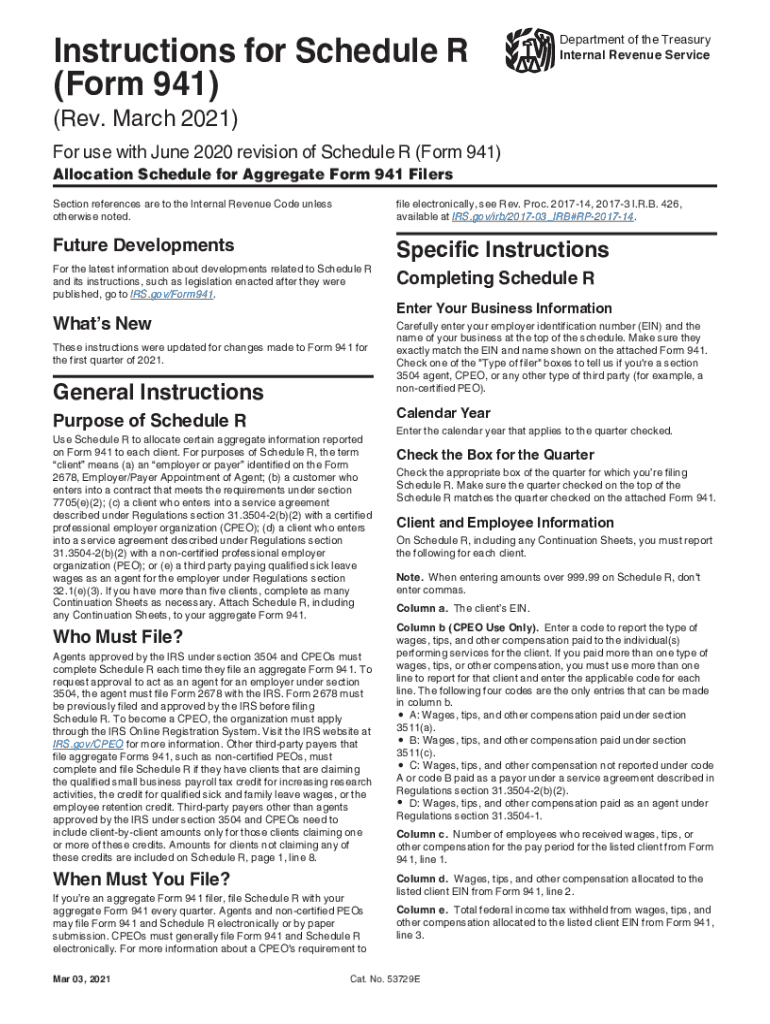
- Begin by entering your employer identification number (EIN) and business name at the top of the schedule. Ensure they match exactly with those on Form 941.
- Select the appropriate 'Type of filer' box to indicate if you are a section 3504 agent, CPEO, or another type of third party.
- Indicate the calendar year and check the box for the quarter you are filing for, ensuring it aligns with Form 941.
- For each client, report their EIN and enter relevant wage information in the designated columns. Be sure to follow specific codes for wages as outlined in the instructions.
- Complete all necessary columns including total federal income tax withheld and qualified sick leave wages allocated to each client.
- Review all entries for accuracy before finalizing your submission. Ensure totals match those on your aggregate Form 941.
Start using our platform today to simplify your form filling process for free!
Fill out instruction 941 form filers online
It's free
See more instruction 941 form filers versions
We've got more versions of the instruction 941 form filers form. Select the right instruction 941 form filers version from the list and start editing it straight away!
Security and compliance
At DocHub, your data security is our priority. We follow HIPAA, SOC2, GDPR, and other standards, so you can work on your documents with confidence.
Learn more


Related forms

Surrender indian passport in canada
The document is an application for the surrender of an Indian passport and renunciation of Indian citizenship due to the ...

53 August 1, 1997 lator reads Icon source files and writes Java class files - cs arizona
The document discusses the development of a new implementation of the Icon programming language targeting the Java Virtu ...

Depositional models
The document discusses the development of comprehensive depositional models for braided rivers, emphasizing their import ...

A Comparison of Forearm and Upper Arm Blood Pressure Measurements in a Sample of
The document presents a study comparing blood pressure measurements taken from the forearm and upper arm in 100 healthy ...

GRACE Project Final Report - Grace Project - University of Arizona
The GRACE Project at the University of Arizona College of Medicine investigates gender disparities among faculty, focusi ...

Brain Mind Reality

Random Wave Form Generator - University of Arkansas Libraries
The document describes the design and functionality of a random wave form generator developed by Zaboj V. Harvalik at th ...

HIPAA Privacy and Security for M1 Students
The document is a comprehensive orientation guide on HIPAA (Health Insurance Portability and Accountability Act) for med ...