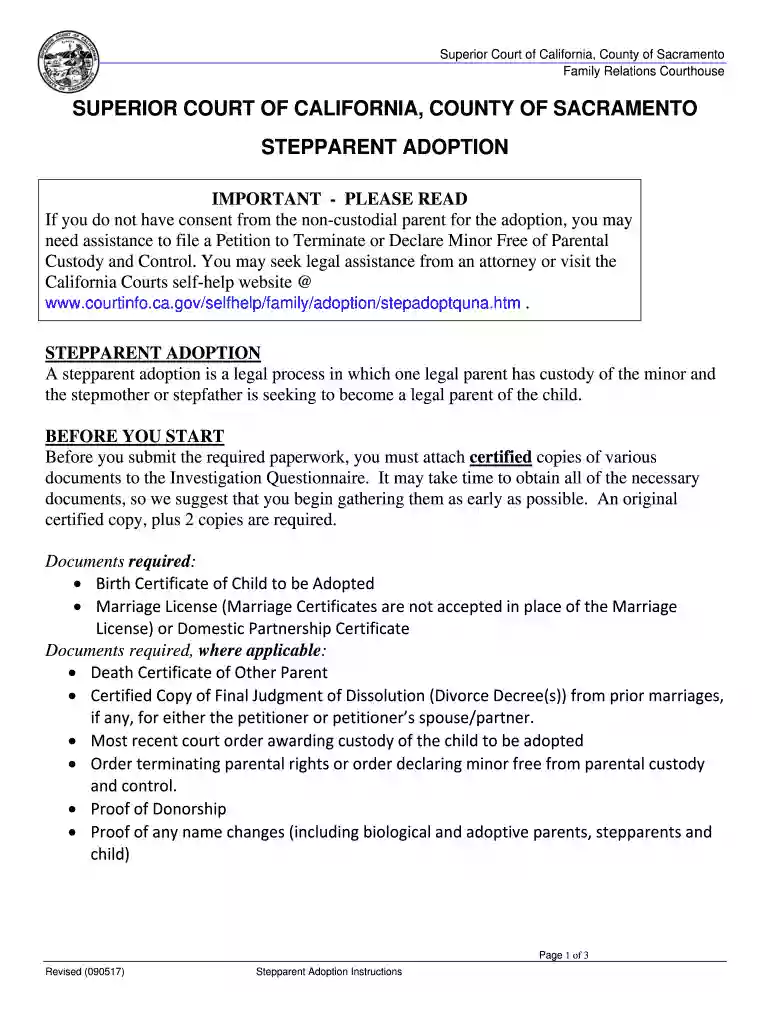
california adoption instructions Preview on Page 1

California adoption instructions 2026

Here's how it works

  • 01. Edit your form online

    Type text, add images, blackout confidential details, add comments, highlights and more.

  • 02. Sign it in a few clicks

    Draw your signature, type it, upload its image, or use your mobile device as a signature pad.

  • 03. Share your form with others

    Send it via email, link, or fax. You can also download it, export it or print it out.

How to use or fill out California Adoption Instructions with DocHub

Form edit decoration
9.5
Ease of Setup
DocHub User Ratings on G2
9.0
Ease of Use
DocHub User Ratings on G2
  1. Click ‘Get Form’ to open the California Adoption Instructions in our editor.
  2. Begin by reviewing the required documents listed, such as the child's birth certificate and marriage license. Ensure you have certified copies ready for submission.
  3. Fill out the Adopt-200 form, which is your Adoption Request. Provide accurate information about the child and both parents involved.
  4. Complete any additional forms that apply to your situation, such as ICWA forms if relevant. Make sure to notarize any consent forms where required.
  5. Once all forms are filled out, check for completeness and accuracy before printing two copies of each document for filing.
  6. Submit your documents at the Family Relations Courthouse along with any applicable fees. If requesting a hearing, include a self-addressed stamped envelope.

Start using our platform today to streamline your California adoption process for free!

See more california adoption instructions versions

We've got more versions of the california adoption instructions form. Select the right california adoption instructions version from the list and start editing it straight away!

VersionsForm popularityFillable & printable
20194.8 Satisfied (42 Votes)
20174.3 Satisfied (58 Votes)
20154.4 Satisfied (47 Votes)
20104.1 Satisfied (56 Votes)

be ready to get more

Complete this form in 5 minutes or less

Security and compliance

At DocHub, your data security is our priority. We follow HIPAA, SOC2, GDPR, and other standards, so you can work on your documents with confidence.

Related links

Adoption assistance | UCnet - University of California

Follow these steps once your adoption is legally finalized: Complete the UC Adoption Verification Form PDF and submit it to WEX Health. WEX will verify thatRead more

Learn more
Adoptions | California Courts | Self Help Guide

This guide has general information about the different ways to adopt someone in California. For some types of adoption, there are step-by-step instructions.Read more

Learn more
ROC Reporting Instructions

by PCI PCI 2011 Cited by 3 The PCI DSS Requirements and Security Assessment Procedures includes a template for creating and completing a ROC. This document, ROC. Reporting Instructions,Read more

Learn more
If you believe that this page should be taken down, please follow our DMCA take down process here