




01. Edit your form online
Type text, add images, blackout confidential details, add comments, highlights and more.

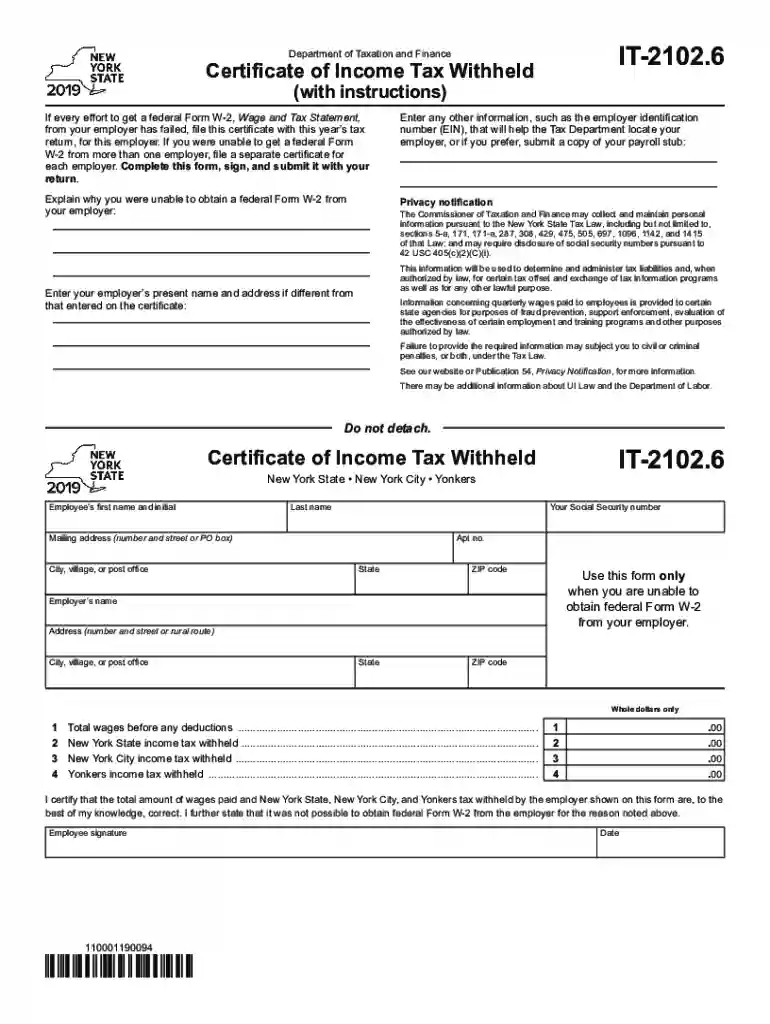
Type text, add images, blackout confidential details, add comments, highlights and more.

Draw your signature, type it, upload its image, or use your mobile device as a signature pad.

Send it via email, link, or fax. You can also download it, export it or print it out.

Start using our platform today to fill out your IT-2102 printable easily and for free!
We've got more versions of the it 2102 printable form. Select the right it 2102 printable version from the list and start editing it straight away!
Sure, you’ll find numerous apps for this on the web. However, if you need to eSign your it 2102 printable without installing extra software, DocHub is the best choice you can make. This robust editor works on mobile devices just like on desktops. Open our editor in your preferred internet browser, register or sign in to your account, and start processing your documents.
When you choose analog methods of completing your it 2102 printable, it is simple to download your file for printing. Search DocHub’s Forms & Templates catalog to find the exact document template you require and open it for editing or download it on your device in the format of your liking. It is possible to complete your form electronically and put your handwritten signature on it right after printing or eSign your document with DocHub.
At DocHub, your data security is our priority. We follow HIPAA, SOC2, GDPR, and other standards, so you can work on your documents with confidence.
2102p Dear Colleagues, As you know, Interim Senior Vice President and Provost Julia Wrigley has signaled her intention to return to the faculty at the end
(with instructions). IT-2102.6. Do not detach. Use this form only when you are unable to obtain federal Form W-2 from your employer. I DocHub that the totalRead more
v All characters are in the standard ASCII printable character set within the range from 0x20 to 0x7E inclusive. Additionally the specific operatingRead more


