Type text, add images, blackout confidential details, add comments, highlights and more.
02. Sign it in a few clicks
Draw your signature, type it, upload its image, or use your mobile device as a signature pad.
03. Share your form with others
Send misc miscellaneous via email, link, or fax. You can also download it, export it or print it out.
How to use or fill out rpt7833 with our platform
Ease of Setup
DocHub User Ratings on G2
Ease of Use
DocHub User Ratings on G2
Click ‘Get Form’ to open rpt7833 in the editor.
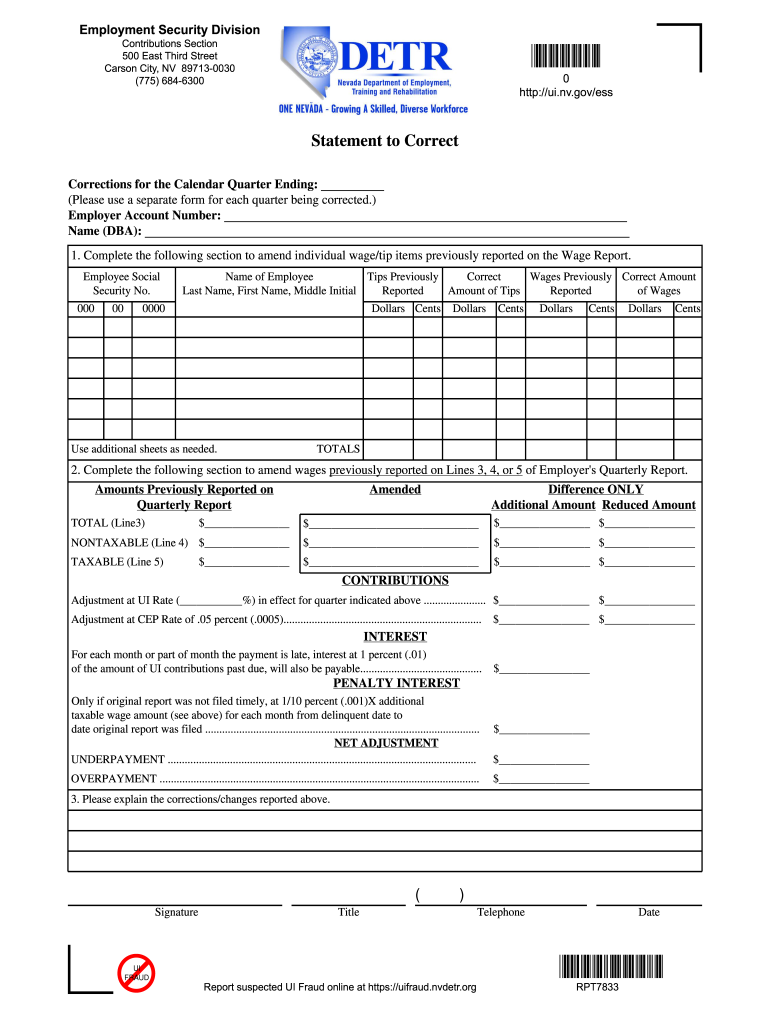
Begin by entering the corrections for the calendar quarter ending in the designated field. Ensure you use a separate form for each quarter being corrected.
Fill in your Employer Account Number and Name (DBA) accurately to avoid processing delays.
In Section 1, amend individual wage/tip items by entering the Employee's Social Security Number, Name, and previously reported amounts. Use additional sheets if necessary.
Proceed to Section 2 to amend wages reported on Lines 3, 4, or 5 of the Employer's Quarterly Report. Fill in the amounts previously reported and any adjustments needed.
Complete the Contributions and Interest sections by calculating adjustments at the specified rates and entering any penalties if applicable.
Finally, provide an explanation of the corrections/changes made above, sign, and date the form before submission.
Start using our platform today to easily fill out rpt7833 online for free!
*RPT7833*. RPT7833. Statement to Correct. Corrections for the Calendar Quarter Ending: . (Please use a separate form for each quarter being correctedRead more
Cookie consent notice
This site uses cookies to enhance site navigation and personalize your experience.
By using this site you agree to our use of cookies as described in our Privacy Notice.
You can modify your selections by visiting our Cookie and Advertising Notice.