




Here's how it works

01. Edit your ct 941 online
Type text, add images, blackout confidential details, add comments, highlights and more.

02. Sign it in a few clicks
Draw your signature, type it, upload its image, or use your mobile device as a signature pad.

03. Share your form with others
Send it via email, link, or fax. You can also download it, export it or print it out.
How to use or fill out ct amended with our platform

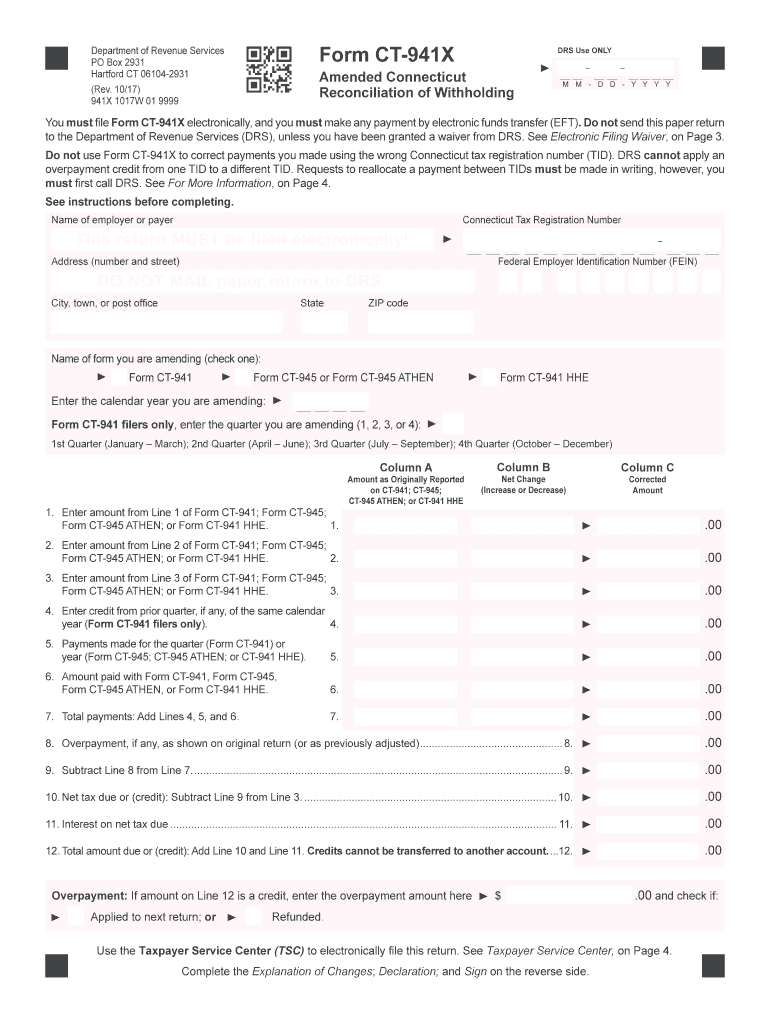
- Click ‘Get Form’ to open the CT-941X in the editor.
- Begin by entering your employer or payer name, Connecticut Tax Registration Number, and Federal Employer Identification Number (FEIN) in the designated fields.
- Select the form you are amending by checking the appropriate box and enter the calendar year you are amending.
- For CT-941 filers, specify the quarter you are amending by selecting from options 1 through 4.
- In Column A, input amounts as originally reported. In Column B, indicate any net changes (increases or decreases). Finally, in Column C, provide the corrected amounts.
- Complete the Explanation of Changes section on Page 2 by detailing each change made and its reason.
- Sign and date the declaration section at the bottom of Page 2 to confirm accuracy before submitting electronically.
Start using our platform today for free to streamline your CT-941X filing process!
Fill out ct amended online
It's free
It's free
See more ct amended versions
We've got more versions of the ct amended form. Select the right ct amended version from the list and start editing it straight away!
| Versions | Form popularity | Fillable & printable |
|---|---|---|
| 2024 | 4.5 Satisfied (47 Votes) | |
| 2023 | 4.8 Satisfied (50 Votes) | |
| 2021 | 4.5 Satisfied (45 Votes) | |
| 2020 | 4.8 Satisfied (57 Votes) | |
| 2017 | 4.3 Satisfied (43 Votes) | |
| 2016 | 4.3 Satisfied (97 Votes) | |
| 2015 | 4.4 Satisfied (237 Votes) | |
| 2013 | 4.3 Satisfied (43 Votes) | |
| 2012 | 4 Satisfied (48 Votes) | |
| 2010 | 4 Satisfied (38 Votes) | |
| 2009 | 4.2 Satisfied (58 Votes) |
Security and compliance
At DocHub, your data security is our priority. We follow HIPAA, SOC2, GDPR, and other standards, so you can work on your documents with confidence.
Learn more


Related forms

State of alabama termite waiver form
The document is an Official State of Alabama Waiver Form for Subterranean Termite Control, consisting of two parts. It a ...
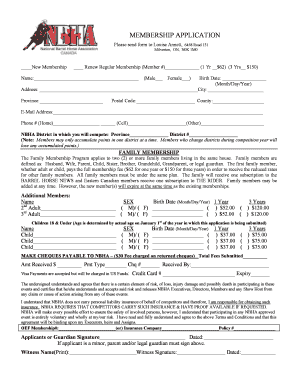
MEMBERSHIP APPLICATION - NBHA Canada
The document is a membership application form for the National Barrel Horse Association (NBHA), detailing options for ne ...

Bpp5 form
The document is a Builders Pavement Plan authorization form that allows the Department of Transportation to issue a cons ...