




Here's how it works

01. Edit your fers retirement calculator online
Type text, add images, blackout confidential details, add comments, highlights and more.

02. Sign it in a few clicks
Draw your signature, type it, upload its image, or use your mobile device as a signature pad.

03. Share your form with others
Send dochub com fillable form via email, link, or fax. You can also download it, export it or print it out.
How to use or fill out fers retirement estimate request form - OnlyOneSearch Results

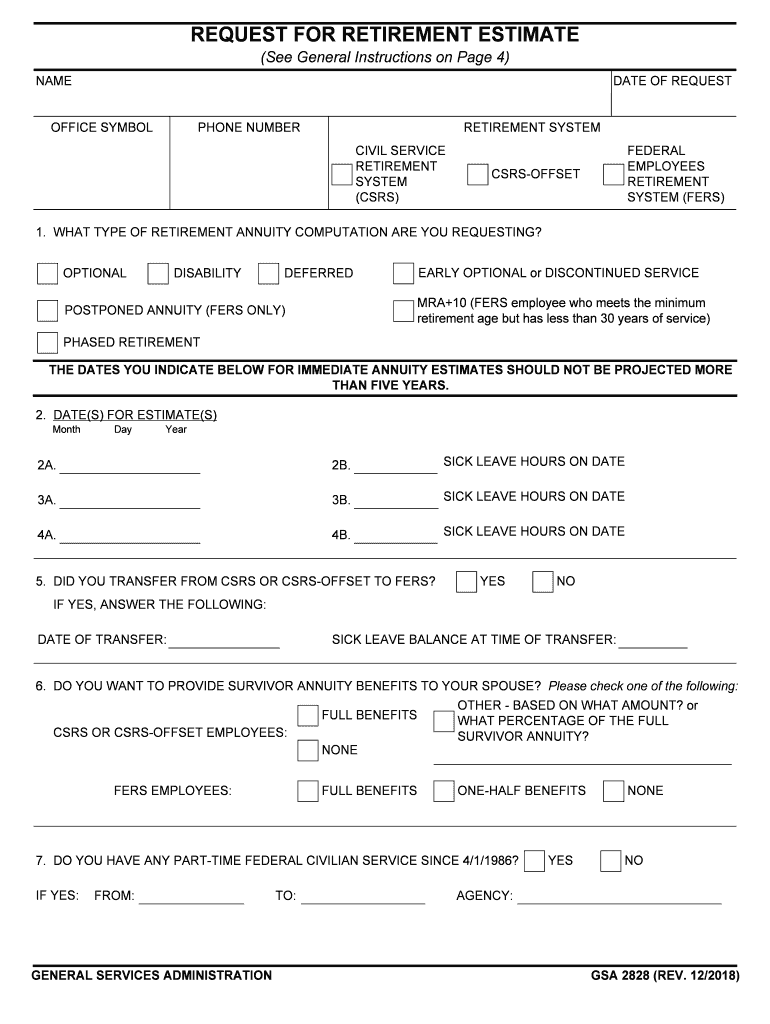
- Click ‘Get Form’ to open it in the editor.
- Begin by entering your name, date of request, office symbol, and phone number in the designated fields.
- Select your retirement system: Civil Service Retirement System (CSRS), Federal Employees Retirement System (FERS), or CSRS-Offset.
- Indicate the type of retirement annuity computation you are requesting by checking the appropriate box.
- Fill in the projected retirement dates and estimated sick leave hours for each date as required.
- Answer questions regarding any transfers from CSRS or CSRS-Offset to FERS, including relevant dates and sick leave balances.
- Provide information about survivor annuity benefits for your spouse if applicable, selecting full benefits or another option.
- Complete sections regarding health plans, life insurance, and any part-time federal service since April 1986 as necessary.
Start using our platform today to streamline your form completion process for free!
Fill out fers retirement estimate request form - OnlyOneSearch Results online
It's free
See more fers retirement estimate request form - OnlyOneSearch Results versions
We've got more versions of the fers retirement estimate request form - OnlyOneSearch Results form. Select the right fers retirement estimate request form - OnlyOneSearch Results version from the list and start editing it straight away!
Security and compliance
At DocHub, your data security is our priority. We follow HIPAA, SOC2, GDPR, and other standards, so you can work on your documents with confidence.
Learn more


Related forms

Customer account information - Controlled Products
The document is an application form for establishing a customer account with Controlled Products Systems Group (CPSG), d ...

Medical, Cash and SNAP Redetermination Notice - IL444-1893-IES
The document is a Medical, Cash, and SNAP Redetermination Notice from the State of Illinois Department of Human Services ...

2024 Publication 17

Re: Govt created fillable form
The document is a form (State Form 52039) used to report changes in responsible officer information for businesses in In ...

Team Certificate of Entry - Dizzy Dean Baseball, Inc - dizzydeanbbinc
The document is a Team Certificate of Entry for a baseball tournament, requiring the names of eligible players and their ...
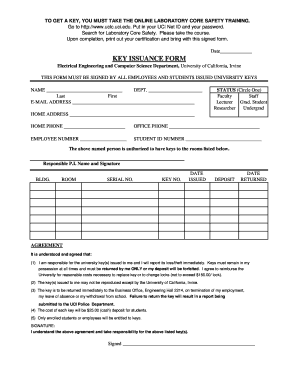
Go to www - eng uci
The document outlines the process for obtaining keys at the University of California, Irvine, specifically requiring com ...