
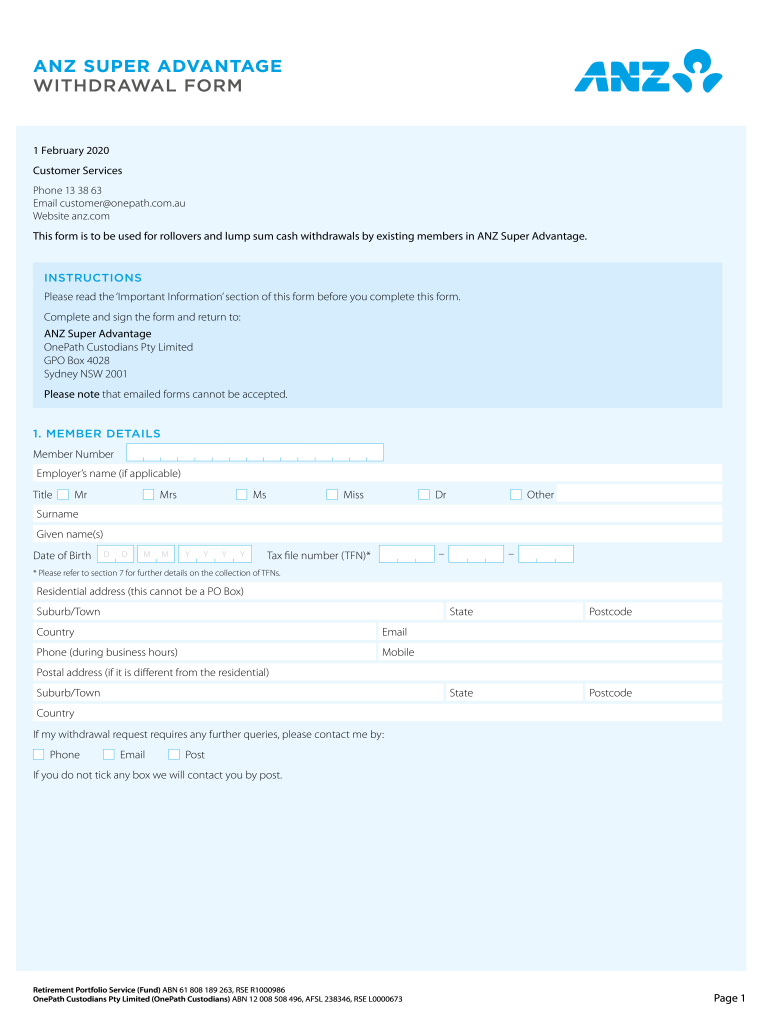




Here's how it works

01. Edit your anz estate funds release and indemnity form online
Type text, add images, blackout confidential details, add comments, highlights and more.

02. Sign it in a few clicks
Draw your signature, type it, upload its image, or use your mobile device as a signature pad.

03. Share your form with others
Send anz release and indemnity form via email, link, or fax. You can also download it, export it or print it out.
How to use or fill out ANZ Estate Funds Release and Indemnity Form with our platform

- Click ‘Get Form’ to open it in the editor.
- Begin by entering your Member Details, including your Member Number, Title, Surname, Given Name(s), Date of Birth, and Tax File Number (TFN). Ensure all information is accurate.
- Provide your Residential Address and Postal Address if different. This section is crucial for communication regarding your withdrawal request.
- Complete the Tax Questionnaire by indicating whether you intend to claim a tax deduction on personal contributions made during the financial year.
- Select the Type of Withdrawal Requested. Choose between rolling over to another institution or requesting a lump sum cash payment from your super account.
- If applicable, fill out the Eligibility to Withdraw a Lump Sum Cash Payment section by ticking the appropriate conditions that apply to you.
- In the Withdrawal Instructions section, specify whether you want a full or partial withdrawal and provide necessary details for processing.
- Finally, review all entered information for accuracy before signing and submitting the form as instructed.
Start using our platform today for free to streamline your document editing and submission process!
Fill out anz estate funds release and indemnity form online
It's free
It's free
See more anz estate funds release and indemnity form versions
We've got more versions of the anz estate funds release and indemnity form form. Select the right anz estate funds release and indemnity form version from the list and start editing it straight away!
Security and compliance
At DocHub, your data security is our priority. We follow HIPAA, SOC2, GDPR, and other standards, so you can work on your documents with confidence.
Learn more


Related forms
Activity Log Template - Dean of Students
The document provides a resource for managing time and tracking activities through an Activity Log, encouraging users to ...
Event Date Location Alternative Location Theme Number of
The document is a comprehensive party planning guide that includes sections for event details such as date, location, th ...
Income Support Application
The document outlines the Income Support Application process in Alberta, detailing how Alberta Supports assists individu ...

VA Form 10-2850d HEALTH PROFESSIONS TRAINEE DATA COLLECTION FORM
The document is a Health Professions Trainee Data Collection Form (VA Form 10-2850d) used by the Department of Veterans ...

Segregated Fund Trade Ticket
The document is a Segregated Fund Trade Ticket used for processing investment transactions, including purchases, redempt ...

Power of Attorney Packet
The document outlines the requirements and procedures for submitting a power of attorney packet for a personal loan at W ...

Instructions for OSPA Excel Budget Worksheet (revised 05 03 12)
The document provides detailed instructions for proposal writers on how to prepare a project budget using the OSPA Excel ...

Jackson County Legal Self-Help Center: Southern Illinois University
The document is a comprehensive guide from the Self Help Legal Center at Southern Illinois University School of Law, det ...