




Here's how it works

01. Edit your nationwide destination freedom fund list online
Type text, add images, blackout confidential details, add comments, highlights and more.

02. Sign it in a few clicks
Draw your signature, type it, upload its image, or use your mobile device as a signature pad.

03. Share your form with others
Send nationwide destination dom via email, link, or fax. You can also download it, export it or print it out.
How to use or fill out Nationwide Destination Freedom+SM Variable Annuity with our platform

- Click ‘Get Form’ to open the Nationwide Destination Freedom+SM Variable Annuity in the editor.
- Begin by filling out the 'Parties to the Contract' section. Enter your name, birth date, and contact information as the Contract Owner. If applicable, provide details for a Joint/Contingent Owner.
- Complete the 'Annuitant' section if different from the Contract Owner. Ensure that all fields are filled accurately, including relationship and birth date.
- In the 'Beneficiaries' section, allocate percentages to each primary and contingent beneficiary. Remember that total allocations must equal 100%.
- Proceed to 'Contract Information' and select your contract type by checking the appropriate box. Fill in any required payment information.
- Review your selections in 'Contract Options' and 'Investment Options'. Make sure all choices align with your financial goals.
- Finally, sign and date the application in the 'Contract Owner Signatures' section before submitting it through our platform.
Start using our platform today for free to complete your Nationwide Destination Freedom+SM Variable Annuity application seamlessly!
Fill out Nationwide Destination Freedom+SM Variable Annuity online
It's free
It's free
See more Nationwide Destination Freedom+SM Variable Annuity versions
We've got more versions of the Nationwide Destination Freedom+SM Variable Annuity form. Select the right Nationwide Destination Freedom+SM Variable Annuity version from the list and start editing it straight away!
Security and compliance
At DocHub, your data security is our priority. We follow HIPAA, SOC2, GDPR, and other standards, so you can work on your documents with confidence.
Learn more


Related forms

APP-001-INFO Information on Appeal Procedures for Unlimited Civil
The document provides comprehensive information on the appeal procedures for unlimited civil cases in California, detail ...

Tdap consent form
The document is a Tdap Immunization Consent Form from Mount Sinai St. Luke’s and Mount Sinai Roosevelt University Medica ...
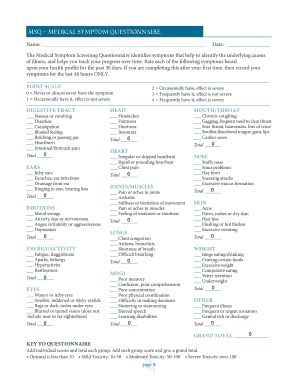
Msq questionnaire
The Medical Symptom Questionnaire (MSQ) is a tool designed to identify and track various health symptoms over a specifie ...

Grandparent parents
The document is a legal petition filed by a grandparent seeking visitation rights with their minor grandchild following ...

Payroll Submission Form - centssolutionscom
The document is a Payroll Submission Form designed for companies to record employee details, including names, hours work ...