




Here's how it works

01. Edit your dcas customer service phone number online
Type text, add images, blackout confidential details, add comments, highlights and more.

02. Sign it in a few clicks
Draw your signature, type it, upload its image, or use your mobile device as a signature pad.

03. Share your form with others
Send dcas nyc phone number via email, link, or fax. You can also download it, export it or print it out.
How to use or fill out DEPARTMENT OF CITYWIDE ADMINISTRATIVE ... - New York City with our platform

- Click ‘Get Form’ to open the application in the editor.
- Begin by filling out Section A with your respondent information. Clearly print your name, phone number, and address. Indicate whether you are the registrant or a representative.
- In Section B, provide details about your vehicle and the violation. Enter your vehicle plate number, registration, make, original hearing date, amount paid, and the number of violations being appealed.
- Use Section C to articulate your reasons for appealing the judge's decision. Be clear and concise; feel free to attach additional sheets if necessary.
- Finally, sign and date the application in Section D. Ensure all required documents are included before submission.
Start using our platform today to streamline your appeal process for free!
Fill out DEPARTMENT OF CITYWIDE ADMINISTRATIVE ... - New York City online
It's free
See more DEPARTMENT OF CITYWIDE ADMINISTRATIVE ... - New York City versions
We've got more versions of the DEPARTMENT OF CITYWIDE ADMINISTRATIVE ... - New York City form. Select the right DEPARTMENT OF CITYWIDE ADMINISTRATIVE ... - New York City version from the list and start editing it straight away!
Security and compliance
At DocHub, your data security is our priority. We follow HIPAA, SOC2, GDPR, and other standards, so you can work on your documents with confidence.
Learn more


Related forms

Form MO-1040 - 2024 Individual Income Tax Return - Long Form
The document is the 2024 Individual Income Tax Return form (MO-1040) for Missouri, detailing the requirements and sectio ...
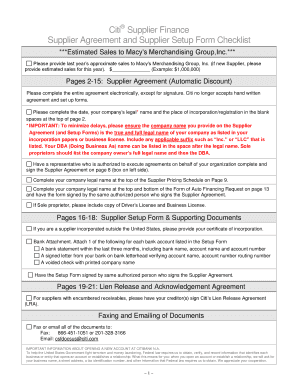
Citi Supplier Finance Supplier Agreement and Supplier Setup Form
The document outlines the Citi Supplier Finance program, detailing the Supplier Agreement and setup process for new supp ...

CERTIFICATE OF GARAGE INSURANCE - dfs ny
This document is a Certificate of Garage Insurance, which serves as informational proof that specific insurance policies ...

Draft 2024 Form 763, Virginia Nonresident Income Tax Return
The document is the 2024 Virginia Nonresident Income Tax Return form, which outlines the necessary information and steps ...