




Here's how it works

01. Edit your nyc crt instructions online
Type text, add images, blackout confidential details, add comments, highlights and more.

02. Sign it in a few clicks
Draw your signature, type it, upload its image, or use your mobile device as a signature pad.

03. Share your form with others
Send nyc commercial rent tax instructions via email, link, or fax. You can also download it, export it or print it out.
How to use or fill out NYC Commercial Rent Tax Instructions with our platform

- Click ‘Get Form’ to open the NYC Commercial Rent Tax Instructions in the editor.
- Begin by entering your name, Employer Identification Number (EIN), and address in the designated fields. Ensure all information is accurate to avoid processing delays.
- Indicate the type of business entity by checking the appropriate box. If applicable, mark if this is an amended return or if it’s your initial or final return.
- Proceed to report your full year’s rent or annualized rent on page 2. Fill out each line carefully, including total base rent and any deductions.
- Complete the computation of tax section by calculating your total tax due after credits. Make sure to check for any applicable tax credits that can reduce your liability.
- Finally, review all entries for accuracy before signing and submitting your form electronically through our platform or via mail as instructed.
Start using our platform today for free to streamline your NYC Commercial Rent Tax filing process!
Fill out nyc commercial rent tax instructions online
It's free
It's free
See more nyc commercial rent tax instructions versions
We've got more versions of the nyc commercial rent tax instructions form. Select the right nyc commercial rent tax instructions version from the list and start editing it straight away!
| Versions | Form popularity | Fillable & printable |
|---|---|---|
| 2025 | 4.9 Satisfied (38 Votes) | |
| 2024 | 4.7 Satisfied (29 Votes) | |
| 2023 | 4.3 Satisfied (33 Votes) | |
| 2022 | 4.8 Satisfied (60 Votes) | |
| 2021 | 4.8 Satisfied (216 Votes) | |
| 2020 | 4.4 Satisfied (152 Votes) | |
| 2019 | 4.2 Satisfied (49 Votes) | |
| 2018 | 4.3 Satisfied (196 Votes) | |
| 2016 | 4.4 Satisfied (60 Votes) | |
| 2014 | 4.4 Satisfied (540 Votes) | |
| 2012 | 4 Satisfied (33 Votes) | |
| 2011 | 4 Satisfied (29 Votes) |
Security and compliance
At DocHub, your data security is our priority. We follow HIPAA, SOC2, GDPR, and other standards, so you can work on your documents with confidence.
Learn more


Related forms

WITNESS STATEMENT - PERSONAL INJURY REPORT
The document is a personal injury report form titled 'Witness Statement' from AJG Seattle. It requires detailed informat ...
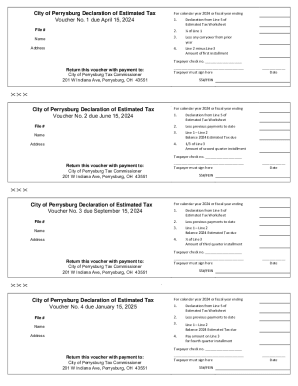
Reminder from the City of Perrysburg Income Tax Division
The document outlines the City of Perrysburg's Declaration of Estimated Tax for the calendar year 2024, detailing four p ...

Certificate of Occupancy - Southlake
The document outlines the process for requesting a Certificate of Occupancy to reoccupy an existing commercial structure ...

Safe work method statement form
The document is a Safe Work Method Statement (SWMS) for building and construction projects, outlining safety procedures, ...

Form 1041 Schedule DFill Out and Use This PDF
Schedule D (Form 1041) is a tax form used by estates and trusts to report capital gains and losses for the tax year. It ...

IRS Form 8854: Beginner's Guide to the Tax Expatriation
The document is Form 8854, the Initial and Annual Expatriation Statement for individuals expatriating from the U.S. in 2 ...

Auburn State
The Auburn State Recreation Area, located in California, encompasses over 35,000 acres along the American River and offe ...

Minutes - California State Parks - parks ca
The document contains the minutes of a teleconference meeting held by the California State Park and Recreation Commissio ...