




Here's how it works

01. Edit your form online
Type text, add images, blackout confidential details, add comments, highlights and more.

02. Sign it in a few clicks
Draw your signature, type it, upload its image, or use your mobile device as a signature pad.

03. Share your form with others
Send it via email, link, or fax. You can also download it, export it or print it out.
How to use or fill out 2020 California Extension with DocHub

- Click ‘Get Form’ to open the 2020 California Extension form in our editor.
- Begin by entering the LP, LLP, or REMIC name in the designated field. Ensure that you use black or blue ink for clarity.
- Next, input your Federal Employer Identification Number (FEIN) and California Secretary of State (SOS) file number. This information is crucial for proper processing.
- Fill in the address section accurately, including any Private Mail Box (PMB) details if applicable. Remember to write 'PMB' before the box number.
- Indicate the amount of payment due clearly in the specified field. Double-check this figure to avoid any discrepancies.
- Finally, review all entered information for accuracy before saving your document. Once satisfied, you can easily download or share it directly from our platform.
Start using our platform today to fill out your 2020 California Extension form quickly and efficiently!
Fill out 2020 california extension online
It's free
It's free
See more 2020 california extension versions
We've got more versions of the 2020 california extension form. Select the right 2020 california extension version from the list and start editing it straight away!
| Versions | Form popularity | Fillable & printable |
|---|---|---|
| 2025 | 4.8 Satisfied (40 Votes) | |
| 2023 | 4.3 Satisfied (52 Votes) | |
| 2022 | 4.7 Satisfied (55 Votes) | |
| 2021 | 4.8 Satisfied (114 Votes) | |
| 2020 | 4.3 Satisfied (203 Votes) | |
| 2019 | 4.3 Satisfied (120 Votes) | |
| 2018 | 4.3 Satisfied (129 Votes) | |
| 2017 | 4.1 Satisfied (45 Votes) | |
| 2002 | 4.3 Satisfied (32 Votes) |
Security and compliance
At DocHub, your data security is our priority. We follow HIPAA, SOC2, GDPR, and other standards, so you can work on your documents with confidence.
Learn more


Related forms

Membership Application Liability Waiver - American Legion Riders
The document is a Membership Application and Liability Waiver for the American Legion Riders Chapter (XXX) in California ...
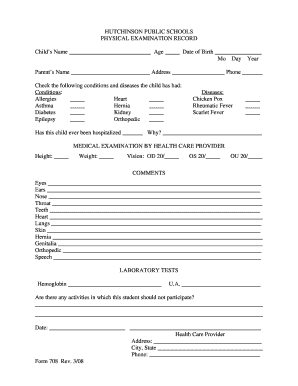
Orthopedic sheet
The document is a physical examination record for students at Hutchinson Public Schools, capturing essential health info ...

Jdf 8461 colorado form
The document is a court order from the Denver Probate Court appointing a temporary substitute guardian for an adult ward ...
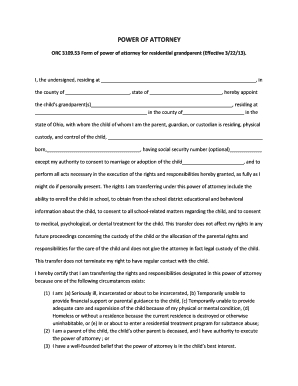
Grandparents poa form
The document outlines a Power of Attorney for grandparents in Ohio, allowing them to have physical custody and control o ...

Form B - BT Plc
The document is a transfer request form for shares in BT Group plc through the BT EasyShare Service. It outlines the nec ...

Mini-Mental State Examination Form - Form Download
The document outlines the Mini-Mental State Examination (MMSE), a cognitive assessment tool used to evaluate a resident' ...

14233SFEIR Greenhouse Gas Text Data - Mass - mass
The document outlines the modifications and commitments made by the project proponent for a BJ's Wholesale Club in Quinc ...

(lbs MWh) - maine
The document provides consumer information about electricity supply in Maine, specifically detailing the power sources a ...