




Here's how it works

01. Edit your wisconsin payment voucher online
Type text, add images, blackout confidential details, add comments, highlights and more.

02. Sign it in a few clicks
Draw your signature, type it, upload its image, or use your mobile device as a signature pad.

03. Share your form with others
Send heres how it works text send wisconsin form 1 es it or print it out text type text add images blackout device as a signature pad via email, link, or fax. You can also download it, export it or print it out.
How to use or fill out Wisconsin Payment Voucher with our platform

- Click ‘Get Form’ to open the Wisconsin Payment Voucher in the editor.
- Begin by entering your legal first and last name in the designated fields. Ensure accuracy as this information is crucial for processing.
- Input your social security number without hyphens in the provided space. If applicable, repeat this step for your spouse's details.
- Select the appropriate check box that applies to you: Individual, Trust, or Estate. This selection will determine how your payment is processed.
- Fill in your home address, including city, state, and zip code. This ensures that any correspondence reaches you promptly.
- Enter the amount of payment clearly in the designated field. Double-check this figure to avoid any discrepancies.
- Once all fields are completed, review your entries for accuracy before saving or printing the voucher for submission.
Start using our platform today to easily fill out and submit your Wisconsin Payment Voucher online for free!
Fill out wisconsin payment voucher online
It's free
It's free
See more wisconsin payment voucher versions
We've got more versions of the wisconsin payment voucher form. Select the right wisconsin payment voucher version from the list and start editing it straight away!
Security and compliance
At DocHub, your data security is our priority. We follow HIPAA, SOC2, GDPR, and other standards, so you can work on your documents with confidence.
Learn more


Related forms

Authorisation for third party visa collection
The document is an authorization letter allowing a designated representative to collect the applicant's passport and ori ...

Application form residence permit
The document outlines the application process for various types of residence permits in Austria, including requirements ...

PPP Application Form - SBA
The document is an Additional Facility Loan Application Form that requires applicants to provide personal and financial ...
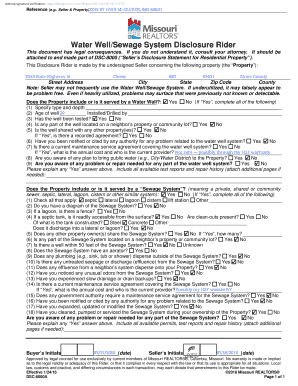
Water Well Sewage System Disclosure Rider
The document is a Seller's Disclosure Statement for a residential property located at 3243 State Highway M, Clever, MO 6 ...