




Here's how it works

01. Edit your nj coj online
Type text, add images, blackout confidential details, add comments, highlights and more.

02. Sign it in a few clicks
Draw your signature, type it, upload its image, or use your mobile device as a signature pad.

03. Share your form with others
Send nj coj form via email, link, or fax. You can also download it, export it or print it out.
How to use or fill out nj coj form with our platform

- Click ‘Get Form’ to open the NJ COJ form in the editor.
- Begin by entering your name as shown on Form NJ-1040 and your Social Security Number at the top of the form.
- In Section 1, provide the jurisdiction name where income was taxed. Ensure that you do not combine income taxed by multiple jurisdictions.
- For Line 2, input the income subject to tax by New Jersey from Line 29 of Form NJ-1040.
- Calculate the maximum allowable credit percentage for Line 3 by dividing Line 1 by Line 2.
- Complete Box 5a with the amount from Worksheet H, Line 1, and proceed to enter any property tax deductions if applicable.
- Follow through Lines 6 to 9a, ensuring all calculations are accurate based on provided instructions.
- Finally, review your entries and save your completed form for submission or record keeping.
Start using our platform today for free to simplify your NJ COJ form completion!
Fill out nj coj form online
It's free
It's free
See more nj coj form versions
We've got more versions of the nj coj form form. Select the right nj coj form version from the list and start editing it straight away!
Security and compliance
At DocHub, your data security is our priority. We follow HIPAA, SOC2, GDPR, and other standards, so you can work on your documents with confidence.
Learn more


Related forms

Ohio Concealed Carry Renewal Application Form Ohio Concealed Carry Renewal Application Form divers
Ohio Concealed Carry Renewal Application Form Ohio Concealed Carry Renewal Application Form divers
The document outlines the process for renewing a concealed carry license in Ohio, detailing requirements such as applica ...
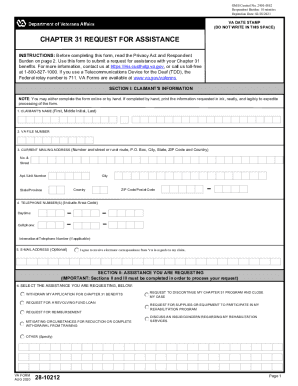
Va form 28 10212
The document is a VA Form 28-10212, used by claimants to request assistance with Chapter 31 benefits. It includes sectio ...

Com Providers Colorado AnswersAnthem
The document is a Claim Action Request Form used by providers to submit requests related to claims processing. It includ ...

SPF-100EXT
The document SPF-100EXT is a form used by S Corporations and Partnerships in West Virginia to request an extension of ti ...

FCAT AREA WORKSHEET - dranglin
The document is a geometry worksheet designed for students to practice calculating the area of various geometric figures ...

DVM Excused Absence Form - cvmbs - Colorado State University
The document is an Excused Absence Request form for students in the PVM program, outlining the process for requesting ap ...