




Here's how it works

01. Edit your form online
Type text, add images, blackout confidential details, add comments, highlights and more.

02. Sign it in a few clicks
Draw your signature, type it, upload its image, or use your mobile device as a signature pad.

03. Share your form with others
Send it via email, link, or fax. You can also download it, export it or print it out.
How to use or fill out Michigan UBG Schedule with our platform

- Click 'Get Form' to open the Michigan UBG Schedule in the editor.
- Begin by entering the Designated Member Name and Federal Employer Identification Number (FEIN) or TR Number at the top of the form.
- In Part 1A, list all members of the Unitary Business Group (UBG) starting with the Designated Member. Ensure to include their FEIN or TR Numbers.
- Proceed to Part 1B, where you will need to complete a separate copy for each member listed in Part 1A. Fill in details such as Member Name, Organization Type, and Address.
- In Part 2A, enter data for each member's business activity. This includes gross receipts, inventory acquired during the tax year, and any deductions applicable.
- Review your entries for accuracy before saving or exporting your completed form. Utilize our platform’s features to sign and distribute your document seamlessly.
Start filling out your Michigan UBG Schedule today for free using our platform!
Fill out michigan ubg schedule online
It's free
It's free
See more michigan ubg schedule versions
We've got more versions of the michigan ubg schedule form. Select the right michigan ubg schedule version from the list and start editing it straight away!
| Versions | Form popularity | Fillable & printable |
|---|---|---|
| 2023 | 4.4 Satisfied (35 Votes) | |
| 2022 | 4.1 Satisfied (57 Votes) | |
| 2021 | 4.6 Satisfied (82 Votes) | |
| 2020 | 4.4 Satisfied (182 Votes) | |
| 2019 | 4.3 Satisfied (60 Votes) | |
| 2017 | 4.2 Satisfied (85 Votes) | |
| 2014 | 4.3 Satisfied (119 Votes) | |
| 2013 | 4.4 Satisfied (60 Votes) | |
| 2011 | 4 Satisfied (46 Votes) |
Security and compliance
At DocHub, your data security is our priority. We follow HIPAA, SOC2, GDPR, and other standards, so you can work on your documents with confidence.
Learn more


Related forms
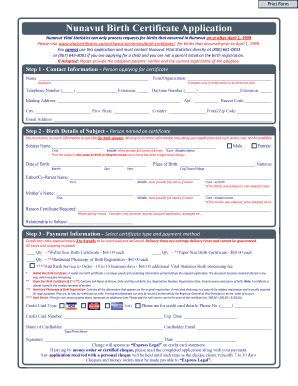
Nunavut birth certificate
The document is a Nunavut Birth Certificate Application form, detailing the process for requesting a birth certificate f ...

Patient interview form
The document is a Patient Interview Form that requires patients to provide personal information, medical history, curren ...

For His Glory Homeschool Co-Op 2024-2025 Membership and
The document is a membership and class registration form for the His Glory Homeschool Co-Op for the 2024-2025 academic y ...

(mjesto i adresa, tel fax, e-mail)
The document is a power of attorney form allowing a shareholder to authorize a representative to participate in the deci ...
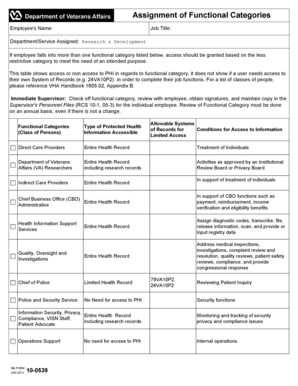
Va form 10 0539
The document outlines the assignment of functional categories for employees in the Research & Development department, de ...