Type text, add images, blackout confidential details, add comments, highlights and more.

02. Sign it in a few clicks
Draw your signature, type it, upload its image, or use your mobile device as a signature pad.

03. Share your form with others
Send it via email, link, or fax. You can also download it, export it or print it out.

How to use or fill out Your new employee to-do list with our platform
Ease of Setup
DocHub User Ratings on G2
Ease of Use
DocHub User Ratings on G2
Click ‘Get Form’ to open it in the editor.
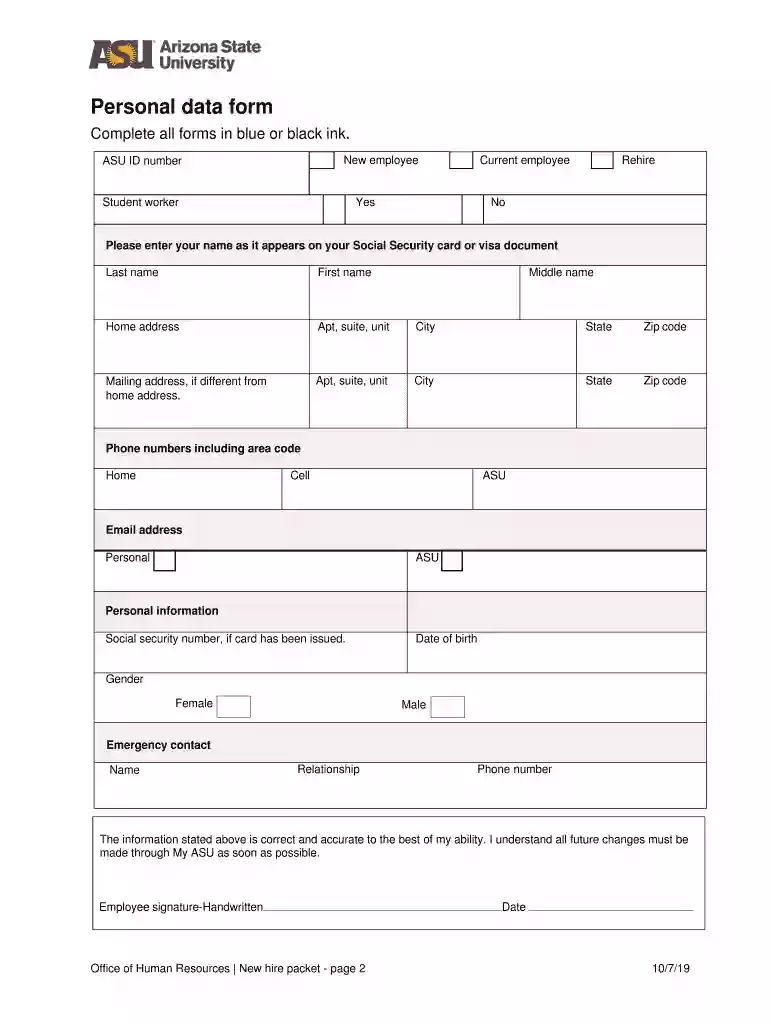
Begin by completing the Personal Data Form. Fill in your name, ASU ID number, and contact information accurately. Ensure all entries are made in blue or black ink.
Next, U.S. citizens and permanent residents should read, sign, and date the Public Employee or Officer Loyalty Oath on page 3. This is a mandatory step for compliance.
For graduate assistants and student workers, review the Tax Withholding for Student Wages section on page 4 and keep the guidelines for your records.
Proceed to read, sign, and date the Conditions of Employment form on page 5. This confirms your understanding of employment policies.
Follow the instructions provided for completing Form I-9 on page 6. Ensure you have the necessary documents ready for verification.
Lastly, review health insurance options detailed on page 8 to make informed decisions regarding your coverage.
Start using our platform today to streamline your onboarding process effortlessly!
Fill out Your new employee to-do list online It's free
We've got more versions of the Your new employee to-do list form. Select the right Your new employee to-do list version from the list and start editing it straight away!
Your new employee to do list templateYour new employee to do list pdfYour new employee to do list sampleYour new employee to do list examplesNew hire documents checklistNew hire paperwork printable pdfNew employee onboarding checklist template ExcelNew hire paperwork printable PDF free download
Security and compliance
At DocHub, your data security is our priority. We follow HIPAA, SOC2, GDPR, and other standards, so you can work on your documents with confidence.
First-Day Checklist and Itinerary - UF Administrative
1. Enthusiastically welcome the new employee. Show employee their workspace and allow them to organize. Set up their phone. Provide copy of handbook.Read more
Cookie consent notice
This site uses cookies to enhance site navigation and personalize your experience.
By using this site you agree to our use of cookies as described in our Privacy Notice.
You can modify your selections by visiting our Cookie and Advertising Notice.