




Here's how it works

01. Edit your form online
Type text, add images, blackout confidential details, add comments, highlights and more.

02. Sign it in a few clicks
Draw your signature, type it, upload its image, or use your mobile device as a signature pad.

03. Share your form with others
Send it via email, link, or fax. You can also download it, export it or print it out.
How to use or fill out nysed 4 with our platform

- Click ‘Get Form’ to open the nysed 4 document in the editor.
- Begin by entering your Social Security Number and Birth Date in the designated fields. If you do not have a U.S. Social Security Number, leave that field blank.
- Print your full name exactly as it appears on your application for licensure. Ensure accuracy to avoid any processing delays.
- Select whether your mailing address is home or business, and fill in the required address details including city, state, and zip code.
- In the Professional Experience section, check the box that corresponds to your engineering discipline.
- List all places of employment chronologically, starting with your first job related to the experience claimed. Include firm names, endorser names, dates of employment, and time claimed.
- Finally, ensure you sign and date the attestation section before submitting the form directly to the specified address.
Start using our platform today for free to streamline your nysed 4 form completion!
Fill out nysed 4 online
It's free
It's free
Security and compliance
At DocHub, your data security is our priority. We follow HIPAA, SOC2, GDPR, and other standards, so you can work on your documents with confidence.
Learn more


Related forms

New supplier form template
The document is a New Supplier Request/Supplier Maintenance Request Form from DePauw University's Business Office. It ou ...

Northeastern University Student Financial Services - Home
The document outlines the terms and conditions of the Presidential Global Scholarship awarded to students for their glob ...

Bcbs request aba form
The document is an Assessment, Initiation, and Continuation Request Form for Applied Behavior Analysis (ABA) therapy ser ...
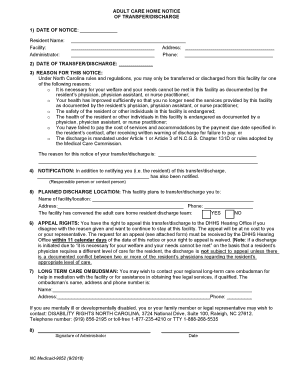
Care home notice
The document is an Adult Care Home Notice of Transfer/Discharge, outlining the reasons and procedures for transferring o ...

Gad scoring sheet
The document is a GAD-7 questionnaire used to assess anxiety levels in patients over the past two weeks. It includes a s ...

MCI Details Feedback Form 837-D - ssvems
The document is an Adult Patient Information Record for Pulos Family Dentistry, LLC, located in Indianapolis, IN. It col ...

Passport Intake Form
The document is a Passport Intake Form from U.S. Senator John Cornyn's office, intended for individuals whose passport a ...

Records Request Form Municipal - Glassboro Online
The document is a Records Request Form for the New Jersey Judiciary Municipal Court, designed for individuals seeking ac ...