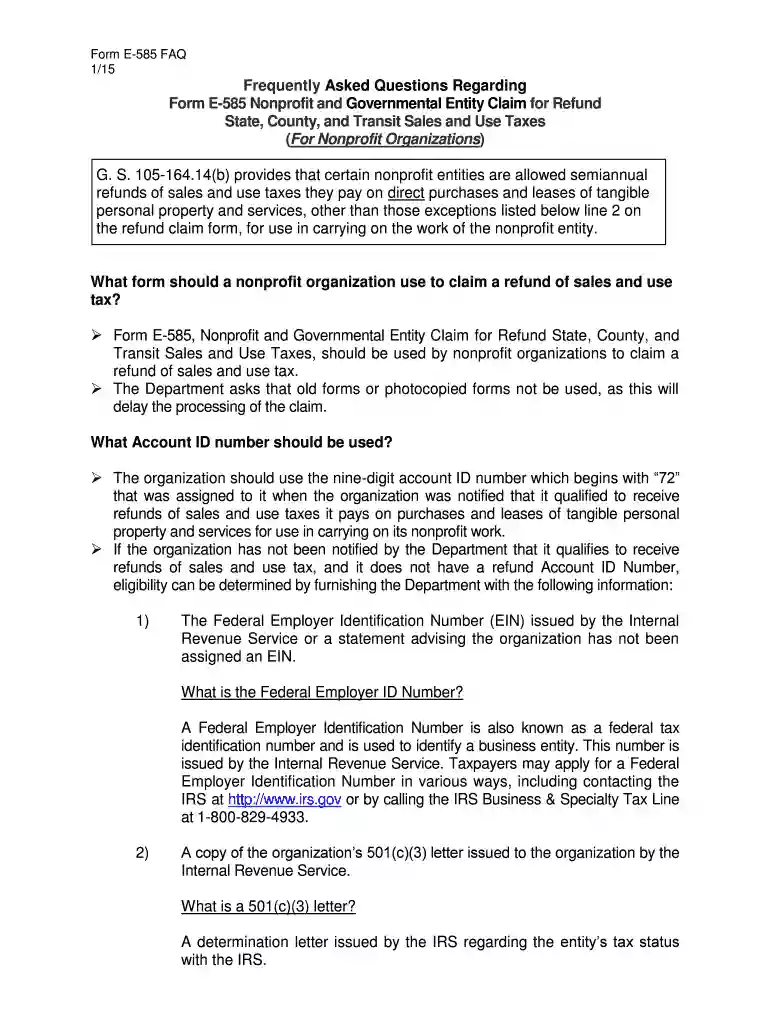
585 form 2026

Get Form
585 form Preview on Page 1

Here's how it works

01. Edit your form online
Type text, add images, blackout confidential details, add comments, highlights and more.

02. Sign it in a few clicks
Draw your signature, type it, upload its image, or use your mobile device as a signature pad.

03. Share your form with others
Send it via email, link, or fax. You can also download it, export it or print it out.

How to use or fill out the 585 form with our platform

Form edit decoration
9.5
Ease of Setup
DocHub User Ratings on G2
9.0
Ease of Use
DocHub User Ratings on G2
  1. Click ‘Get Form’ to open the 585 form in the editor.
  2. Begin by entering your nine-digit Account ID number, which starts with '72'. This number is essential for processing your refund claim.
  3. In Line 1, specify the taxing county where you paid sales and/or transit tax. If multiple counties are involved, complete Form E-536R instead.
  4. For Line 2, enter total purchases of tangible personal property and services on which state sales tax was paid. Ensure you do not include nonrefundable items.
  5. On Line 3, input the total state sales and use tax paid directly to retailers based on your purchases. This should correspond with the amounts entered in Line 2.
  6. Continue filling out Lines 4 through 8 as instructed, ensuring all calculations are accurate and reflect your organization’s transactions.

Start using our platform today to streamline your form completion process for free!

See more 585 form versions

We've got more versions of the 585 form form. Select the right 585 form version from the list and start editing it straight away!
Versions Form popularity Fillable & printable
2021 4.9 Satisfied (42 Votes)
2020 4.3 Satisfied (122 Votes)
2019 4.3 Satisfied (68 Votes)
2015 4.3 Satisfied (183 Votes)
2011 4.2 Satisfied (66 Votes)
be ready to get more

Complete this form in 5 minutes or less

Get form

Got questions?

We have answers to the most popular questions from our customers. If you can't find an answer to your question, please contact us.
Contact us
Form 1040 is used by U.S. taxpayers to file an annual income tax return. Form 1040-SR is available as an optional alternative to using Form 1040 for taxpayers who are age 65 or older.
Is Form 1040 the Same As a W-2? Form 1040 is different from a W-2. A W-2 is a wage and tax statement that an employee receives from a company they worked for during the tax year. The information listed on the W-2 is used to fill out Form 1040.
Most U.S. citizens or permanent residents who work in the U.S. have to file a tax return. Generally, you need to file if: Your income is over the filing requirement. You have over $400 in net earnings from self-employment (side jobs or other independent work)
How to fill out the 1040EZ Tax Form Instructions for Simplified Filing? Gather your financial documents such as W-2s and 1099s. Complete your personal information including name, address, and SSN. Fill in your income and tax credits on the designated lines. Double-check your entries for accuracy and completeness.
Where do I get Virginia State Income Tax Forms? You may download forms from the Virginia Department of Taxations website. You can request forms and instructions from the Virginia Department of Taxations Forms Department by calling 804-440-2541.

Security and compliance

At DocHub, your data security is our priority. We follow HIPAA, SOC2, GDPR, and other standards, so you can work on your documents with confidence.

Learn more
ccpa2
pci-dss
gdpr-compliance
hipaa
soc-compliance

People also ask

Nobody receives a 1040 as a result of employment, and not all people working in the US are required to fill one in. What you might receive is a W-2. Thats a document an employer sends that summarizes how much income you earned and what taxes (if any) were withheld from your paychecks.

Related links