




Here's how it works

01. Edit your state of utah tax forms online
Type text, add images, blackout confidential details, add comments, highlights and more.

02. Sign it in a few clicks
Draw your signature, type it, upload its image, or use your mobile device as a signature pad.

03. Share your form with others
Send utah tax forms via email, link, or fax. You can also download it, export it or print it out.
How to use or fill out 2016 Utah State Tax Form with DocHub

- Click ‘Get Form’ to open the 2016 Utah State Tax Form in our editor.
- Begin by entering your corporation name, address, and Employer Identification Number (EIN) in the designated fields at the top of the form.
- Indicate if your corporation conducted any business activity in Utah during the taxable year by marking 'X' in the appropriate box.
- Complete Schedule A by calculating your unadjusted income from federal form 1120 and making necessary additions and subtractions as outlined in the schedule.
- Proceed to enter total tax amounts, refundable credits, and any penalties or interest on lines provided. Ensure all calculations are accurate before moving on.
- Finally, review all entries for accuracy, sign where indicated, and save your completed form. You can easily share or print it directly from our platform.
Start using our platform today to fill out your 2016 Utah State Tax Form for free!
Fill out 2016 utah state tax form online
It's free
See more 2016 utah state tax form versions
We've got more versions of the 2016 utah state tax form form. Select the right 2016 utah state tax form version from the list and start editing it straight away!
| Versions | Form popularity | Fillable & printable |
|---|---|---|
| 2025 | 4.1 Satisfied (29 Votes) | |
| 2024 | 4.2 Satisfied (43 Votes) | |
| 2023 | 4.7 Satisfied (53 Votes) | |
| 2022 | 4.3 Satisfied (59 Votes) | |
| 2021 | 4.8 Satisfied (148 Votes) | |
| 2020 | 4.4 Satisfied (117 Votes) | |
| 2019 | 4.3 Satisfied (171 Votes) | |
| 2018 | 4.2 Satisfied (73 Votes) | |
| 2017 | 4.3 Satisfied (133 Votes) | |
| 2016 | 4.4 Satisfied (259 Votes) | |
| 2015 | 4.4 Satisfied (582 Votes) | |
| 2014 | 4.4 Satisfied (63 Votes) | |
| 2012 | 4.4 Satisfied (65 Votes) | |
| 2011 | 4.1 Satisfied (30 Votes) |
Security and compliance
At DocHub, your data security is our priority. We follow HIPAA, SOC2, GDPR, and other standards, so you can work on your documents with confidence.
Learn more


Related forms

Sponsored by: Texas Pork Producers Association
The 2018 Texas Pork Leadership Camp, sponsored by the Texas Pork Producers Association, is a week-long program from July ...

2013 form withholding
The document is California Form 589, a Nonresident Reduced Withholding Request for the taxable year 2013. It allows nonr ...
2015 tcfp010 continuing documentation individual
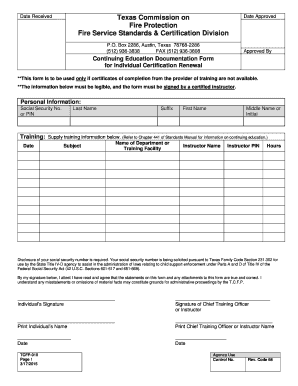
The document is a Continuing Education Documentation Form for Individual Certification Renewal issued by the Texas Commi ...

Telephone: 360-705-6741
The document is a Business License Application form for the State of Washington, detailing the process for applying for ...

Washington training application
The document provides information on the Training Benefits Program, which offers financial support to unemployed individ ...
F 1120 2012 form
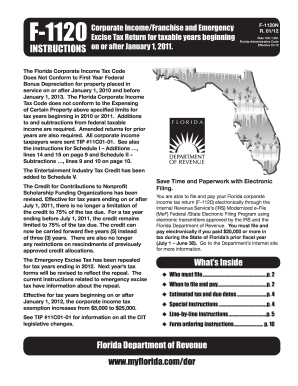
The document provides detailed instructions for filing the Florida Corporate Income/Franchise and Emergency Excise Tax R ...

NOTE: The average refund time for paper returns and returns requiring supporting documentation is
NOTE: The average refund time for paper returns and returns requiring supporting documentation is
The document is the 2017 Non-Resident Individual Income Tax Return for Delaware, providing instructions and forms for no ...

Delaware form 200 02
The document provides detailed instructions for filing the Delaware Non-Resident Individual Income Tax Return (Form 200- ...